Thank you for posting, @creative_photographer3c21.
I apologize for any issues you are experiencing with managing your subscription.
I checked, and multiple Adobe accounts were created under your email address, including some incomplete ones. If so, make sure you are signed in with the Adobe account that has the active Lightroom subscription before attempting to cancel.
You can find information using the account chooser and profile chooser when multiple accounts exist: https://helpx.adobe.com/my_en/enterprise/kb/enterprise-id-faq.html.
Once you have confirmed that you are signed in to the correct account, you can follow the cancellation steps here: https://helpx.adobe.com/account/individual/subscriptions-and-plans/renewals-and-cancellations/cancel-adobe-subscription.html.
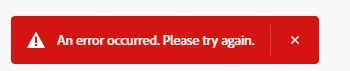
If the cancellation process still does not work after selecting the correct account, try using a different browser, an incognito/private browsing window, or a different device to rule out a browser-related issue.
Please update this discussion thread if you have any additional questions, @creative_photographer3c21.




 AdChoices