


Participant
June 14, 2023
Answered

cannot purchase creative cloud subscripton - India

  • June 14, 2023
  • 10 replies
  • 7462 views

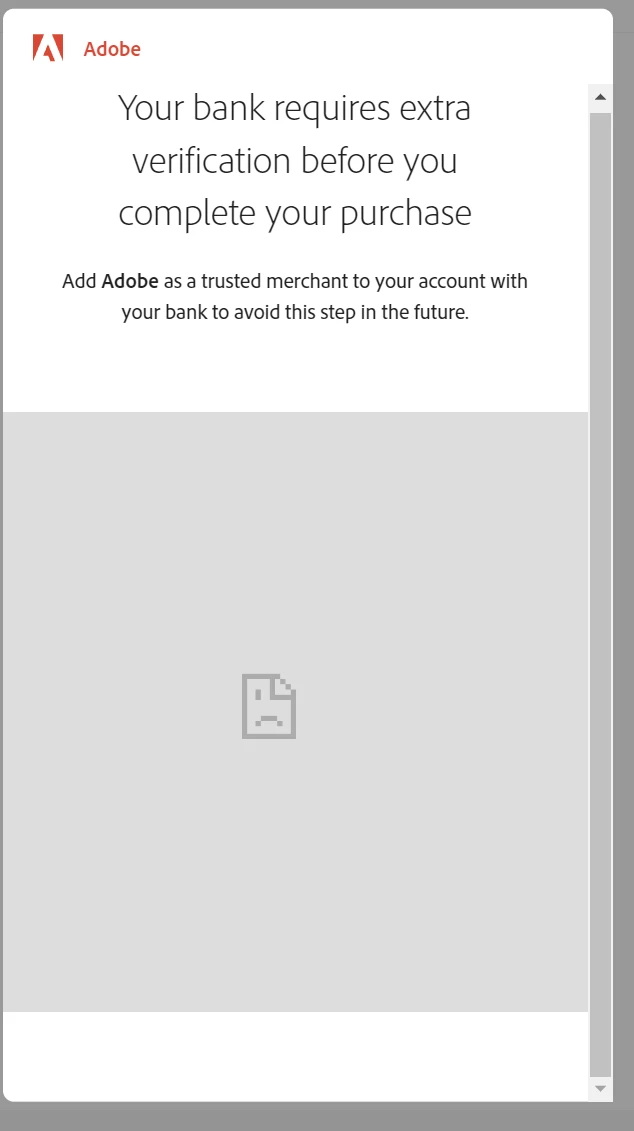
I'm unable to purchase creative cloud subscription. I'm entering correct payment details. When I click the submit button, it shows a pop up and asks me to type OTP to confirm payment. After I do that, I get the following error

www.3dsecure.icicibank.com refused to connect.
 

Help needed. Thanks in advance

 

Correct answer Shivangi_Gupta

Thanks for your patience. We got an update from our team. They worked in coordination with the ICICI team and got it sorted. The payment should get completed easily now onwards.

Let us know if you get any issues.


Cheers,

Shivangi

10 replies

Shivangi_Gupta
Community Manager
Shivangi_GuptaCommunity ManagerCorrect answer
Community Manager
July 31, 2023

Thanks for your patience. We got an update from our team. They worked in coordination with the ICICI team and got it sorted. The payment should get completed easily now onwards.

Let us know if you get any issues.


Cheers,

Shivangi

Participant
November 18, 2023

This has still been an issue with ICICI bank. THE ISSUE IS NOT SOLVED AND IS STILL OPEN. I tried to make a payment. However, I see that it directs me to a OTP page. But, I do not see any option to type out the OTP for the purchase. This has been ridiculous and the chat team for assistance takes an hour to even connect. Never expected this from Adobe. 

kglad
Community Expert
Community Expert
November 18, 2023
Participant
July 14, 2023

same issue here,,it was working fine as a recurring payment all these months. Suddenly billing failed an am not able to pay for the monthly subscription with icici card


Shivangi_Gupta
Community Manager
Community Manager
July 11, 2023

Hi all,

We're sorry for the trouble. We're getting this issue reviewed. Could you specify the payment method used?

If you are using a credit card, please specify the Bank's name only.

Looking forward to your response.


Regards,

Shivangi

Participant
July 11, 2023

As mentioned above by sachinottawa in the start of the thread's screenshot, this issue is happening with ICICI Bank.

Participant
July 3, 2023

Seems something has got changed at ICICI Bank, facing similar issue while adding my card to Netflix:
https://twitter.com/patelpriteshs/status/1675726510932770816

Someone replied, that same is happening for Meta website.

kglad
Community Expert
Community Expert
July 3, 2023

@Pritesh98A2 et al


have you contacted icici bank?

Participant
July 3, 2023

No, I contacted Netflix.

But, I moved on by temporarily installing chrome extension "Ignore X-Frame headers" as suggested by Mayank30848372lbyw in above reply. With this plugin, i was able to complete 3DS and then uninstalled it.

Participant
June 29, 2023

facing the same problem. Called the bank's customer care, and they have no issue from their end.  Already added Adobe as a trusted merchant but still have the same problem. Tried different computers, mobiles, and different browsers. But the same message every time. Now what to do?? Got Adobe's warning for the end of the subscription.

kglad
Community Expert
Community Expert
June 29, 2023

@Parantap 


you can contact adobe support. there are 2 ways to contact adobe; chat and twitter:

chat:
use a browser that allows popups and cookies
and click here, https://helpx.adobe.com/contact.html?rghtup=autoOpen
in the chat field (lower right), type AGENT
be patient, it can take quite a while to reach a human.

twitter:
tweet @AdobeCare

p.s. if you're contacted by anyone (via email or private message), it's much more likely to be a scammer than an adobe representative. ie, double check for an employee badge if contacted in the forums and look for an adobe.com domain in the email address if you click reply to an email. then check again and be very suspicious. any other method of contacting (or offering to contact you) is almost certainly a scam, https://community.adobe.com/t5/using-the-community-discussions/staying-safe-in-the-adobe-support-community/td-p/12919684/redirect_from_archived_page/true

Participant
June 26, 2023

Even, I am having the same issues  It seems like an ICICI cards 3d secure security process is not accepting Adobe website's 'iframe' to get information and hence declining verification.

kglad
Community Expert
Community Expert
June 26, 2023

@anjuy10621404 


did you add adobe to your bank account's trusted merchant list?

Participant
June 27, 2023

not working.

for the time being, borrowed other bank's card and completed the transaction

lets see if adobe makes changes and/or add more payment options.

Jeffrey_A_Wright
Community Manager
Community Manager
June 15, 2023

Sanchinottawa and Anouhka, I apologize for any frustrations you are encountering while making your recurring purchase to Adobe in India. 


In addition to the valuable advice provided by Manan Joshi and Kglad, please see https://helpx.adobe.com/x-productkb/policy-pricing/recurring-payments-india.html for more information on how to correct errors with the payment method. I would recommend bookmarking the page as this could be a regular activity that you will need to perform.

Participant
June 21, 2023

I am having the same issues and the method you mentioned does not work. It seems like an issue with ICICI cards

kglad
Community Expert
Community Expert
June 21, 2023

did you add adobe to your trusted merchant list.

Participant
June 15, 2023

Same problem, any solution?

kglad
Community Expert
Community Expert
June 15, 2023

are you purchasing directly from adobe?  if so, add them to your trusted merchant list.

Community Expert
June 15, 2023

Try a different bank or probably contact ICICI. You can also contact Adobe support and discuss your options. To contact support follow the instructions given below
1. Go to https://helpx.adobe.com/contact.html?rghtup=autoOpen
2. Wait a bit on the page that opens up, it should automatically open a chat popup. If that does not happen then look for a call out/chat icon at the bottom right, click over it and the chat popup should open
3. In order to talk to a human type "AGENT" in the chat box
4. If you are not able to get to the chat window, then disable your adblockers, firewall, enable cookies/scripts on your browser. If it still fails then change your browser/machine/network.

P.S. Be mindful of answering anyone who sends you a private message. See the following for more information about scammers
https://tinyurl.com/y7cfrr7y

-Manan

-Manan
kglad
Community Expert
Community Expert
June 14, 2023

can you purchase directly from adobe?


<moved from cc desktop ideads>