


Participant
September 1, 2025
Question

Device Activation Limit Reached - many same devices

  • September 1, 2025
  • 4 replies
  • 282 views

Hello,


I wanted to sign in on my laptop to use adobe software, and i get activation limit reach message. There are many many devices with same name, look at the dots how many devices are connected...it looks weird.

Is it some adobe software issue, or the acccount get hacked ? Im using 3 devices and switching between them. It worked normally last week... I Don´t know what happend.
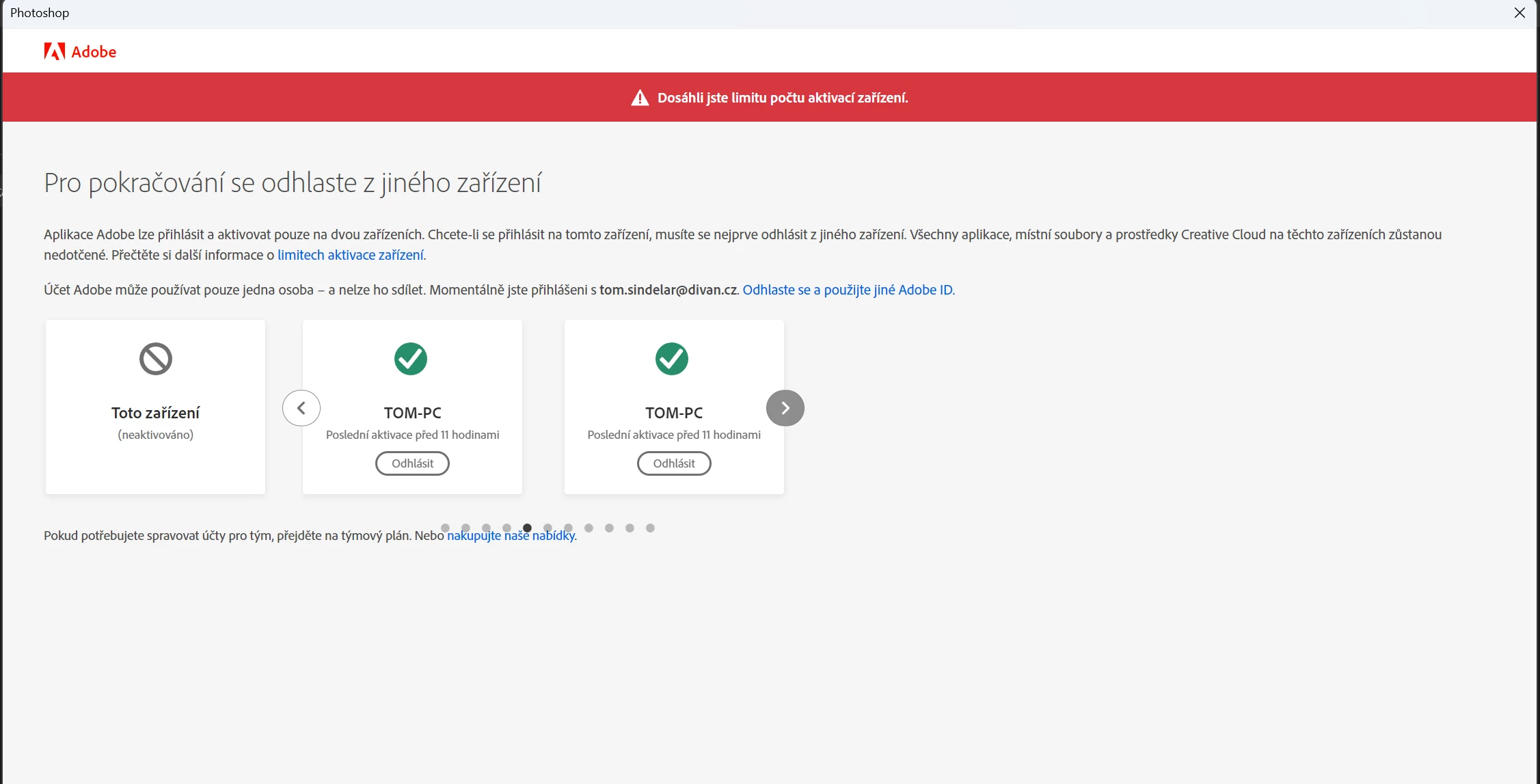
Thanks for help !


4 replies

Participant
September 3, 2025

It has probably nothing to do with 2FA, at least in my case... I log out about 10 same devices, and it looks, it is working again. Don´t know how this could happen... When I had CS6 suite, I´ve never had this sort of critical problems, which prevent me from using the software I pay for... It is really bad with adobe since Creative Cloud is out, users turn to be developers. Updates that crashes basic functions etc... What about to implement cash back for every time I cannot use My creative cloud apps ?  

kglad
Community Expert
Community Expert
September 3, 2025

how frequently are you seeing this?


eg, with each computer restart?

mustafae68234948
Participating Frequently
September 2, 2025

Dealing with the same issue for couple of days now, Creative Cloud has been activated on two devices (A+B) more than 3 years now. Although I'm running Ps on Device A, "Activation Limit Reached" message welcomes me again this morning , where "Device A becomes not activated" and also the same "Device A" listed as a different device with at least 5 identical copies next to each other, telling me those were activated 3 hours ago.

I've deactivated both devices earlier, re-signed-in on each device, change the pass, 2fa is on. It happened again. One pc is win10 and the other is win11. On win10, I was using Ps version 26.1.O and Ai version 28. I updated them also recently , we'll see what happens.

kglad
Community Expert
Community Expert
September 2, 2025

keep us updated.

Shivangi_Gupta
Community Manager
Community Manager
September 3, 2025

Hi there,

Have you followed the steps listed here? https://adobe.ly/3I1cFBT

Let us know. 


^Shivangi

Abambo
Community Expert
Community Expert
September 2, 2025

It seems that there is indeed an issue that may be solved with activationg the two factor athentification (2FA). Your computer hasn't been hacked, nor did the account get hacked. A few years ago, I had similar issues, as the system added my Windows computer twice (once under Windows, once under Windows 64).

ABAMBO | Hard- and Software Engineer | Photographer
kglad
Community Expert
Community Expert
September 1, 2025

for a subscription:


sign out from all devices on https://account.adobe.com

enable 2fa

sign in using your 2 computers and see if there's a warning.