This topic is closed to new replies. Start a new post to keep the conversation going.

4 replies

gupta shivangi
Legend
December 3, 2024

Hi @majdy_4847,

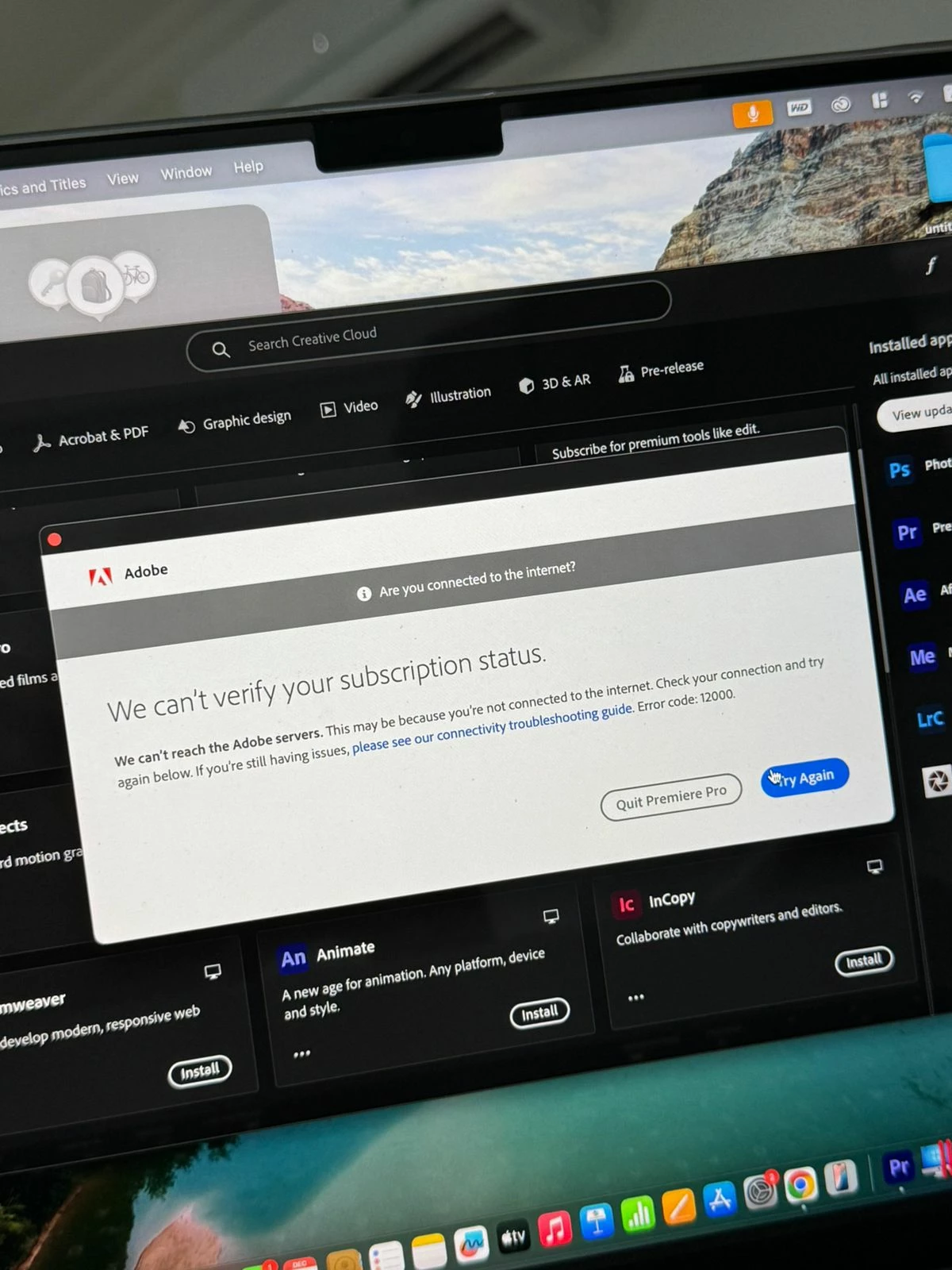
We're sorry for the trouble. I can see that you are getting an error while launching the Adobe application. In addition to the suggestions given by the experts above, have you tried the steps listed in this article? https://adobe.ly/4gcXLUz

Let me know if it brings any change. 

Thanks,

Shivangi

Translate
kglad
Community Expert
Community Expert
December 3, 2024

make sure your default browser is not opera, and then update it.  then check your account, https://account.adobe.com and verify everything is what you expect.

 

then sign out and then back in to the cc desktop app using the same adobe id/password used to check yoru account, https://helpx.adobe.com/download-install/kb/activate-deactivate-products.html

Translate
Averdahl
Community Expert
Community Expert
December 3, 2024

Seems like an issue with the account rather than a specific issue with Premiere Pro so i moved this port to Account, Payment, & Plan forum.

Translate
jane-e
Community Expert
Community Expert
December 3, 2024

@majdy_4847 


I see a button for Premiere Pro in your screenshot and have moved your post from Using the Community to the Premiere Pro forum.


Jane


Translate