
Participant
March 11, 2021
Answered

How to change the billing address

  • March 11, 2021
  • 2 replies
  • 2091 views

Hi,


I have seen some threads about changing payment information and usually the answer is to reffer to "https://helpx.adobe.com/contact/support.html", but I don't find any chat or telephone number there, only FAQ.


I am trying to change my street and housenumber for the billing address, but when going to Account => Abo => Payment => Edit Payment, I can only change the credit card, name and zip code, but not the street and the house number.


Any suggestions?

Thank you!
Correct answer kglad

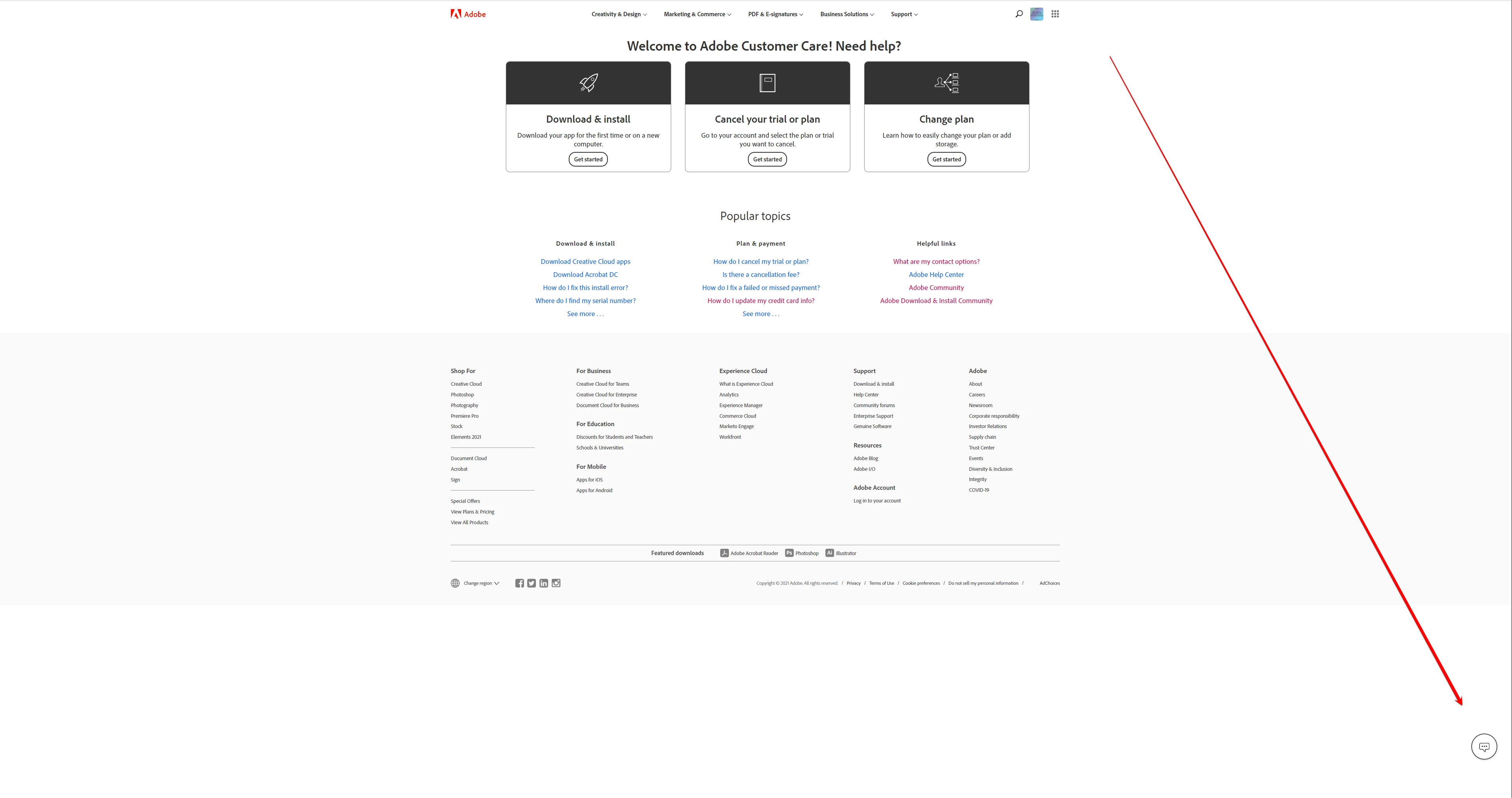
if you have a large screen, the chat icon can be way down there:


but, after double checking, if you don't see it, use a different browser.


2 replies

Nancy OShea
Community Expert
Community Expert
March 11, 2021

Is this a Teams/Enterprise or Individual plan?

Teams/Enterprise plan holders have an admin console for updating billing information and managing seats.  Contact your IT dept.


Nancy O'Shea— Product User & Community Expert
kglad
Community Expert
Community Expert
March 11, 2021

Update credit card and billing address (adobe.com)


if that doesn't help you make the needed changes,


using a browser that allows popups and cookies, contact adobe support during pst business hours by clicking here, https://helpx.adobe.com/contact.html

click contact us (= cryptic icon in the lower right)

in the chat field, type AGENT
be patient, it can take quite a while to reach a human

Participant
March 12, 2021

Hey kglad, 


thanks for your reply. The credit card screen in your first link looks the one I see, but as described does not have street inputs. And the chat icon... It is not there for me. I can't see it. Any ideas why?


Its a private account!

Best,

Markus.

kglad
Community Expert
kgladCommunity ExpertCorrect answer
Community Expert
March 12, 2021

if you have a large screen, the chat icon can be way down there:


but, after double checking, if you don't see it, use a different browser.