
Participant
September 13, 2024
Answered

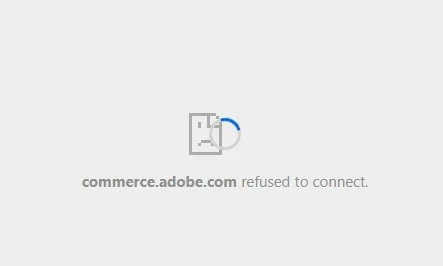
im unable to payment my billing. There's a issue occuring, commerce.adobe.com refused connect.

  • September 13, 2024
  • 4 replies
  • 1839 views

Hi eveyone, I'm unable to pay my billing. There's an issue occurring: commerce.adobe.com refused to connect. please help me to fix this error.


[Mod: Moved to the Account, Payment & Plan forum]

 

Correct answer Shivangi_Gupta

Hello there,

As per your account details, there are two accounts active under this email address. I would recommend you to contact our support team to discuss this in detail since we can not share any more information over a public forum. 

You can start a private chat session here: <Removed by Moderator>

Let us know if you have any questions.


Thanks,

Shivangi

4 replies

Mark Repa
Participant
November 17, 2024

I would love to see a proper answer to this problem. I have had the same issue for months now. My plans won't load in the browser, and I cannot update my payment method or retry it because Adobe fails to load the webpage.

From my perspective, the question is simple: Why does commerce.adobe.com refuse to connect? What are the known technical issues? Is it a cache problem? I talked with an agent, and even if he tried his best, he suggested obvious workarounds like singing out and singing back in or resetting your network connectivity, but sadly, nothing works. I tried different browsers, and the issue remains, and no I don't use a VPN.

Since this issue occurred I have had no chance to load Adobe Express. It says the connection was interrupted. On my overview dashboard, the page won't even list my plans.


I've attached screenshots to clarify visually the issue. This issue should be debated and analyzed publicly since it doesn't seem to be particular to a single user.

kglad
Community Expert
Community Expert
November 17, 2024

use a different non-opera browser 

Shivangi_Gupta
Shivangi_GuptaCorrect answer
Legend
September 13, 2024

Hello there,

As per your account details, there are two accounts active under this email address. I would recommend you to contact our support team to discuss this in detail since we can not share any more information over a public forum. 

You can start a private chat session here: <Removed by Moderator>

Let us know if you have any questions.


Thanks,

Shivangi

kglad
Community Expert
Community Expert
September 13, 2024

to what is commence.adobe.com supposed to link?

AxelMatt
Community Expert
Community Expert
September 13, 2024

This is a public forum, not the link to Adobe support. Sorry, but we're normal users  and we can't help with account and/or payment problems.

Please click the link below to contact Adobe staff to help.


Be sure to remain signed in with your Adobe ID before accessing the link below.

You have to allow 'cookies' in your web browser for this to work

https://helpx.adobe.com/contact.html


Click the chat icon in the lower right and type "agent" to get a human and not the chat bot.


If you like you can also use Twitter (now X):  Adobe Care (@AdobeCare) / X


Also - beware of answering anyone who sends you a private message or an email.

https://community.adobe.com/t5/community-help/avoid-phishing-3-easy-ways-to-identify-adobe-staff/td-p/10791730


My System: Intel i7-8700K - 64GB RAM - NVidia Geforce RTX 3060 - Windows 11 Pro 25H2 -- LR-Classic 15 - Photoshop 27 - Nik Collection 8 - PureRAW 6 - Topaz Photo AI