


Participant
April 23, 2025
Question

Kündigung meiner Acrobat-Testversion

  • April 23, 2025
  • 3 replies
  • 311 views

Sehr geehrtes Adobe-Team,

ich habe am 22.04.2025 eine Testversion von Adobe Acrobat abgeschlossen.
Ich möchte diese Testversion kündigen, bevor sie in ein kostenpflichtiges Abonnement übergeht.

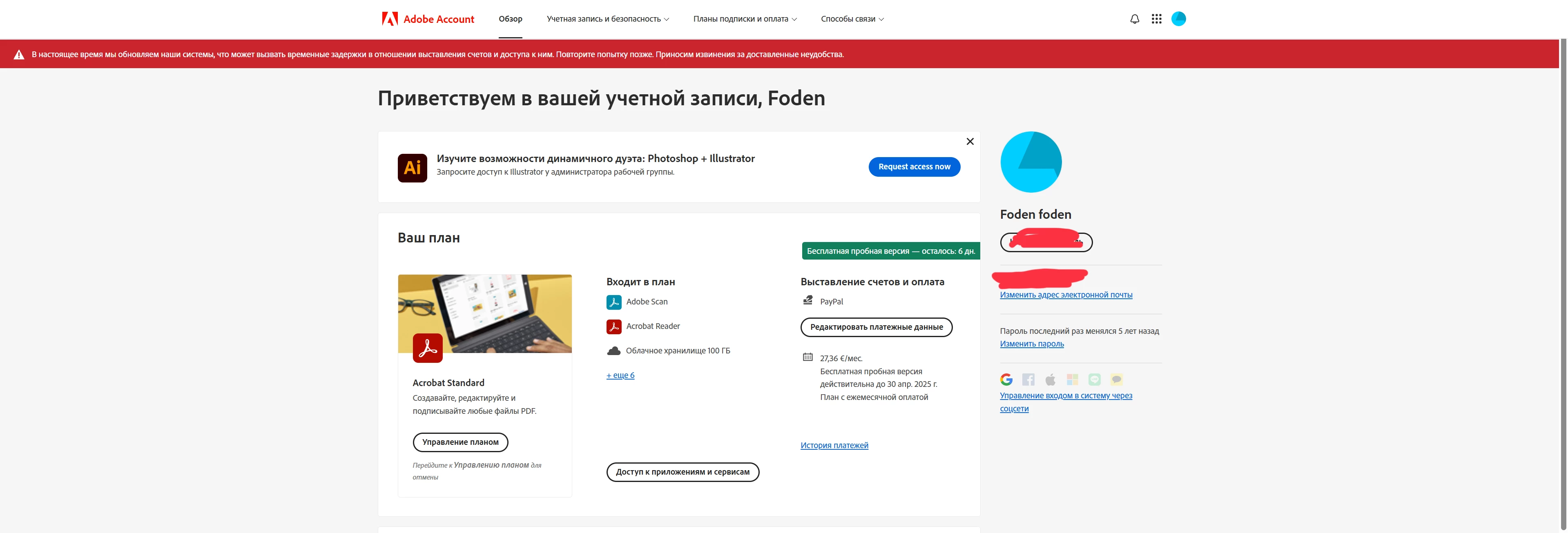
Leider ist der Kündigungsbereich auf Ihrer Webseite wegen Wartungsarbeiten derzeit nicht erreichbar.
Ich bitte Sie daher, meine Kündigung manuell zu bearbeiten und mir den Eingang zu bestätigen.

Meine E-Mail-Adresse:[Moderator deleted private information. Please do not post private information like e-mails and phone numbers]
 

Mit freundlichen Grüßen
Vitali Avetisjan

3 replies

kglad
Community Expert
Community Expert
April 23, 2025

yes, there's currently maintenance being done that's interfering.  an exact time of completion isn't known so you should retry canceling every 24 hours or so.


make sure you're aware of the cancellation terms by selecting your plan type (at the top of the page here), https://helpx.adobe.com/manage-account/using/creative-cloud-subscription-terms.html


and for info on how to cancel your subscription, this page describes the few steps involved, https://helpx.adobe.com/manage-account/using/cancel-subscription.html

p.s. if you're contacted by anyone (via email or private message), it's much more likely to be a scammer than an adobe representative.


if you're unable to follow the steps described, you'll need to await help from an adobe employee for the next step.  (if you don't get a reply here from a badged employee within 24 hours, repost.)

Shivangi_Gupta
Community Manager
Community Manager
April 23, 2025

Hi @Foden30260207x3xx,

Thanks for reaching out. I checked your account details and I could not find any active trial listed there.

Are you raising this query for a different email address? If yes, please start a discussion with the correct email ID. 

We'll look into this for you.
^Shivangi

Abambo
Community Expert
Community Expert
April 23, 2025

Was passiert wenn Du "Manage Plan" ("Управление планом") klickst. Ich bekomme dann den Schirm, der es mir ermöglicht, meinen Plan zu kündigen, wobei ich aus verständlichen Gründen den Plan nicht kündigen möchte:

DIe Wartungsmeldung wird mir auch angezeigt.

ABAMBO | Hard- and Software Engineer | Photographer