


My service Plans do not show up!
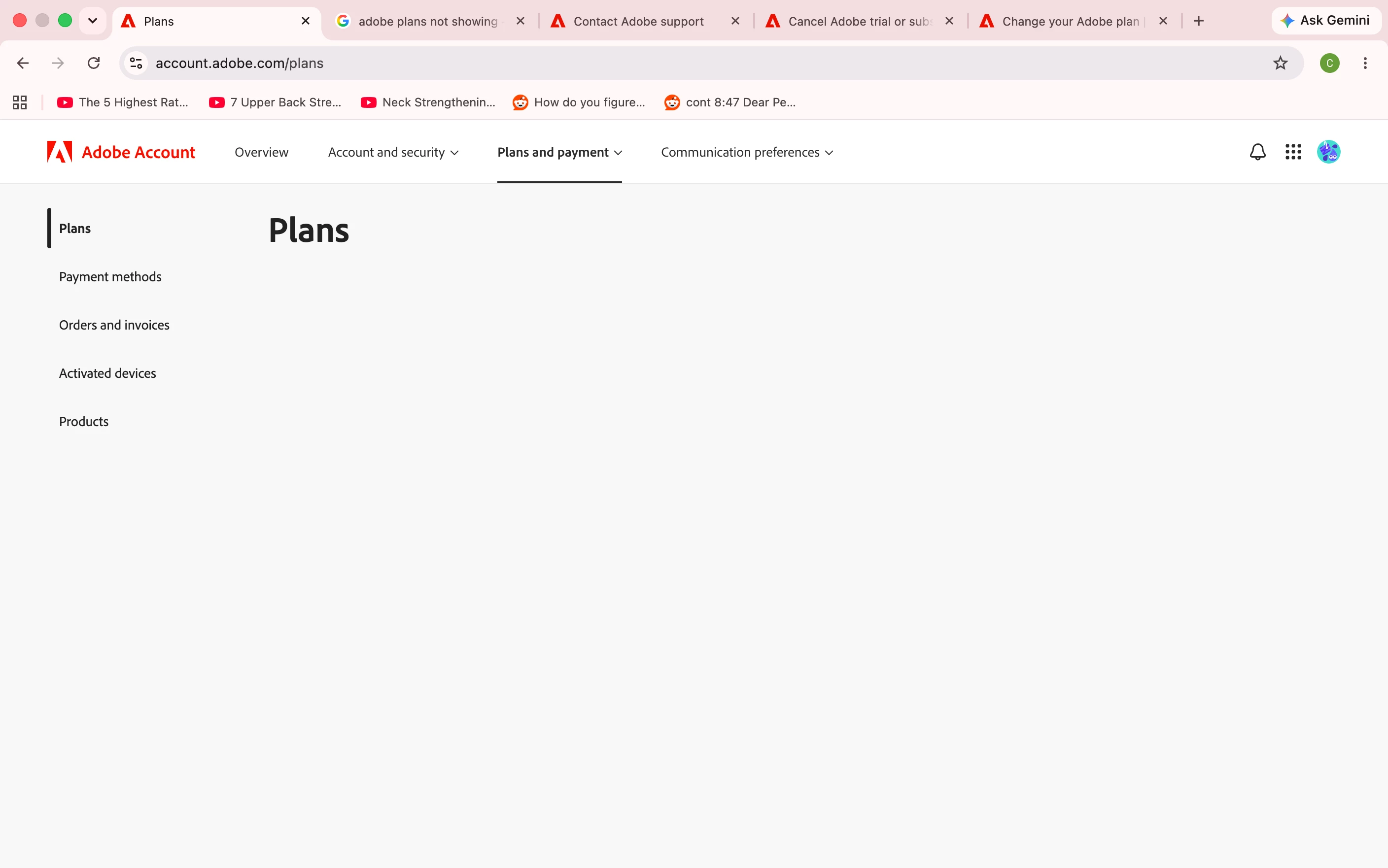
My Adobe account service plans will not show up. This wasn’t the case last time I extended my free trial. For context, I signed up about 2 weeks ago for a free trial, and then on the day it was going to expire, I saw that it can be extended for another 1 week, so I chose that option. Then today, as I am about to cancel my extended trial, my plans conveniently will not show up.
Here is everything I have tried:
- cleared my browser cookies and cache
- signed out and signed back in again
- tried using Safari browser (instead of Chrome)
- tried it on my phone
- tried to remove my credit card information so that payment will not go through, but apparently there is not option at all to remove your card information. I can only edit the card details (it will detect if there is a wrong digit or cvv) or replace it with a new payment method. No option to remove at all.
- tried to look for a way to contact live support here: https://helpx.adobe.com/ph_en/contact.html and saw a “Start now” link at the bottom under a heading “Contact us”, but it just brings me to this exact same page.
This is frustrating. I signed up for a free trial to try out Adobe Photoshop. I had a good time and even considered subscribing for real in the future since the prices looked decent after all. But then this happens, with zero options to remove your card details or any clear information on how to contact a Real person live when I do not even reside in America. It doesn’t entice me to stick with Adobe at all.
Please share your guidance on how to fix this. And I hope Adobe will refund me when my card finally gets charged because of course I can’t cancel my free trial now.
 AdChoices