


Non-existent active sessions created when I sign in
In the last two days, whenever I try to open a PDF in Adobe Acrobat I get an error message that I have reached my device activation limit and need to sign out of another device to continue. I have only ever used Adobe on this one device, and am not logged in on any other device.
I have repeatedly gone to the “Sign-in and security” page in Adobe Account Management and clicked “End all sessions.” It successrully ends the mystery sessions and shows just my current active session.
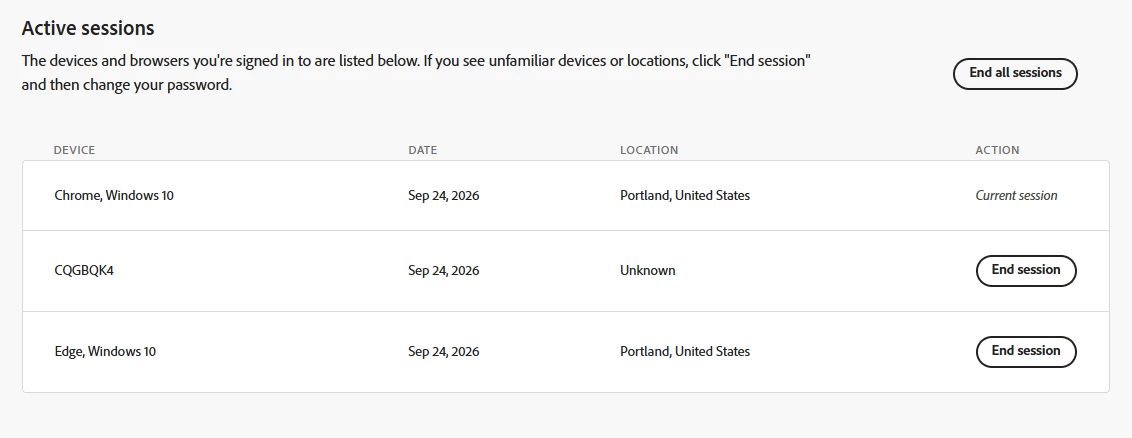
But when I try to open Acrobat again, I get a prompt to sign in, then I get the same “You’ve reached your device activation limit. Sign out of another device to continue.” Now when I go back and refresh the “Sign-in and security” page there are two Active Sessions listed that I did not create as shown below. Chrome, Windows 10 is my active session and I am in Portland, Oregon. I never use Windows Edge, and I have no idea what the other device is.
I have looped through this multiple times, and every time I go to sign in these two mystery active sessions are created making it impossible for me to sign in.
 AdChoices