


Known Participant
July 1, 2025
Question

Persistent "We can't verify your subscription status" Error 12010

  • July 1, 2025
  • 4 replies
  • 479 views

I'm having persistent "We can't verify your subscription status" errors each day I launch Photoshop. This started happening about two weeks ago. Nothing on my computer has changed, no major upgrades or updates were done to it. I have an iMac M3 (2023) running macOS 15.5 with 24 GB RAM. 
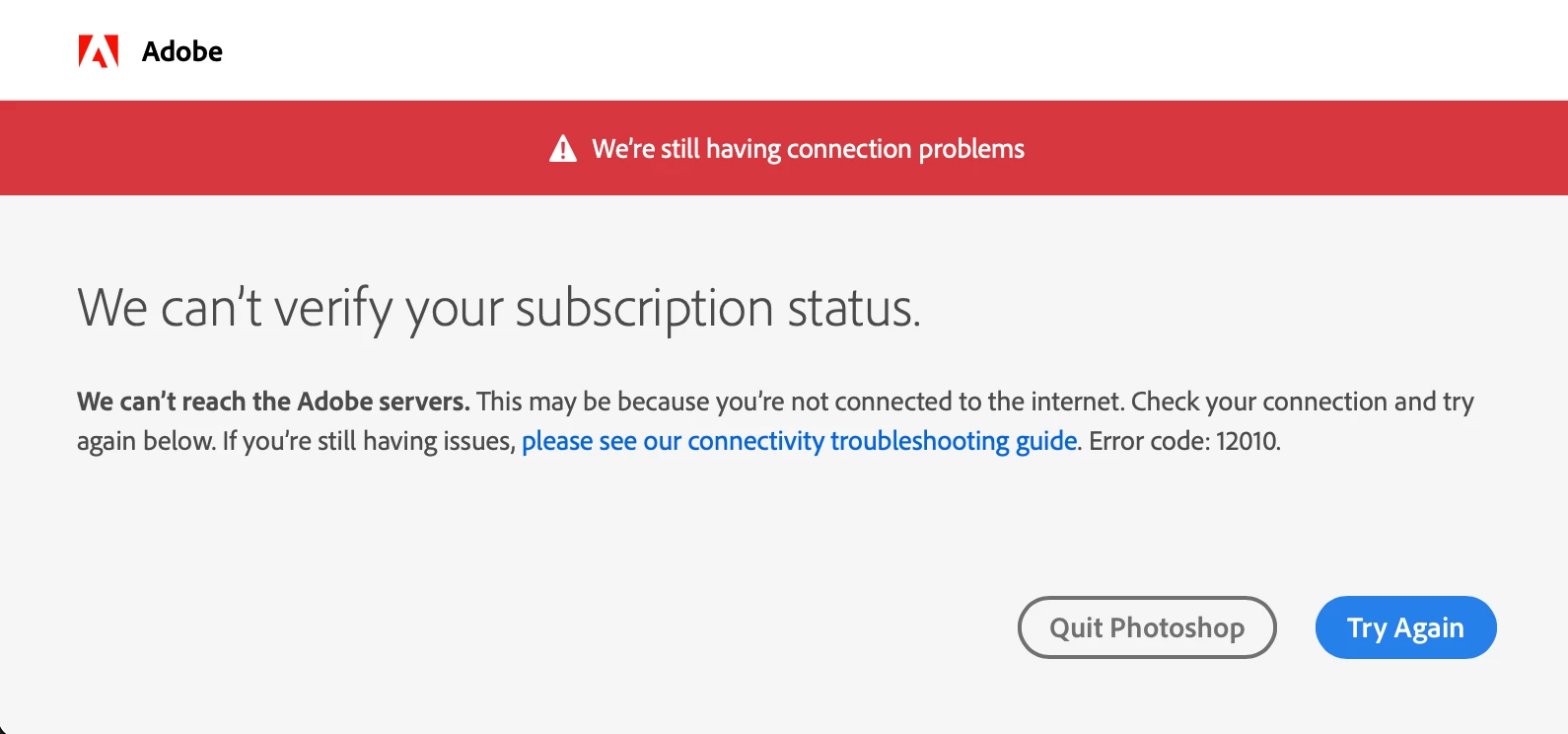


I've tried many things to solve this problem, including the following: 


  • Confirmed my Mac's clock is being synched automatically
  • Firewall turned off on my network 
  • Using Google's DNS for my WiFi service 
  • Not using any VPNs 
  • Used the CreativeCloudCleanerTool to remove CC and Photoshop apps fully
  • Deleted the Adobe cache files from ~/Library/Application Support/Adobe/OOBE
  • Deleted all Adobe and CC entries from Keychain
  • Killed any CC or Adobe processes still running in Activity Montior
  • Rebooted my computer 
  • Re-installed CC and Photoshop and logged back into my CC account 


Despite doing all this, every day when I start Photoshop (26.8.1) I get the above subscription error window. I then have to open CC app, sign out of my account, then sign back in. Then Photoshop will start up fine throughout the day.


What else is there left for me to try to fix this? Photoshop has started with no problems on this computer with the same Internet/WiFi network for nearly two years. 


4 replies

Participant
November 16, 2025

I use my laptop for internet use with lots of protection. My desktop is not connected to the internet and I have no reason to do so. Today I wanted to edit in Lightroom classic on my desktop with its high screen resolution but keep getting  the can't verify message.  I have a licensed account but obviously that's only linked on my laptop which is not great for editing to be honest.  It's been a month or two since I used lr on the desktop (travel) and this whole verification business hit me today.

Anyone suggest a workaround?   Note....my desktop does not connect online.

kglad
Community Expert
Community Expert
November 16, 2025

@bjc84802144 


check your account (https://account.adobe.com/activated-devices) and see if you can activate your desktop there.

Participating Frequently
July 11, 2025

We are a large MSP, and we are seeing this crop on on our Macs. The same exact issue. Same error message, same experience, same attempts at fixing. 


We have one office where it's happening with all of their Macs outside of two people, and we cannot find a difference. They sit right next to each other, same network, same versions, etc. 


They said they tried to work with Adobe before calling us, and that Adobe could not figure it out either (to date, at least). 


So here we are... 

kglad
Community Expert
Community Expert
July 11, 2025

try a mobile phone browser with wifi disabled 

Ged_Traynor
Community Expert
Community Expert
July 1, 2025

@TomH07 you be better off reporting the issue on the Account, Payment, & Plan forum

TomH07Author
Known Participant
July 1, 2025

Not sure if this is related at all, but, I noticed when I logged into my Adobe account that above my Billing and Payment it says "You'll be able to manage this plan shortly," but it's been saying that for weeks. I forgot that a few weeks ago I renewed to a yearly-paid plan from a monthly paid plan, and now I'm wondering if this is what's causing the problems with the subscription?