



aminxdeisgn
Participant
August 3, 2026
Question

URGENT: Main account locked in infinite password reset loop for a month

  • August 3, 2026
  • 6 replies
  • 14 views

Hi Adobe Community & Adobe Staff,

I am in desperate need of a human agent to help me. My main Adobe account (which hosts my entire professional Behance portfolio) has been locked out for over a month.

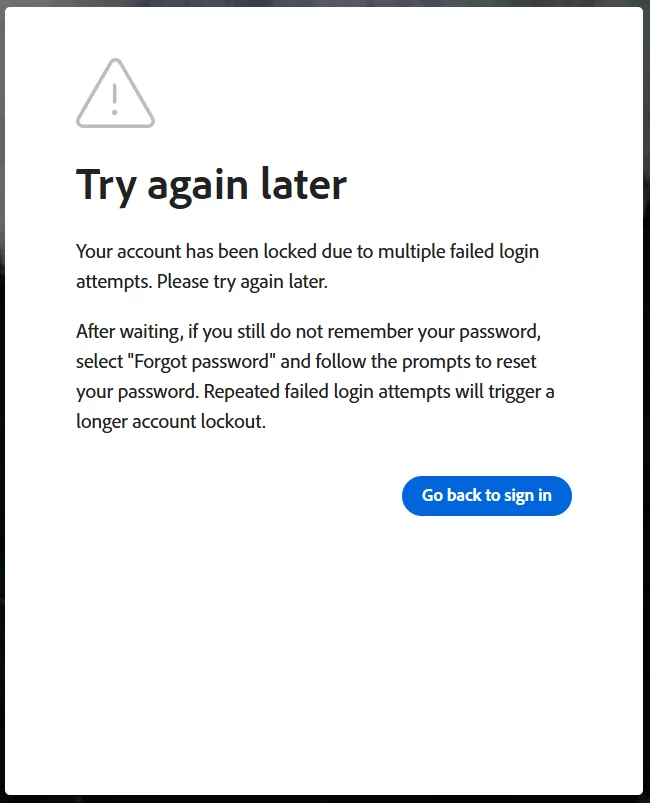
The issue is a system loop: When I try to log in, it forces me to change my password. When I attempt to change it, I get an immediate error: 'Your account has been locked due to multiple failed login attempts. Try again later.'

Waiting days does not clear the lock. Standard Adobe Twitter Care and Behance Support both sent me automated bot replies saying they cannot bypass the security system. I am completely locked out of my own intellectual property.

Can an Adobe Employee please DM me so I can provide my main account email and have this backend lock manually removed? This is severely impacting my career as a visual designer. Thank you.

 

    6 replies

    Jeff_A_Wright
    Community Manager
    Community Manager
    August 3, 2026

    Thank you for posting to this public discussion forum, ​@aminxdeisgn.


    I am sorry that you are unable to successfully reset your password or access your primary account.


    Community discussions face the same security restrictions as contacting us via Social media.


    Please follow the suggestion offered by Kglad and use a different device to contact us at https://helpx.adobe.com/contact.html?rghtup=autoOpen. I don’t see any records of any previous attempts to reach us, ​@aminxdeisgn, so the current device may not be able to reach us by design. If  the device or network is managed by an organizaiton then you will need their help to reach us at https://helpx.adobe.com/contact.html?rghtup=autoOpen.


    Password lockouts are typically temporary, ​@aminxdeisgn, but you may still be advised to wait 24 hours to complete the steps listed at https://helpx.adobe.com/account/individual/sign-in-and-security/security-and-recovery/reset-adobe-password.html.


    I would recommend you use the same device you used to reach us successfully, to complete the password reset, ​@aminxdeisgn. The same thing that forced you to create a public discussion forum, could also be blocking your ability to successfully change your password.

    aminxdeisgn
    Participant
    August 3, 2026

    Thank you, Jeff. I am trying this right now using my mobile data as suggested by kglad. If the 'multiple attempts' error still shows up and blocks the reset on this new network, is it possible for you to manually clear that security flag from my email on the backend?

    Jeff_A_Wright
    Community Manager
    Community Manager
    August 3, 2026

    I appreciate the update, Aminxdeisgn.


    No, you will need to contact us directly at https://adobe.ly/4w0ESeX for any action to be taken on your account. I understand this can be frustrating, Aminxdeisgn, but we need you to contact us via a secure channel so we can address and resolve your account security concerns. ^JW

    kglad
    Community Expert
    Community Expert
    August 3, 2026

    use a mobile phone’s update (non-opera) browser with wifi disabled