
Participant
July 23, 2022
Question

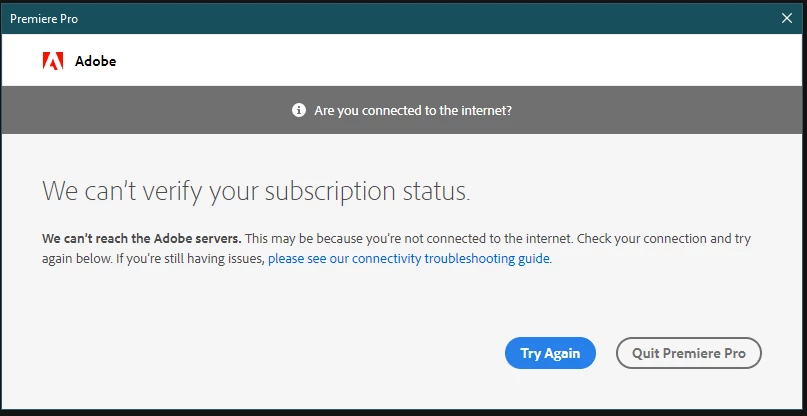
We can't verify your subscription status - Unable to access any adobe program
  • July 23, 2022
  • 3 replies
  • 464 views


I started my computer up today after working with premiere the day before to find that it suddenly wouldn't let me access any adobe program in the suite.  Each greets me with a verify status error.  I've attempted to delete all the adobe HKEY registries, restarted the router, restarted the computer, restarted the software but nothing seems to work.  I don't have an antivirus software that would be blocking it, so I'm not sure what to do here.  I'm on a deadline to get my edits done and I desparately need this fixed. 


This topic has been closed for replies.

3 replies

Shivangi_Gupta
Legend
July 27, 2022

Hi there,

Thanks for writing in. Please make sure of connecting to internet regularly to keep the Creative Cloud desktop application synced and updated(as mentioned by the expert above). Let us know if it brings any change.


Nancy OShea
Community Expert
Community Expert
July 26, 2022

1. Open CC Desktop App.
2. Click your Avatar (top right image) > Preferences > General tab > Settings. Select "Always keep Creative Cloud up to date."
3. Click on your Avatar again.
4. Sign-out of Creative Cloud.
5. Close all apps.
6. Restart your computer.
7. Open CC Desktop app.
8. Click your Avatar.
9. Sign-in with your paid ID and password.


Nancy O'Shea— Product User & Community Expert
kglad
Community Expert
Community Expert
July 26, 2022

1. do you have a subscription?  (check your account to verify your subscription is what you expect and to verify your adobe id, https://accounts.adobe.com)


2. is your os win 10 (and up-to-date) or win 11?


if yes and yes, check that your default browser supports tls 1.2, https://clienttest.ssllabs.com:8443/ssltest/viewMyClient.html