Participant
August 19, 2026
Answered

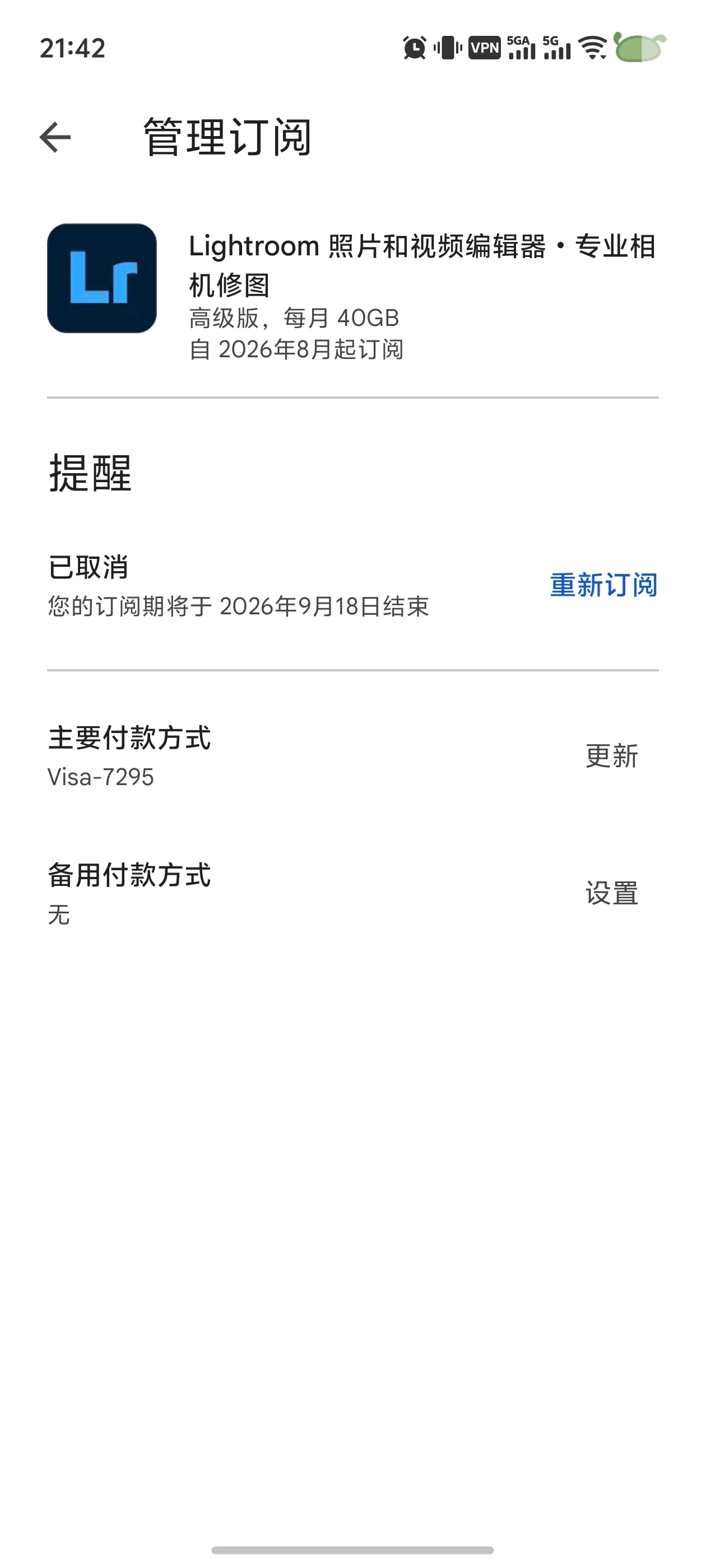
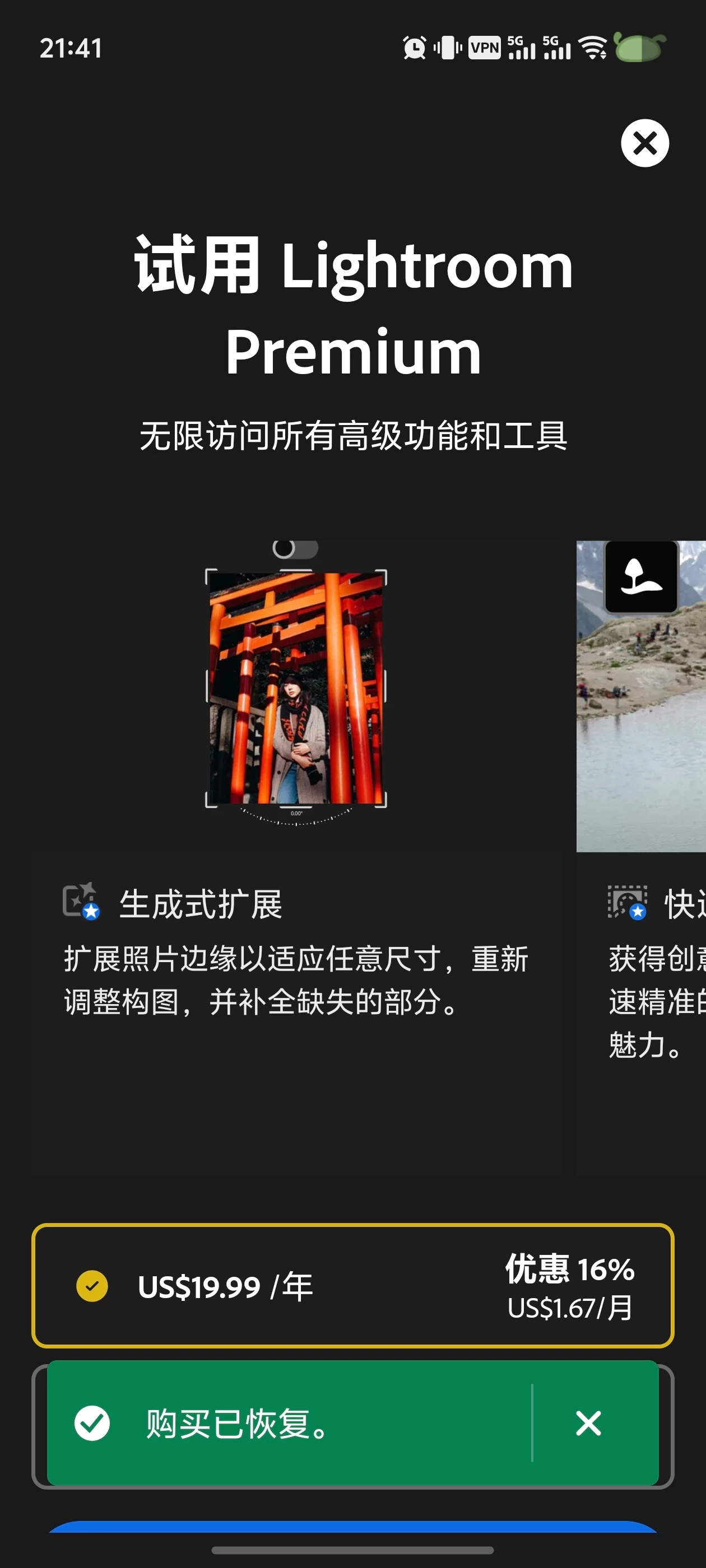
谷歌订阅一天后又弹出订阅弹窗,谷歌显示还在订阅状态,恢复订阅按钮点了没用

  • August 19, 2026
  • 6 replies
  • 27 views

谷歌订阅一天后又弹出订阅弹窗,谷歌显示还在订阅状态,恢复订阅按钮点了没用

    Correct answer Jeff_A_Wright

    Thank you for your post, ​@Incredible_perfectionf4bf.


    I understand how frustrating this must be, especially when Google Play shows your subscription as active, but the app still displays a subscription prompt, and the Restore Purchase option doesn't resolve the issue.


    I reviewed the Adobe account associated with your community profile and found no active subscriptions or recent transactions. This can sometimes occur when the Adobe account currently signed in to the app differs from the account originally linked to the Google Play purchase.


    As a first step, please verify that you're signed in with the same Adobe account used when the subscription was purchased. If you're unsure which Adobe account was used, this article explains how to locate it using Adobe's account recovery tools:

    Can’t find an Adobe account with your email address


    If the Google Play subscription is still active and you're signed in with the correct Adobe account, please let us know which Adobe application you're using so the community can provide more targeted guidance.


    Please update this public discussion thread if you have any additional questions, ​@Incredible_perfectionf4bf.

    6 replies

    Participant
    August 22, 2026

    I have the same problem,I use the correct and same Adobe ID and Gmail ID <email removed-kglad>,

    You can contact me via my gmail.

    kglad
    Community Expert
    Community Expert
    August 22, 2026

    @Exciting_mind9cfb 


    did you subscribe via adobe.com or the google play store?


    p.s. don’t post personal info in these public forums.

    Jeff_A_Wright
    Community Manager
    Jeff_A_WrightCommunity ManagerCorrect answer
    Community Manager
    August 19, 2026

    Thank you for your post, ​@Incredible_perfectionf4bf.


    I understand how frustrating this must be, especially when Google Play shows your subscription as active, but the app still displays a subscription prompt, and the Restore Purchase option doesn't resolve the issue.


    I reviewed the Adobe account associated with your community profile and found no active subscriptions or recent transactions. This can sometimes occur when the Adobe account currently signed in to the app differs from the account originally linked to the Google Play purchase.


    As a first step, please verify that you're signed in with the same Adobe account used when the subscription was purchased. If you're unsure which Adobe account was used, this article explains how to locate it using Adobe's account recovery tools:

    Can’t find an Adobe account with your email address


    If the Google Play subscription is still active and you're signed in with the correct Adobe account, please let us know which Adobe application you're using so the community can provide more targeted guidance.


    Please update this public discussion thread if you have any additional questions, ​@Incredible_perfectionf4bf.

    Participant
    August 31, 2026

    The window show there's premium account , but with no id. Clicking the blue button will lead me to the launch screen. Besides, I have only one email address, which is used in google play store.

    kanikas28368183
    Community Manager
    Community Manager
    August 31, 2026

    Hi, thanks for reaching out. We understand this can be frustrating.

    Could you please share a few more details about the issue you're experiencing? Unfortunately, we're unable to read the text in the screenshot because it isn't in English.

    If possible, please provide a brief description of the issue in English or upload a translated screenshot. We'll do our best to help you further.

    Thanks for your understanding, and we look forward to hearing from you.


    Thanks
    ^KS

    kglad
    Community Expert
    Community Expert
    August 19, 2026

    if you used the google app store, contact them.