


Inspiring
February 10, 2024
Answered

Adobe CC Files shortcut in sidebar (Windows 11)

  • February 10, 2024
  • 1 reply
  • 1478 views

Hi,
I am having trouble removing the Adobe CC Files shortcut in the sidebar of Windows 11. It seems the folder doesn't exist.


This is what I see in the sidebar -

 

When I click the shortcut link this message appears -
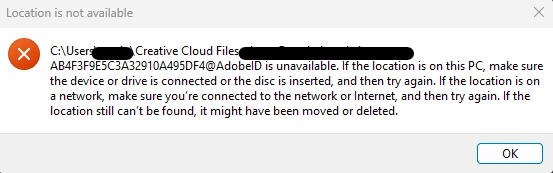
 

& checking the folder properties -
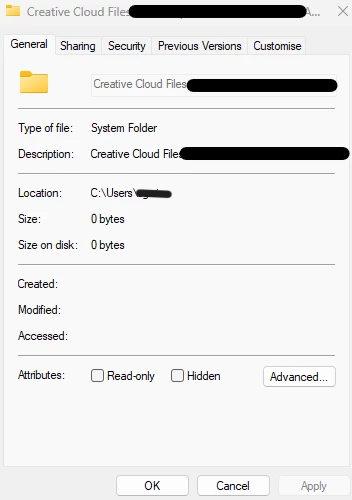
 

Any help to remove this annoying folder would be appreciated.


Regards,
Shane

Correct answer Shane3536577456zq

the next step would be a registry edit, but you probably shouldn't undertake that.


contact adobe support via chat so they can check your computer and try to fix the issue.  there are 2 ways to contact adobe; chat and twitter (now x):

chat:
use a browser that allows popups and cookies
and click here, https://helpx.adobe.com/contact.html?rghtup=autoOpen
in the chat field (lower right), type AGENT
be patient, it can take quite a while to reach a human.

twitter/x:
tweet @AdobeCare

p.s. if you're contacted by anyone (via email or private message), it's much more likely to be a scammer than an adobe representative.


Thank you.
I communicated with Adobe support last night. They were not able to help unfortunately.
Today I found this post on a Microsoft forum -
https://answers.microsoft.com/en-us/windows/forum/all/cant-delete-the-link-to-folder-on-navigation-pane/08688f78-5b45-42a3-b344-8d0e6db49fa1

I followed these instructions and yes, the folder is now gone. Thank goodness.

Thanks again for your help.

1 reply

kglad
Community Expert
Community Expert
February 10, 2024

stop your cc sync folder's syncing

move your sync folder files somewhere.

detete your cc sync folder 

Inspiring
February 10, 2024

Thanks for the reply. The problem is I cannot find the synced folder on my machine. It doesn't seem to exist.


kglad
Community Expert
Community Expert
February 10, 2024

use the link in your cc desktop app.