


Participating Frequently
June 18, 2025
Answered

Adobe Creative Cloud does not work on M1 Mac
  • June 18, 2025
  • 1 reply
  • 1011 views

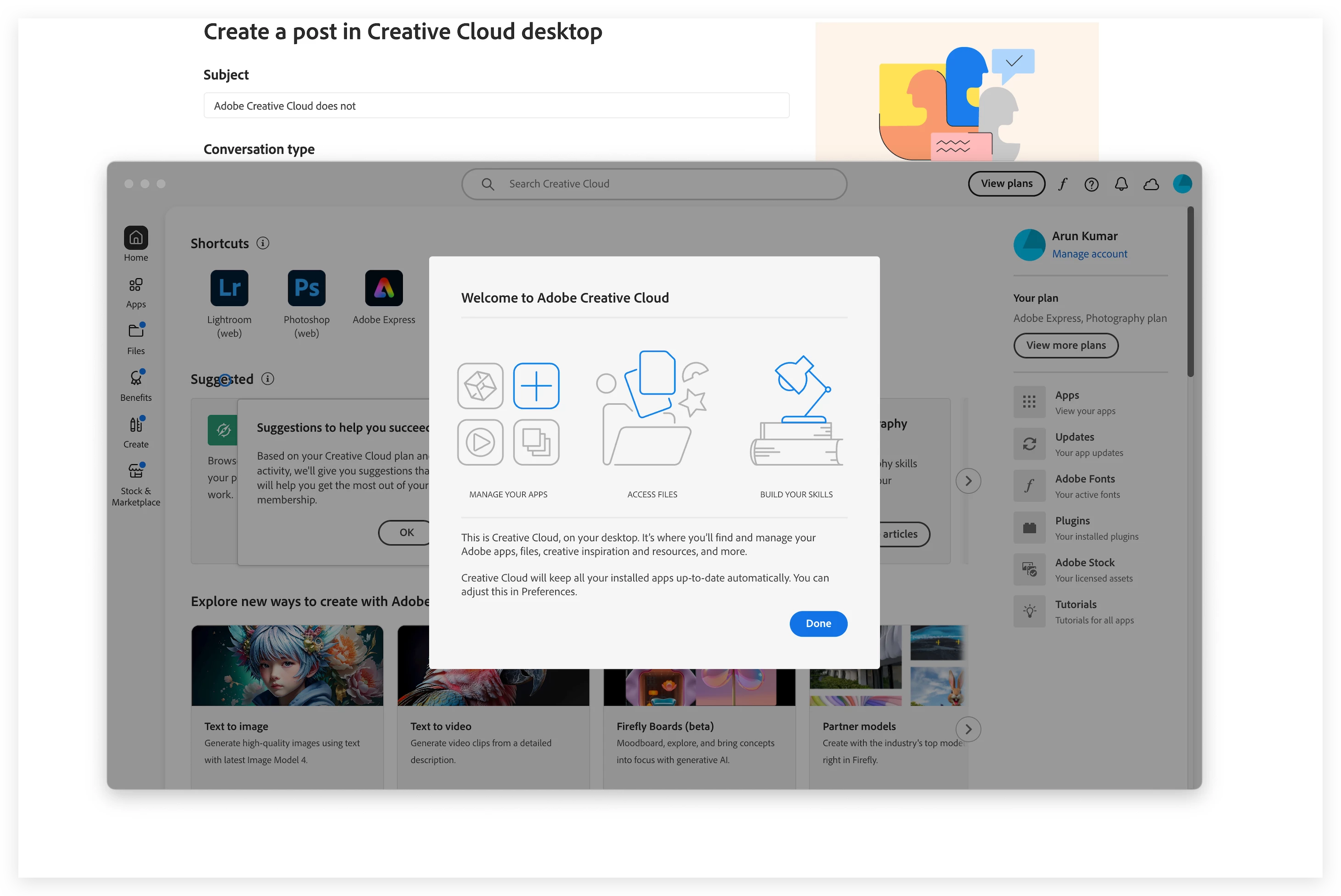
I installed the Adobe Creative cloud App on my Adobe M1 Max Studio, its currently running the latest OS - macOS Sequoia 15.5. I am stuck on this screen and it keeps spinning, i cannot perform any actions from here on. I cannot install any updates. I tried all the possible ways - uninstalling and reinstalling, Removing all the Adobe Apps via the Creative cloud cleaner app, Repairing the creative cloud all. 


I am so frustrated that i cannot get any phone support. I am paying money for the software but such a trashy support from Adobe .... 

Correct answer David__B

@Shivangi_Gupta  Any help here ? I am not able to use plugins or update my apps. Every time i have to uninstall and reinstall to get any updates.


Hi @ak Photography

It sounds like you've tried all the common solutions. I'd recommend reaching out to our chat support directly next. They can be reached here: https://adobe.ly/45yamje You can type the word agent to reach one and get past the general recommendations.

Hope that helps,
Dave

1 reply

kglad
Community Expert
Community Expert
June 18, 2025

i know you mentioned doing each of these steps, but it's worthwhile doing them again and making sure nothing was missed. assuming no adobe cc apps are installed:


uninstall the cc desktop app using the correct uninstaller per https://helpx.adobe.com/creative-cloud/help/uninstall-creative-cloud-desktop-app.html#sa_src=web-messaging

clean your computer of cc files per http://www.adobe.com/support/contact/cscleanertool.html

check for, and if available, update your os

restart your computer (don't skip this)

reinstall the cc desktop app using the "alternative download links" at the bottom of the page at https://helpx.adobe.com/download-install/kb/creative-cloud-desktop-app-download.html

give us an update.

Participating Frequently
June 18, 2025

@kglad  Thanks for outlining the instructions again. Done all the steps as stated above still the same issue 😞

kglad
Community Expert
Community Expert
June 18, 2025

when that screen shows i assume clicking done does nothing, correct?


if so, what if you press the enter key or tab to select done and then click enter?