


Participant
September 25, 2025
Answered

Adobe Creative Cloud Files section / Adobe cloud files section

  • September 25, 2025
  • 2 replies
  • 72 views

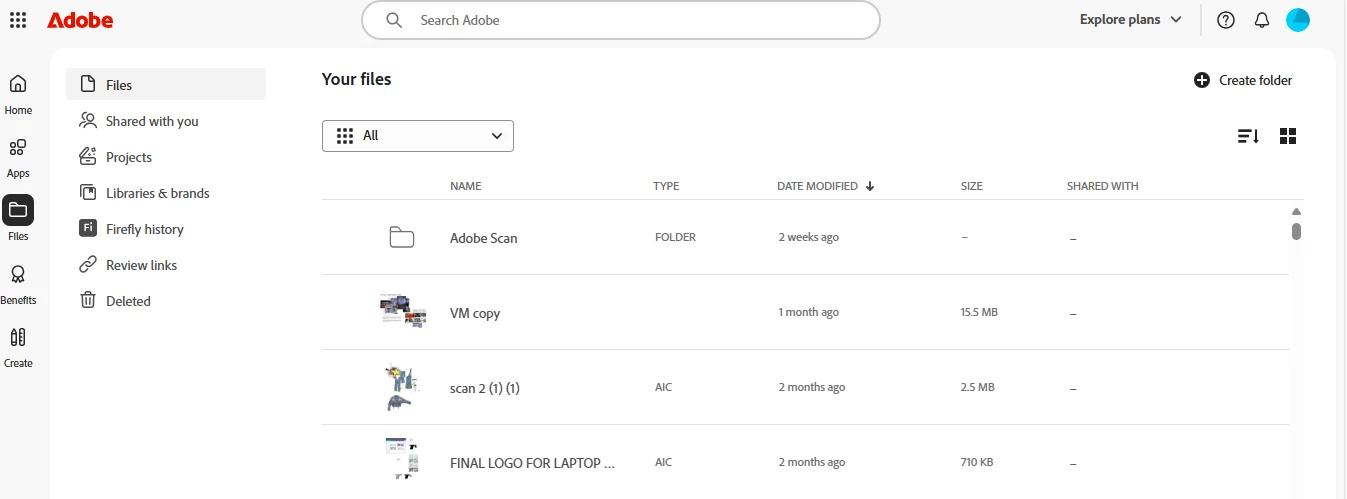
are my adobe cloud files all saved in this section here? : https://assets.adobe.com 

Is there any difference between cloud and creative cloud  fiiles section anymore in adobe or are they merged? I can see automatically all of my files being saved in that link, but I awant to make sure I dont loose any file by mistake, meaning placed in a different section. 

Thank you
 

Correct answer Kalvyn Rasquinha

Creative Cloud synced files are no longer supported. However, your cloud files should all be visible at adobe.com/files with the exception of Lightroom photos. We're working on having the "Files" tab on adobe.com as well as in the Creative Cloud desktop app have ALL your files listed across the Adobe ecosystem.

2 replies

Kalvyn Rasquinha
Community Manager
Kalvyn RasquinhaCommunity ManagerCorrect answer
Community Manager
September 27, 2025

Creative Cloud synced files are no longer supported. However, your cloud files should all be visible at adobe.com/files with the exception of Lightroom photos. We're working on having the "Files" tab on adobe.com as well as in the Creative Cloud desktop app have ALL your files listed across the Adobe ecosystem.

kglad
Community Expert
Community Expert
September 25, 2025

no.


use a browser. there are several tabs and link to check:


https://assets.adobe.com

https://lightroom.adobe.com

https://documentcloud.adobe.com

https://spark.adobe.com