

thePhilograph
Participant
January 4, 2023
Answered

Can't delete files from my creative cloud files

  • January 4, 2023
  • 1 reply
  • 229 views

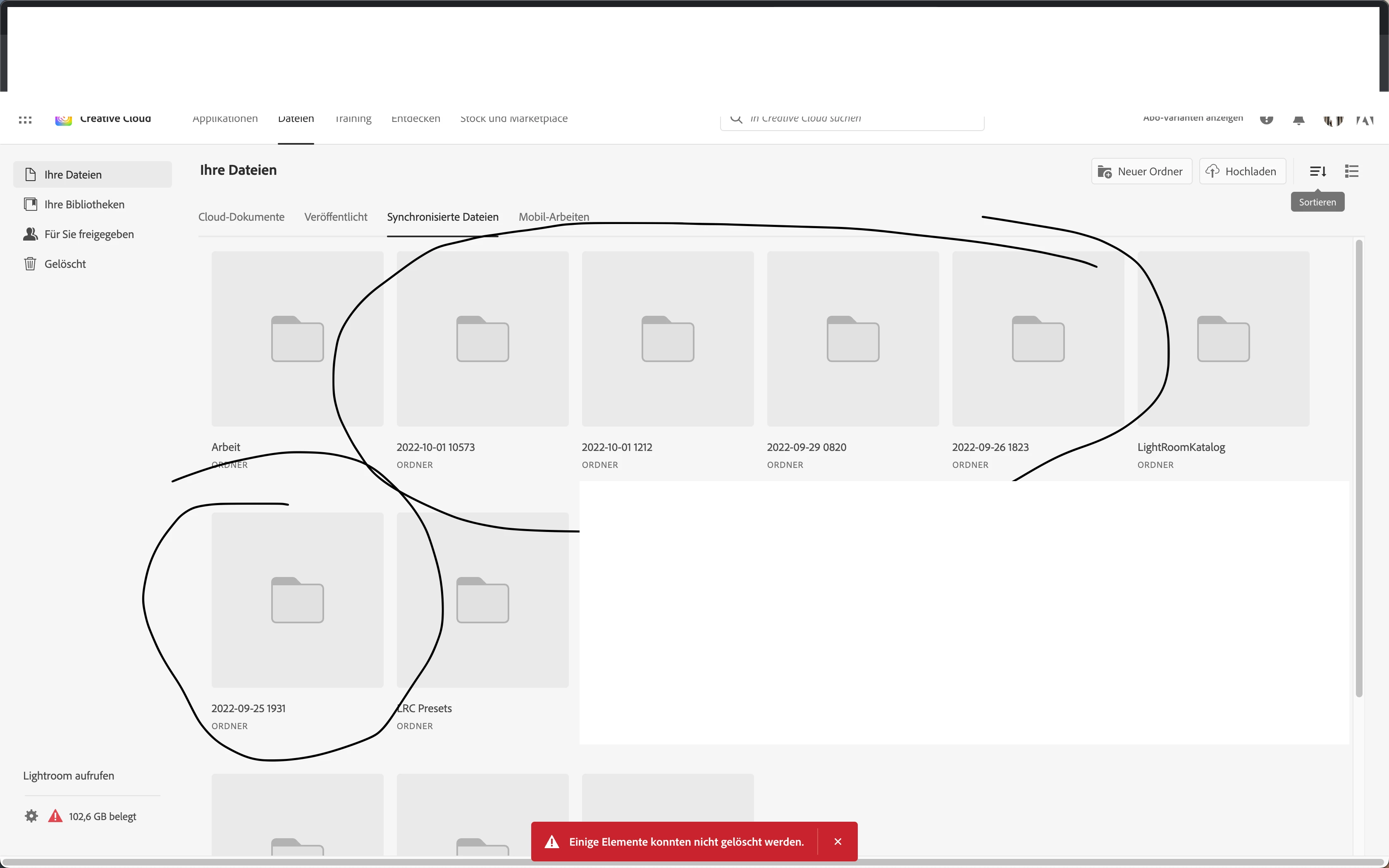
Can't delete files from my creative cloud files. I saved my LC catalog files to the Creative Cloud and now I can't delete them. Any idea?

 

This topic has been closed for replies.
Correct answer kglad

@Peter306082771fu1 


to clear or check all files stored on adobe's servers, use a web browser to navigate to the following locations. at each location there are several folders to check.:


https://assets.adobe.com  (be sure to check "launch more" here)

https://lightroom.adobe.com

https://documentcloud.adobe.com

https://spark.adobe.com


if you delete anything from any of these locations, check for a deleted folder where your file(s) was (were) moved. if you want to clear space you must delete files in the deleted folder.

1 reply

Kevin Stohlmeyer
Community Expert
Community Expert
January 4, 2023

Have you tried going into the folder and deleting the files?

Since these are synced files, have you tried deleting them via the synced folder on your local HD? (Note these moves these to the deleted section and still require you to permanently delete on the site)

Participant
June 20, 2023

i did i am still showing.all files permantly deleted, but have 98gb used of 20gb

is this a gimmick forcing me to change my plan.

as i cant see a way of expanding storage only. i am 80 so dont do much,

Kevin Stohlmeyer
Community Expert
Community Expert
June 20, 2023

Sorry to disappoint @Peter306082771fu1 but there is no conspiracy to force you to change your plan. Lightroom can use CC storage when connected - check your Lightroom catalogs for any cloud storage.
