

Participant
July 28, 2024
Question

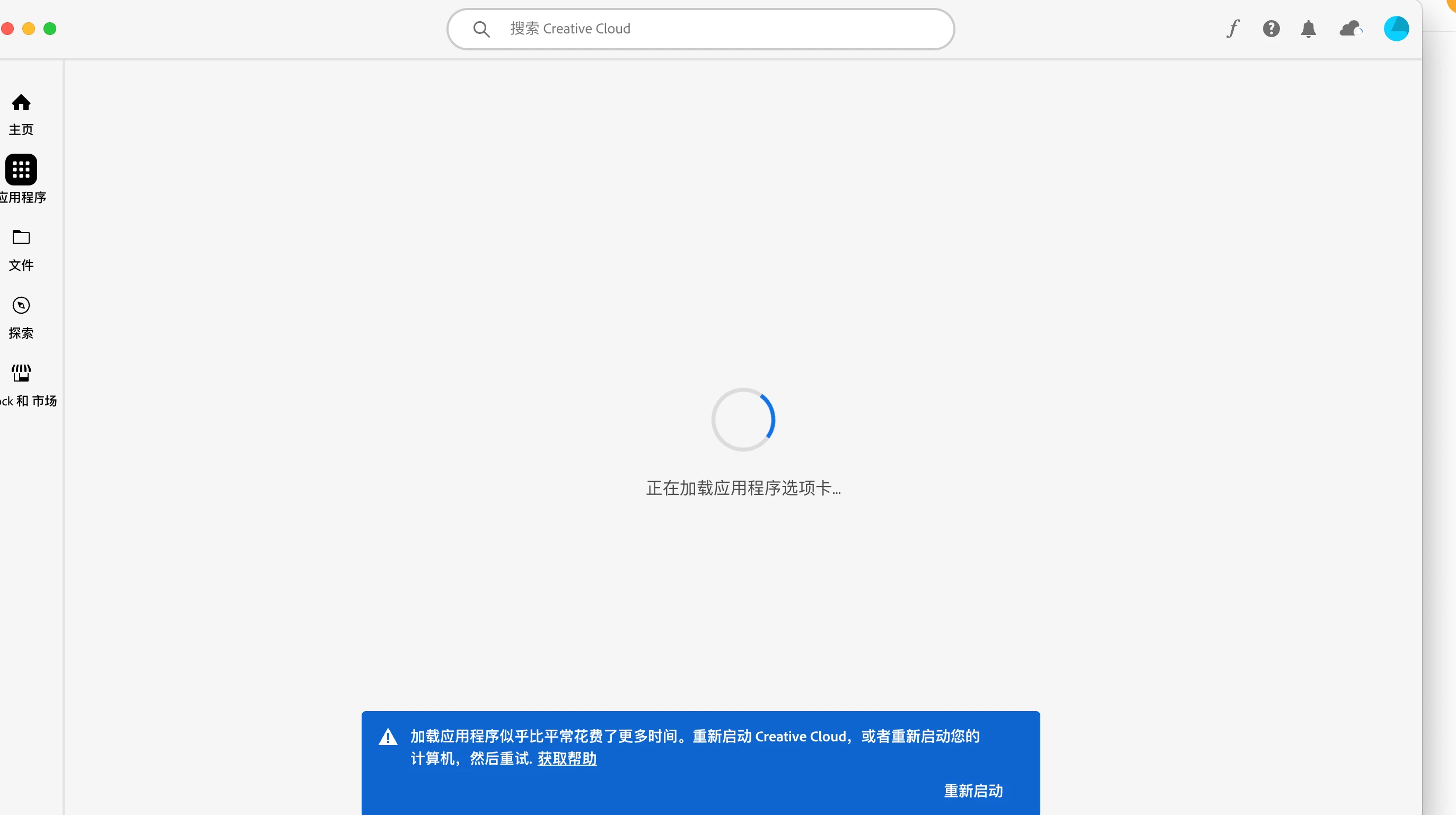
Cannot launch application tab on latest creative cloud app desktop
  • July 28, 2024
  • 8 replies
  • 982 views

I've updated to latest version of creative cloud desktop. But application tabs always loading. Both happened on Mac and Window

This topic has been closed for replies.

8 replies

Participant
July 30, 2024

Seems like already fixed the problem. Go To Help -> Check For Update in Creative Cloud desktop.

kglad
Community Expert
Community Expert
July 30, 2024

 correct. adobe fixed ~6 hours ago.

Participating Frequently
July 30, 2024

For my account it is still broken. When I start the Creative Cloud Desktop-App and navigate to the Application -Section, I see the list of the Applikation for a split-second. After that I see the message Site not reachable, try later.

kglad
Community Expert
Community Expert
July 29, 2024

you'll have to wait for adobe to resolve the problem.


<moved from cc desktop bugs>

Participating Frequently
July 29, 2024

In my case it seems to be an Account-related problem. I have the same issue on two different macs, one at home (mac with apple chip) and one at work (imac with an intel chip). Both macs show the same behaviour (never ending spinning wheel in the Applications section). We have different profiles in our Adobe-Account, when I choose a different profile I can access the Applications-Section but only can use the progrmms as demo-versions. When I log out and choose the profile, with which the creative cloud whas purchased i get the spinning wheel. 

kglad
Community Expert
Community Expert
July 29, 2024

if this isn't the apps tab issue you can see if adobe support can help. there are 2 ways to contact adobe support; chat and twitter (now x):

chat:
if you have or want to purchase a subscription, use a browser that allows popups and cookies
and click here, https://helpx.adobe.com/contact.html?rghtup=autoOpen
in the chat field (lower right), type AGENT
be patient, it can take quite a while to reach a human.

twitter/x:
tweet @AdobeCare

p.s. if you're contacted by anyone (via email or private message), it's much more likely to be a scammer than an adobe representative.

Participant
July 29, 2024

I have tried all the methods recommended in the document, but the problem is still not solved. Instead, it keeps getting stuck at initializing Creative Cloud.

kglad
Community Expert
Community Expert
July 28, 2024
Participating Frequently
July 28, 2024

I have the same problem. Creative Cloud App starts, but won't show the Applications. I see only the spinning wheel. Reinstall did not solve the problem. 

kglad
Community Expert
Community Expert
July 28, 2024

seems to be a problem on adobe's end.  try again periodically over the next 2days.