


Participant
February 5, 2025
Question

Cant uninstall older versions of adobe apps, 2022, etc.

  • February 5, 2025
  • 2 replies
  • 252 views

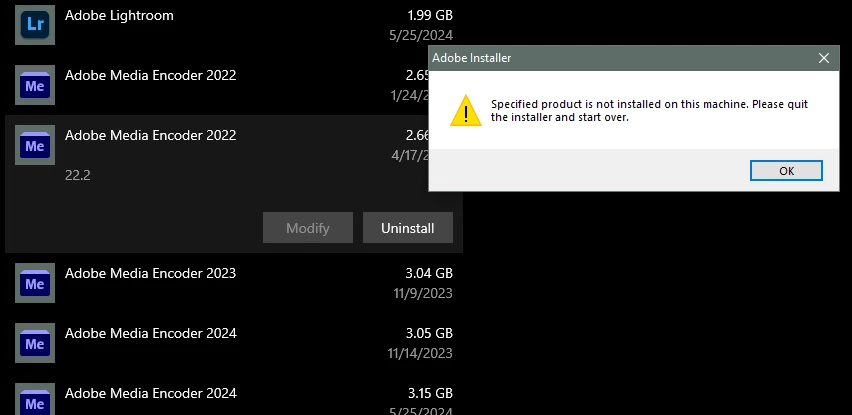
I have many duplicates of older Adobe programs installed on my computer, and every time I try and uninstall I get a notification stating, "Specified product is not installed on this machine. Please quit the installer and start over." I can't uninstall any of them at all. Any advice?
2 replies

kglad
Community Expert
Community Expert
February 5, 2025

in the future, to find the best place to post your message, use the list here, https://community.adobe.com/

p.s. i don't think the adobe website, and forums in particular, are easy to navigate, so don't spend a lot of time searching that forum list. do your best and we'll move the post (like this one has already been moved) if it helps you get responses.


<"moved from using the community bugs">
kglad
Community Expert
Community Expert
February 5, 2025

check the install location

then, using the cc desktop app, reinstall the same app to the same location (ie, check the cc desktop app's install location)

that should restore the uninstaller in the cc desktop app

then uninstall the app.