
bpanic
Participant
February 12, 2025
Answered

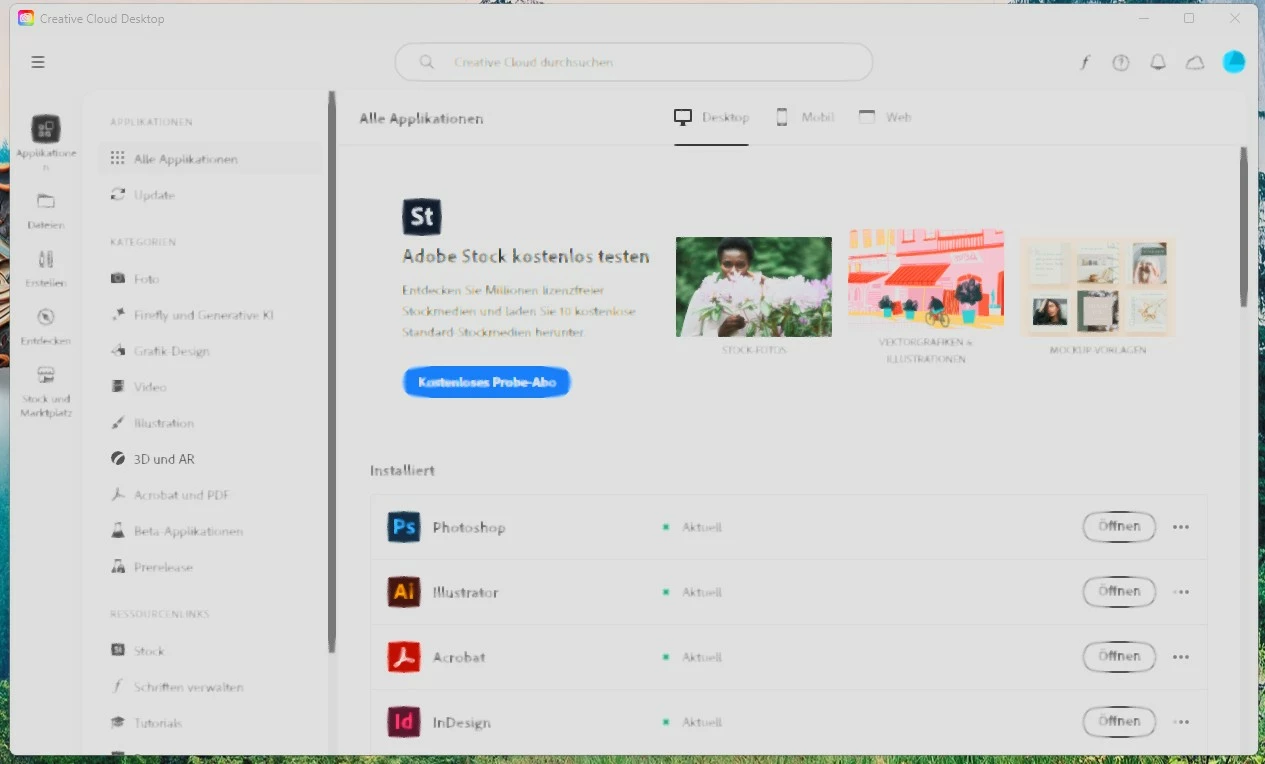
CC App Blurred

  • February 12, 2025
  • 3 replies
  • 450 views

Any Ideas why my CC Desktop App is completely blurred suddenly?
It sharpens suddenly in some areas when i move my mouse over buttons etc..
i tried like all the available graphic settings there are - it does not change anything.
Windows11 latest version, nvidia card, drivers up to date
Correct answer Peru Bob

@Thiago_Niz9053 

@bpanic 


To reset the Creative Cloud desktop app, make sure it's in the foreground, then press:
Win: Ctrl + Alt + R
Mac: Cmd + Opt + R

3 replies

Peru Bob
Community Expert
Peru BobCommunity ExpertCorrect answer
Community Expert
June 8, 2025

@Thiago_Niz9053 

@bpanic 


To reset the Creative Cloud desktop app, make sure it's in the foreground, then press:
Win: Ctrl + Alt + R
Mac: Cmd + Opt + R

Participant
June 6, 2025

Did you find the solution? I have the same problem.

kglad
Community Expert
Community Expert
June 6, 2025

did you reset the app?

kglad
Community Expert
Community Expert
February 12, 2025

reset the cc app

bpanic
bpanicAuthor
Participant
February 12, 2025
i reinstalled it, did not help. i even reset the latest windows update,
also without success
kglad
Community Expert
Community Expert
February 12, 2025

again, reset the cc app