Inspiring
August 3, 2023
Answered

CC Desktop no longer offers Hide option when Quitting.

  • August 3, 2023
  • 2 replies
  • 1632 views

I'm on macOS 13.5 with an iMac M1.

Until a week or so ago when I quit CC Desktop it offered the option to Hide or Quit.

This is no longer the case and it immediately Quits.

Will the Hide option be restored?
And by Hide, I mean it no longer shows in the App Switcher, etc.

CC 5.11.0.522.1

This topic has been closed for replies.
Correct answer Kalvyn Rasquinha

@Kalvyn Rasquinha 


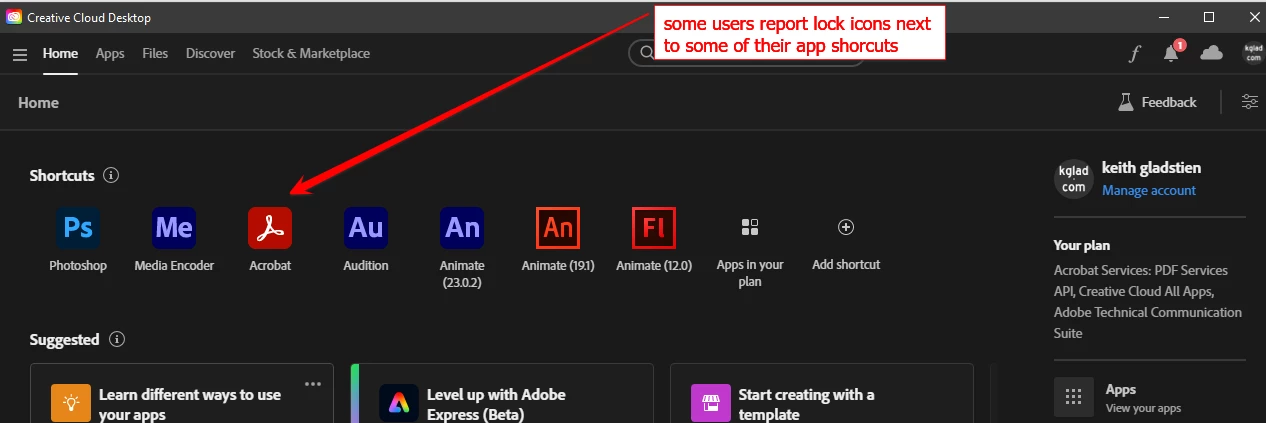
unrelated question: some users are reporting lock icons next to some of their cc desktop app shortcuts


so you know what those locks indicate?


Hey @kglad , the "lock" indicates that their plan no longer contains an entitlement to that app. If they click on the app mnemonic, they will be presented with a way to get the entitlement.

2 replies

kglad
Community Expert
Community Expert
August 3, 2023

<moved from cc desktop bugs>

Kalvyn Rasquinha
Community Manager
Community Manager
August 3, 2023

Hi @Steve K Walker , the "hide" option is still present. Since you're on a macOS machine, if you click on the "red" close button at the top left, that will hide the app. If you're quitting via cmd + Q, then that will cause the app to exit.

Inspiring
August 4, 2023

Thank you.

But this should be documented.
You've significantly changed the app's behaviour without telling users how it's changed.

Kalvyn Rasquinha
Community Manager
Community Manager
August 4, 2023

Sure, we can get this documented. Removing the additional prompt has been a request we've gotten multiple times which is why we removed it when someone chooses to quit the app.


For reference, here's the other side of this 🙂