Participant
August 25, 2022
Answered

cloud storage

  • August 25, 2022
  • 3 replies
  • 683 views

no matter how many files you delete, the capacity of the cloud does not decrease

Correct answer jane-e

@Maria258130447and 


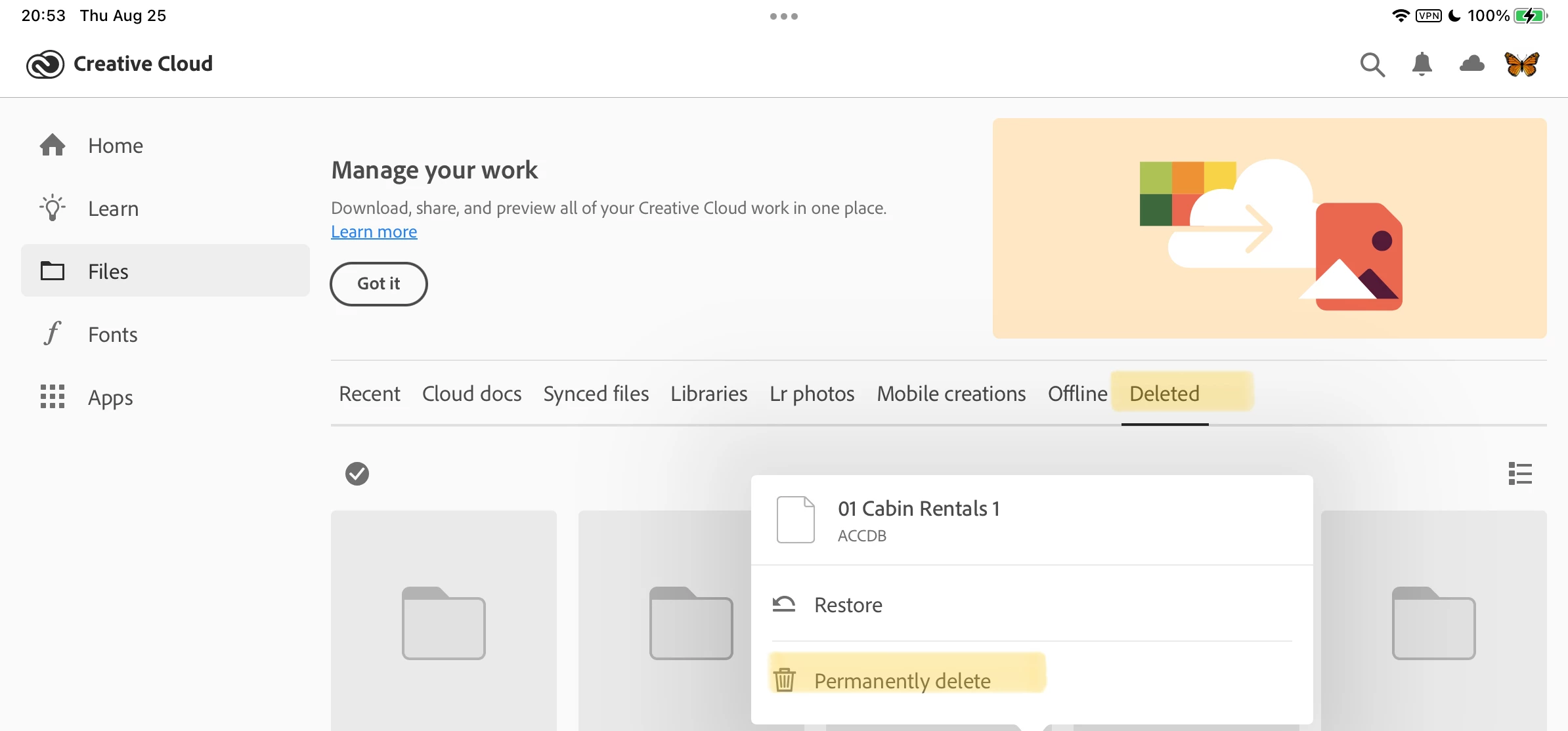
Have you permanently deleted the files from the deleted folder?


Jane


3 replies

Participant
May 28, 2025

having the same issue

kglad
Community Expert
Community Expert
May 28, 2025

@mixedgirlprobs 


use a web browser to navigate to the following locations. at each location there are several folders/link to check.:


https://assets.adobe.com

https://lightroom.adobe.com

https://documentcloud.adobe.com

https://spark.adobe.com


if you delete anything from any of these locations, check for a deleted folder where your file(s) was (were) moved. if you want to clear space you must delete files in the deleted folder. the used storage shown at each of those four sites (when totaled), should match the space shown used by your cc files.


jane-e
Community Expert
jane-eCommunity ExpertCorrect answer
Community Expert
August 26, 2022

@Maria258130447and 


Have you permanently deleted the files from the deleted folder?


Jane


Participant
March 23, 2023

I'm having the same issue I deleted the files from the deleted folder (strange, you have to do it twice) and have a max 6 GB on the Cloud, but it remains at over 80 GB. Very strange - I'm trying to find a reasonable workflow for me working at several locations and this worries me is it buggy?

kglad
Community Expert
Community Expert
March 23, 2023

@adrianb42646575 


open your cc desktop app

click the cloud icon at the upper right

click cc web


check the files in the 7 folders (4 in your files, 2 in libraries with you, 1 in shared with you

check the lightroom link at the page's lower left

delete unneeded files in those 8 locations

open your mobile cc app > files delete unwanted files


finally delete the files in your cc web deleted folder, https://helpx.adobe.com/creative-cloud/help/delete-files-permanently.html

Tarun Saini
Community Manager
Community Manager
August 25, 2022

Hi there,


Thanks for reaching out. Are you trying to delete your files to increase cloud storage? Would you mind telling us the method you're following in order to delete your files? I would recommend you to check this article and let us know if that helps:- https://helpx.adobe.com/in/creative-cloud/kb/file-storage-quota.html


Regards,

Tarun