Inspiring
September 22, 2023
Answered

Creative Cloud

  • September 22, 2023
  • 4 replies
  • 351 views

Hi!
I don't see the "Home" box in the Creative Cloud app.
Help!

macOS

This topic has been closed for replies.
Correct answer Behiç Alp Aytekin

Hello, Manu74

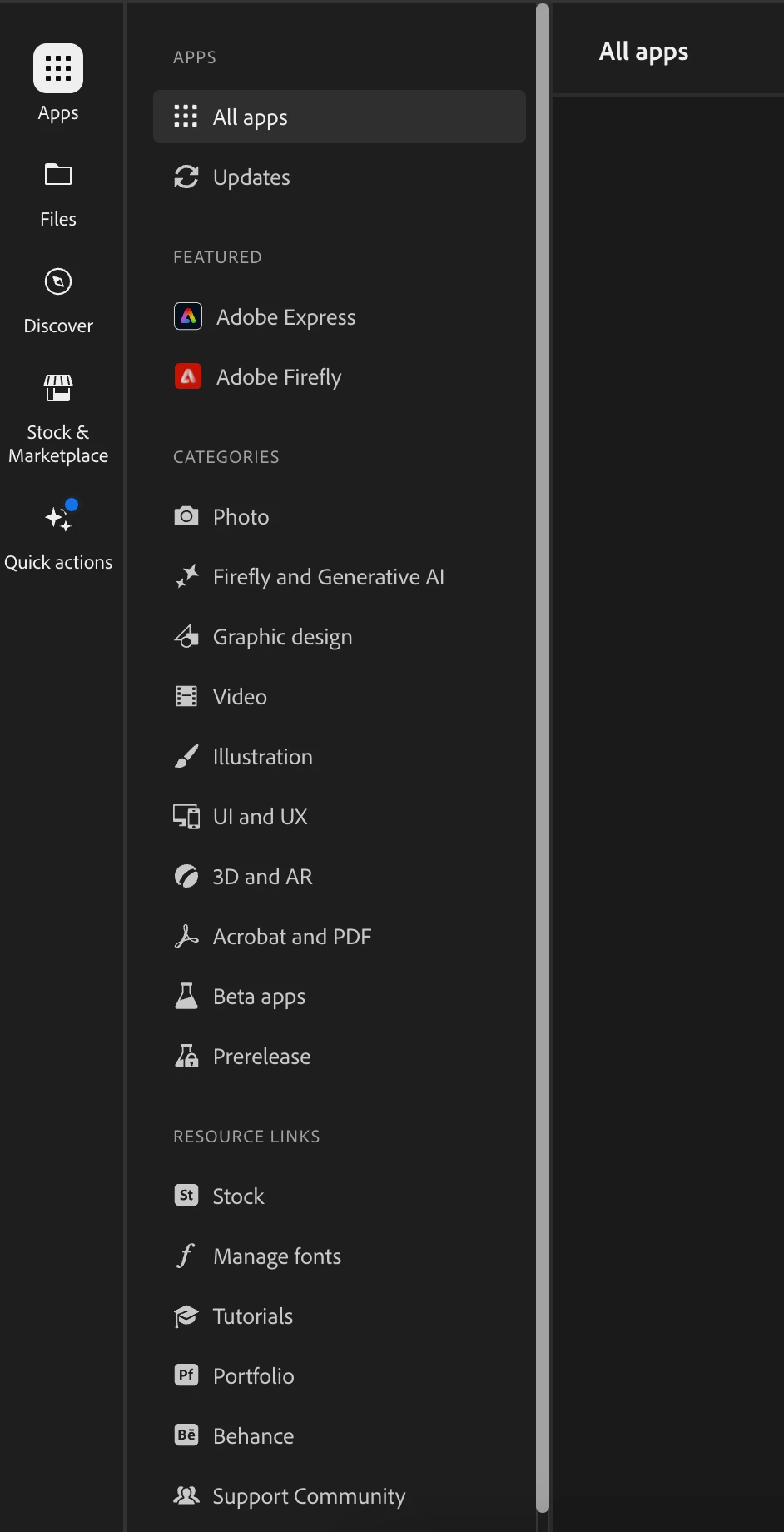
There is no need to use home in the Creative Cloud app's UI.

You can easily use the left vertical menu to switch between modules you need. 

And after selecting the module you would like, there is sub-items on the right hand.

All you need to manage this interaction to find easily whatever you need to access. 

4 replies

kglad
Community Expert
Community Expert
September 22, 2023

<moved from cc desktop bugs>

Behiç Alp Aytekin
Community Expert
Community Expert
September 22, 2023

You are welcome, i hope that would be helpful 🙂

Assoc. Prof. Behiç Alp Aytekin | Adobe Mentor
Manu_74Author
Inspiring
September 22, 2023

Ok. Thanks! 🙂

Behiç Alp Aytekin
Community Expert
Behiç Alp AytekinCommunity ExpertCorrect answer
Community Expert
September 22, 2023

Hello, Manu74

There is no need to use home in the Creative Cloud app's UI.

You can easily use the left vertical menu to switch between modules you need. 

And after selecting the module you would like, there is sub-items on the right hand.

All you need to manage this interaction to find easily whatever you need to access. 

Assoc. Prof. Behiç Alp Aytekin | Adobe Mentor