This has happened a few times and it usually fixes itself, but this time it seems to be stuck. I've tried repairing, reinstalling, but nothing fixes it. The window for the Creative Cloud app is offset and I can't get to the right side of the view.
Try updating or rolling back your graphics driver directly from the video card manufacturer’s site. If NVIDIA, do a clean installation of the latest Studio Driver (NOT the Game Driver).
Agreed. I'll see if I can keep it at 100%, but it's also been this way for a while. Something must be triggering it, but better to be at a setting that works for now.
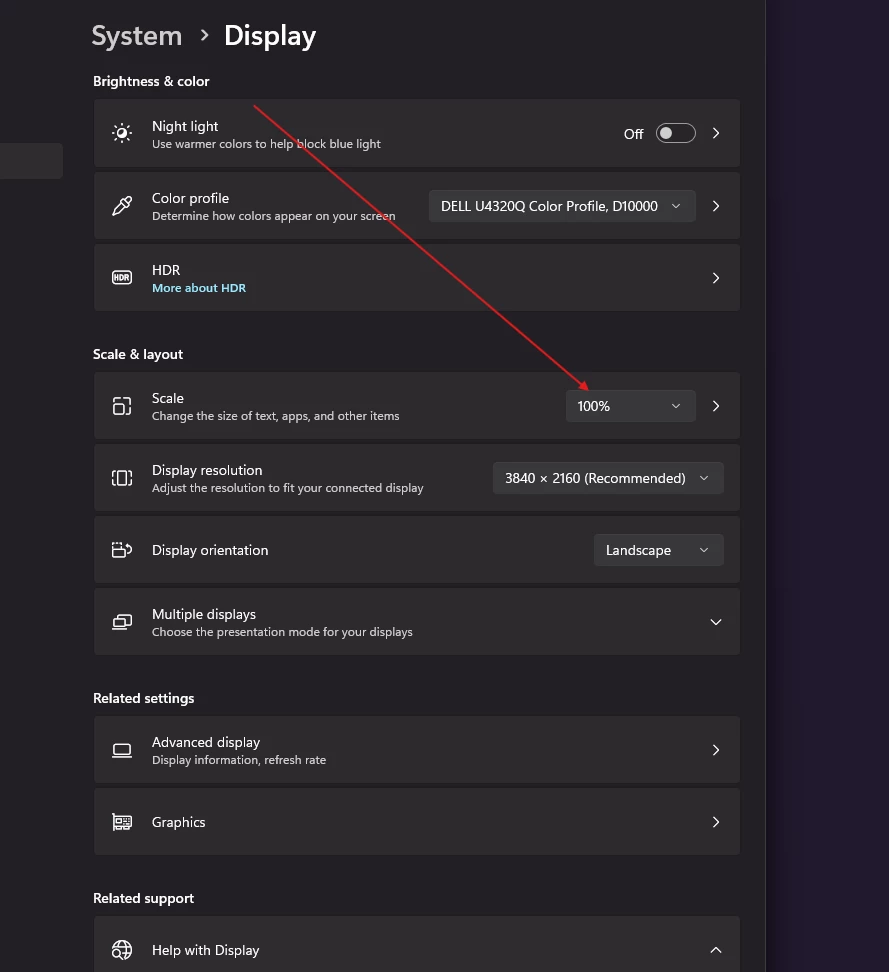
i don't know why cc desktop app is having trouble with your scale settings. but, while it's a hassle, you can scale at 100% when you need to use the cc app and then reset to your preferred scaling at other times.
So this works, but now I have to figure out how to make everything bigger on my screen. Working with screen resolution, text size, etc, but at least Creative Cloud looks fine now. Thank you!
Here's a video example. I tried using Ctrl+Alt+R in this, but also show how it's somewhat functional, I just can't access the full screen. I have tried repairing using the uninstaller and reinstalling. I really don't want to lose everything with a full uninstall.




 AdChoices