



Question
Creative Cloud Desktop shows wrong version number for installed app
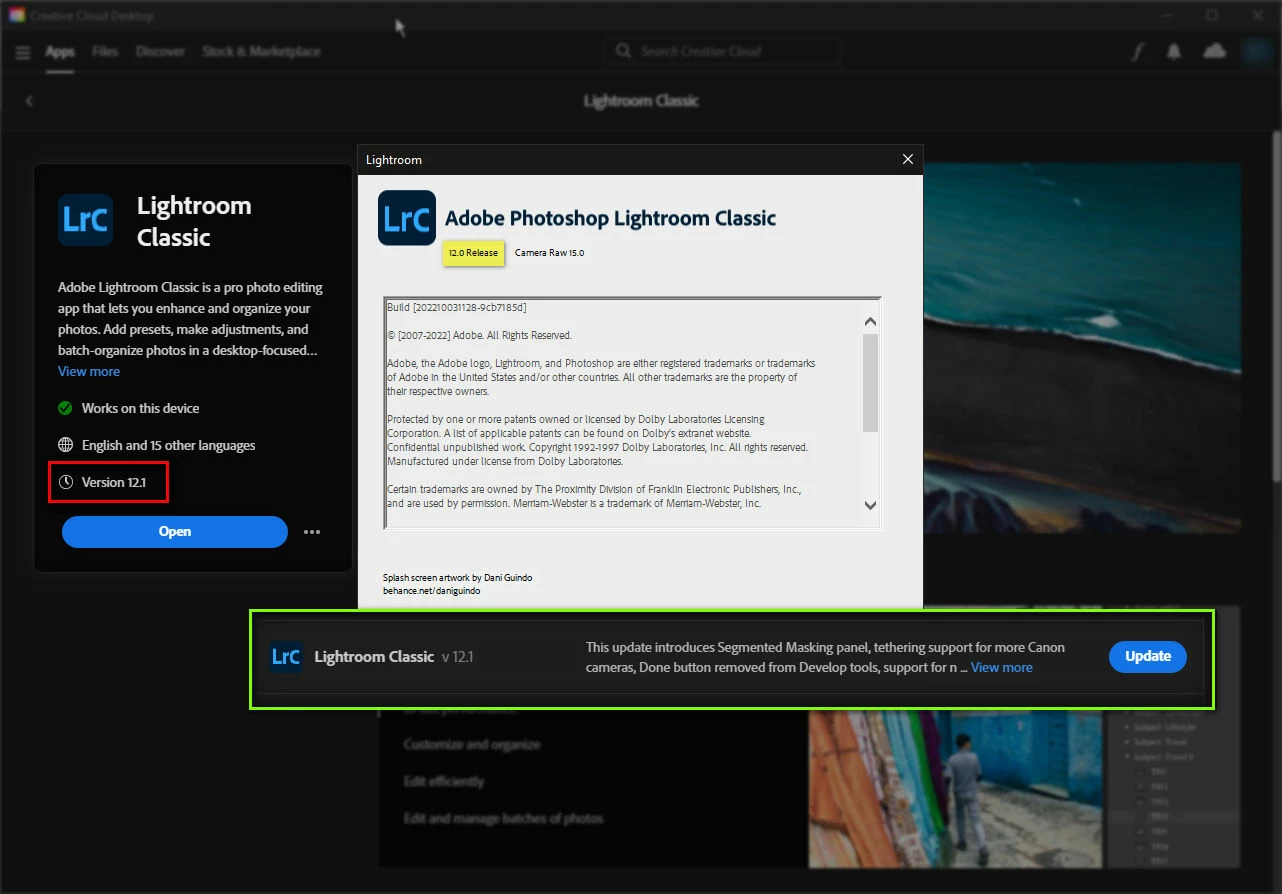
Found an issue with the CC Desktop app, where the wrong version number is shown for an app. In the screenshot, CC shows I can open Lightroom Classic 12.1, when I have 12.0 actually installed. The 12.1 is the version of the available update.
It seems to me that the version number shown in the CC app's left panel should be 12.0, corresponding to the installed version, and maybe below it could indicate something like "update available" or a button saying Update to v12.1.
Screenshot attached.
 AdChoices