


Creative Cloud on Mac OS 15.5 Apple Silicon installs Lightroom Classic in /Volumes/Applications...
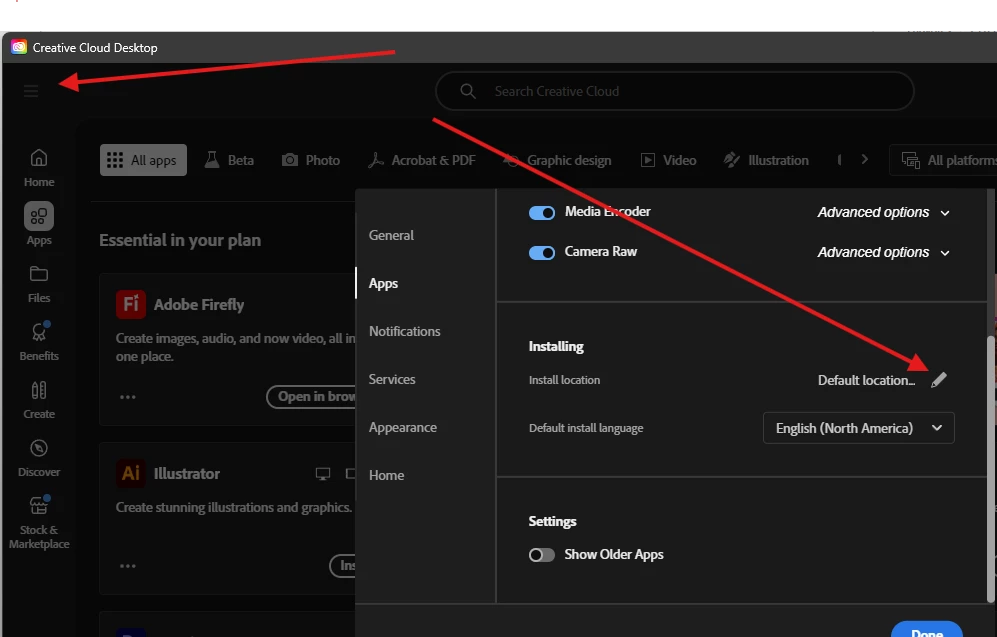
New challenge. yesterday CC alerted me that Lightroom (cloud) had an update, so opened CC and noticed that Lightroom Classic was not listed and showed an Install button. Weird, as I use Classic daily and has been showing up in the apps list for years. After fiddling around trying to see what was going on, I went ahead and clicked the Install button to see what happens. Incidentally, the version in /Applications was at 14.1.1, so a few updates old. I don't have auto updates turned on for LR or PS. Anyway, it installed it NOT in /Applications, which is where all the other Adobe apps load and is according to the preferences in CC, but in the invisible /Volumes directory. It creates a folder: Mobile Photo Mechanic, which from my recollection, used to be one of my external hard drives I would take when on locations, and keep Adobe apps installed there due to the limited storage capacity in the Macbook Air I would be using). But I haven't had that drive around for awhile, as I since reformatted and renamed and did something else with it. And Lightroom Classic was installed on this MacBook Pro max 16" and working fine, I had thought... but apparently, maybe with Mac OS 15.5 update, something got triggered and CC no longer knows where to locate Classic. I tried manually moving the Lightroom Classic folder to /Applications, but it makes no difference as far as CC seems concerned. Plugins and everything still work, so there must be some document somewhere in a library that is causing an issue.

 AdChoices