


Answered
Creative Cloud UI Glitching Red and yellow
Hi first time posting, I wasn't sure where to direct this problem or what community discussion to put into.
A week ago this started happening to my Creative Cloud Software.
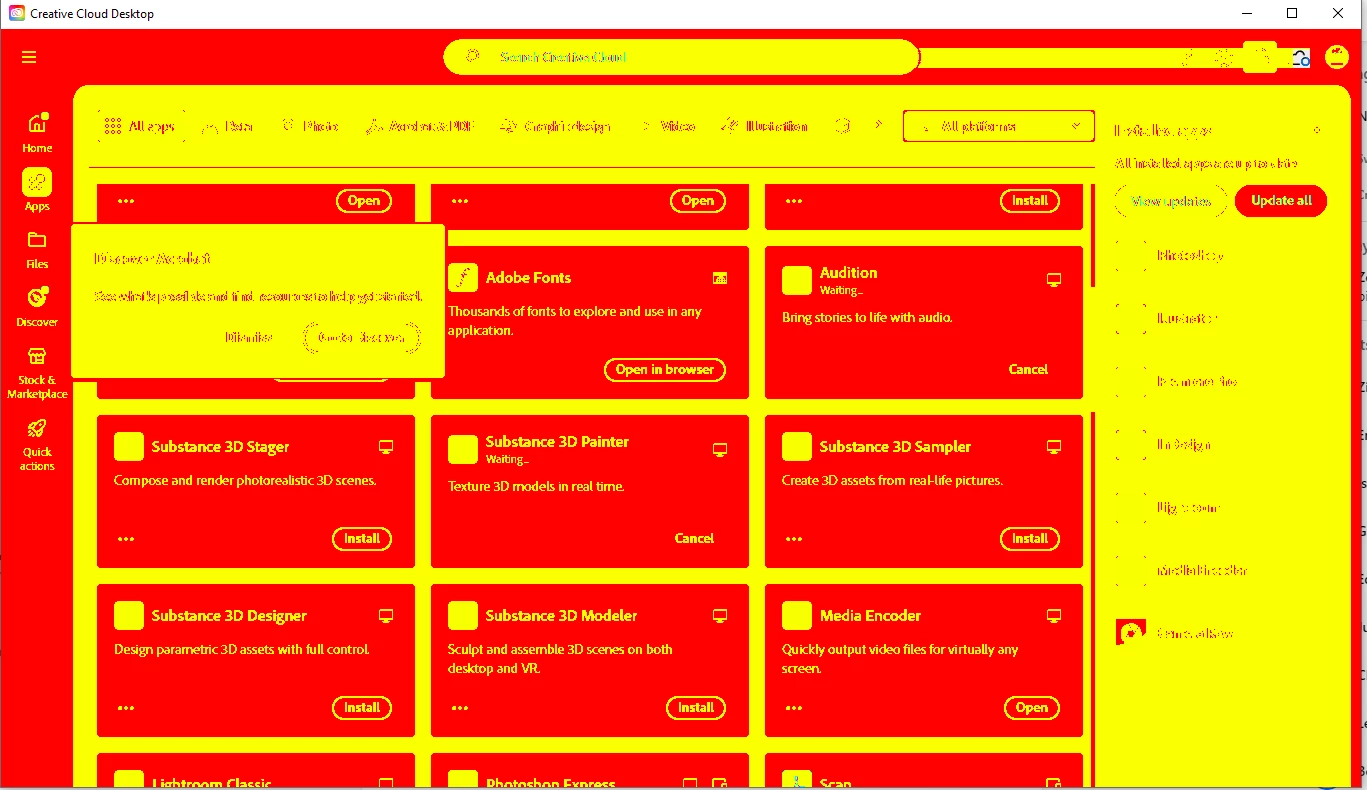
This problem is mostly present in CC and Premiere.
- Premiere
- The timeline is glitching and won't play forward despite the video preview working. But can be previewed normally once the timeline in the Preview window is manipulated.
Though, other software like Photoshop, Illustrator, and Acrobat are okay.
Resolutions done:
- Repair CC.
- Fresh Reinstalls for all Adobe Software.
- PC Load tested
- Change Interface Colors.
By any chance has anyone experienced this?
Thanks in advance, and apologies again if this isn't the right forum to post into
 AdChoices