


Participant
June 7, 2025
Question

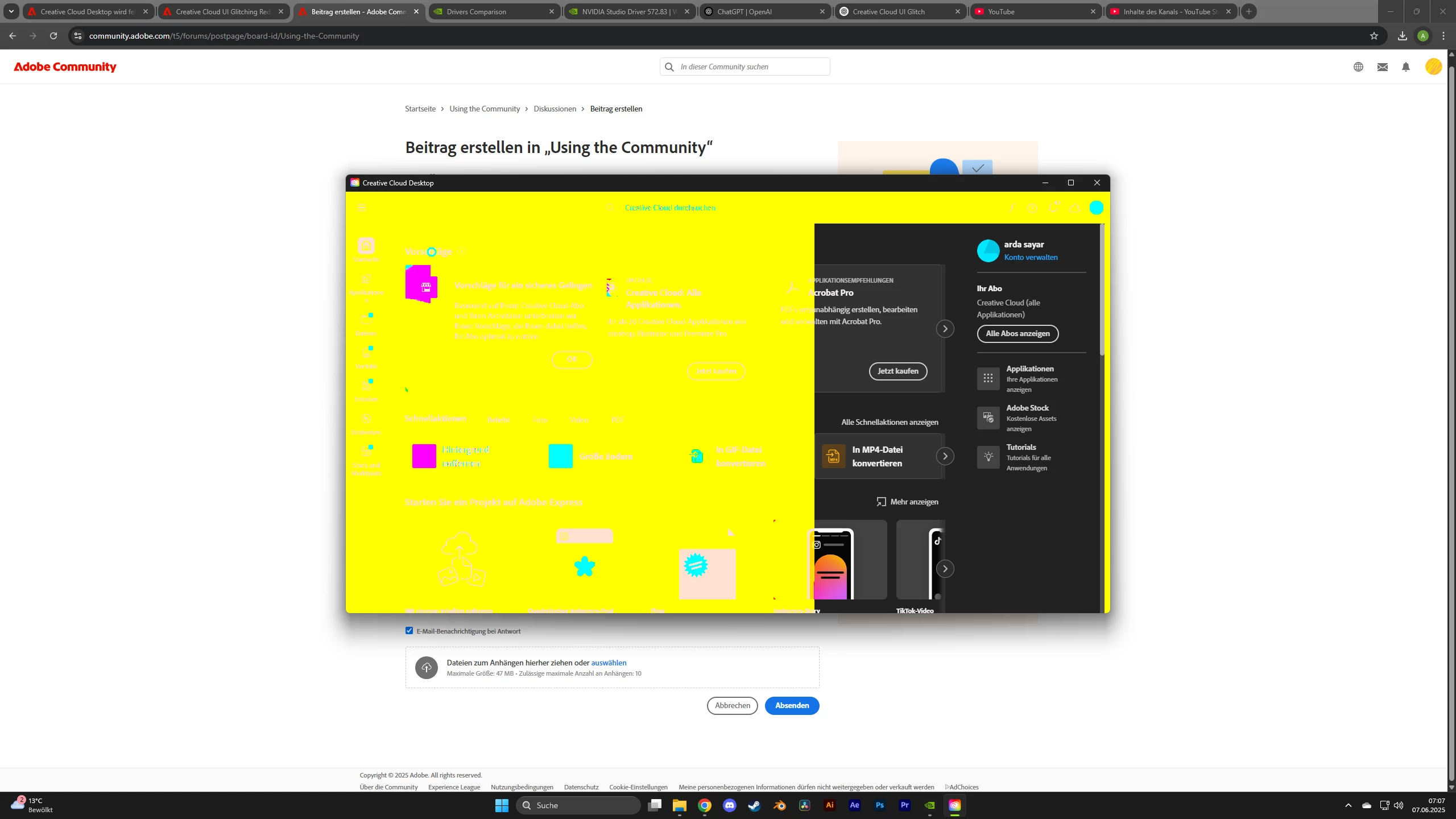
Creative Cloud UI red and yellow

  • June 7, 2025
  • 3 replies
  • 224 views

Hey, yesterday I built a new PC with a 5070. Then I installed the Game Ready driver and the Creative Cloud with all the apps. Now this morning, the Creative Cloud UI started glitching. Everything is red and yellow, and it gets worse the more I move my mouse inside the app.


I then installed the Studio driver, but that didn’t help either. After that, I tried an older driver, but that didn’t work as well. Then I tried to repair Creative Cloud using the uninstaller, but again, no success.
What could be causing this?

Here a video:

https://youtube.com/shorts/pjg56NJig_s?feature=share
3 replies

Ruchika Wadhawan
Adobe Employee
Adobe Employee
June 11, 2025

Hi @arda37668059phd5,

Are you still facing this issue on your system? If yes, could you please collect and share the Creative Cloud logs with us. Run the log collector tool and upload the logs. Thereafter, please share the file name with us.


Regards,

Ruchika Wadhawan

kglad
Community Expert
Community Expert
June 7, 2025

in the future, to find the best place to post your message, use the list here, https://community.adobe.com/

p.s. i don't think the adobe website, and forums in particular, are easy to navigate, so don't spend a lot of time searching that forum list. do your best and we'll move the post (like this one has already been moved) if it helps you get responses.


<"moved from using the community">
kglad
Community Expert
Community Expert
June 7, 2025

reset the cc desktop app by making sure it's in the foreground, then press:

Win: Ctrl + Alt + R
Mac: Cmd + Opt + R