


Creative Cloud (v6.8x) desktop app does not launch from browser
OS version: Windows 11 22H2, using Microsoft Edge (v142.x), Creative Cloud (v6.8x)
Launching and signing in to the Creative Cloud desktop app works. Signing in to Creative Cloud via the browser also works.
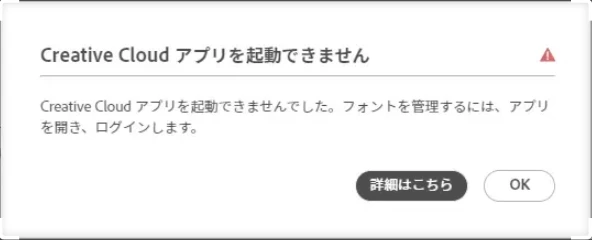
However, when I click “Open Creative Cloud app” from the Adobe Fonts menu, an error message appears.
I have tried using Adobe Cleaner, reinstalling, and restarting multiple times, but the app still does not launch. I believe I have allowed the endpoints specified by Adobe, but the app still does not start.
Please tell me how to resolve this issue.
■error messge
「“The Creative Cloud app could not be launched. To manage fonts, open the app and sign in.”」
(I am already logged in to both the browser and the Creative Cloud desktop app)
■Adobe fonts menu

 AdChoices