



pseudodude
Inspiring
May 8, 2025
Answered

How do I remove stale plugins from CC Desktop?

  • May 8, 2025
  • 1 reply
  • 727 views

Howdy,

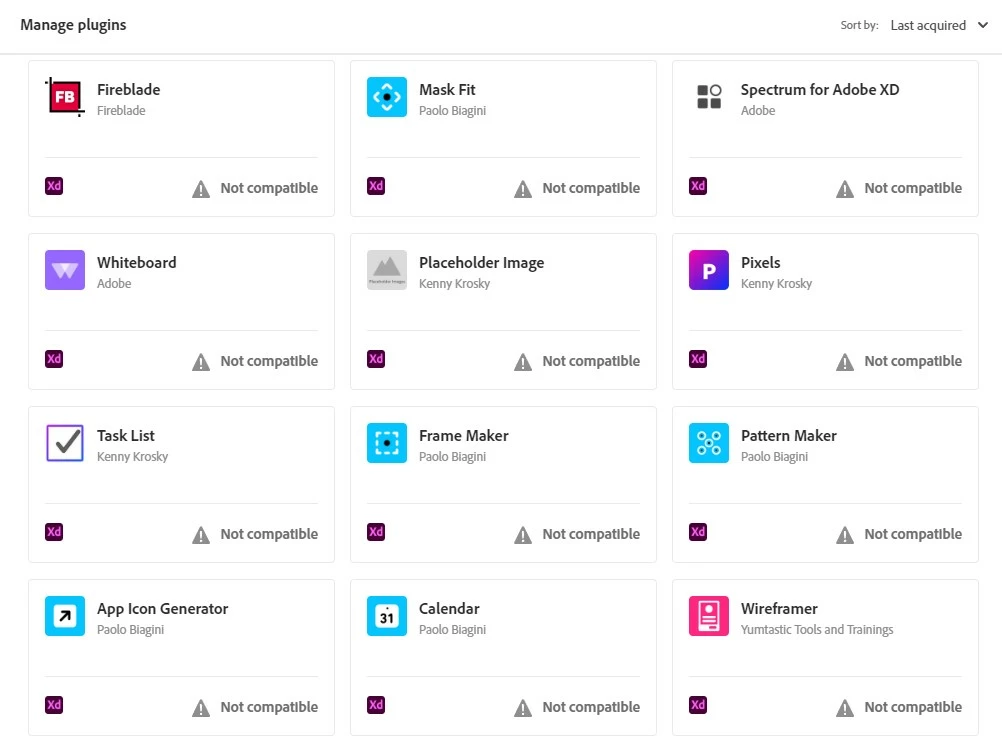
This is a really sore spot for me in the Creative Cloud Desktop app. My account is cluttered with useless plugins I've tested or can't use anymore, and I have no way to GET RID OF THEM!


Please, for the love of creation . . . Let me remove these!

This is the short list.
Correct answer David__B

@pseudodude 


do you want your post branched to its own thread?


Hi @@pseudodude 

I've asked our developers about this too and will follow with what I learn.

Best,

Dave

1 reply

pseudodude
Inspiring
May 8, 2025

Please allow us to remove old, outdated plugins from Creative Cloud.

This isn't managing plugins at a proper level.


Vote like your plugin organization depends on it . . . Because it does.


jane-e
Community Expert
Community Expert
May 8, 2025

@pseudodude 


I've merged your duplicate posts into one thread. Please post once and then add to the current thread. Thank you!


I found this in Adobe Help, but I don't see any ellipses in your screenshot.

https://helpx.adobe.com/xd/help/create-manage-plugins.html

Uninstall plugins

In the Plugin panel, select the ellipsis (...) next to the installed plugins and click Uninstall.


I don't use plug-ins, so someone who does may chime in with a better answer.


Jane


pseudodude
Inspiring
May 8, 2025

Thank you for your suggestion and the link. 

Unfortunately that only removes the plugin from applications, not from creative cloud plugin manager. Therein lies the problem.


If you must merge, I guess .

But they were two different posts for two different reasons, and now the post that requires a vote will not be in the feed.
