


Answered
How to remove CC Files shortcut from Navigation pane (NOT in favorites)
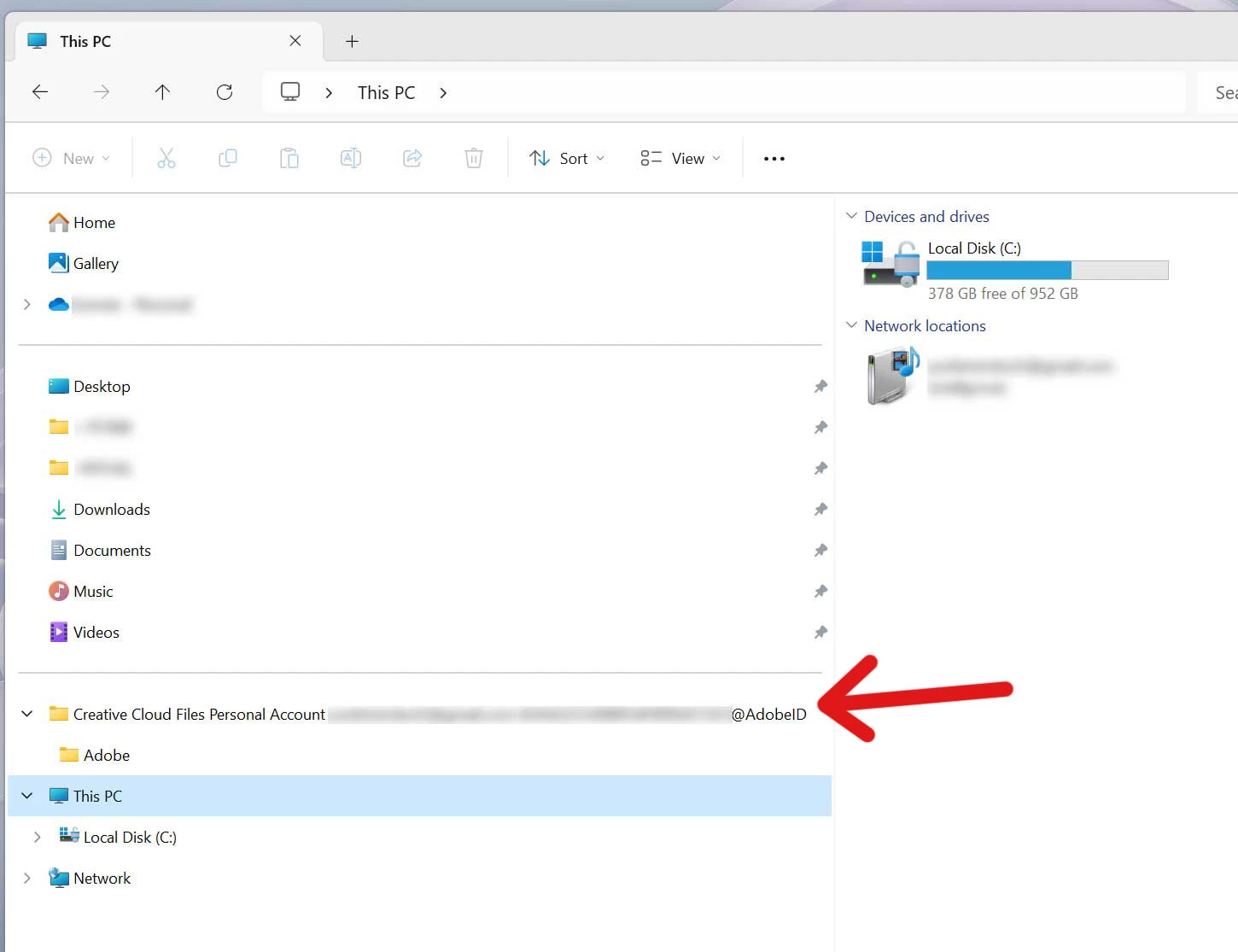
A CC "personal files" folder with a ridiculously long filename has shown up in my navigation pane. It's NOT in favorites-- see screenshot below. (I found a workaround that Adobe posted that would edit the registry, but it had to do with the favorites section, not this, so it didn't work.)
I also tried pausing CC Cloud sync, deleting the personal files folder from C:Users, and then restarting, but that didn't get rid of the shortcut either.
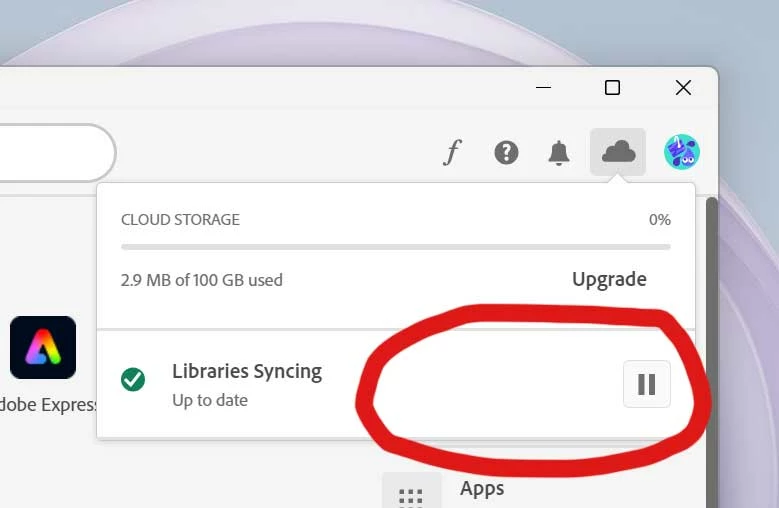
I also thought of going to Creative Cloud Desktop and messing with the prefrences in "cloud activity", but the preferences option (gear icon) is missing. (See 2nd screenshot.)
How do I get rid of this?

 AdChoices