Participant
Apr 14, 2024 6:15 PM UTC
Answered

Is it possible to permantly disable all Adobe marketing notifications?

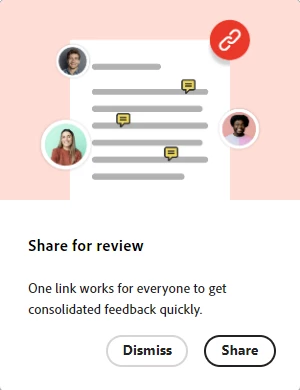
Across the Adobe apps I use I am constantly harrassed with endless notifications similar to the one below to use services and features. Is there any way to perrmanently gag Adobe apps? As far as the tiny fraction that might be useful, I don't even care about missing them if I could have blissful peace using the apps I'm {over}paying for. I tried shutting off notifications under Account | Notifications in the Creative Cloud Desktop app, I don't doubt that might have disabled hundreds  of notifications, but I 'm still bombarded with distractions whenever I open an app. Thanks


ShivangiGupta
ShivangiGuptaCorrect answer
Community Manager
Oct 13, 2026 2:03 PM UTC

@the outward spiral 

Thanks for checking that.

I looked into this, and currently there isn’t an option to permanently turn off these in-app reminders individually.

For now, you can dismiss the reminder when it appears, which can help reduce how frequently it is shown. If you’re seeing desktop-level notifications, those can be turned off entirely, although there isn’t currently a separate setting just for MAX-related desktop notifications.

The team is working toward better integration with native macOS and Windows notification controls to improve how these preferences are handled.

We appreciate you bringing this to our attention, and we’d be happy to capture your reason for wanting to disable these reminders as feedback for the team.


^Shivangi

^Shivangi

17 replies

Participant
Nov 2, 2026 4:37 PM UTC

Same problem (MacOS),


I have toggled of ALL notifications off in CC and it still shows a red dot in my icon bar or on the Bell when I open the creative cloud app. It is VERY distracting, reduces working efficiency due to constant harassment (less so than the blue pop-ups but same ballpark) and just serves the purpose for customers to switch to non-Adobe products as soon as possible.  

Translate
Inspiring
Oct 12, 2026 8:54 PM UTC

Still today, we’re getting Adobe Max notifications when I only chose to receive app updates and fonts.

How do I stop the marketing notifications?

Translate
kanikas28368183
Community Manager
Community Manager
Oct 13, 2026 9:34 AM UTC

Hi, we understand that notifications can be overwhelming at times. Please follow the steps shared in the link to manage preferences: https://adobe.ly/4jkpDuS.


Thanks
^KS

Translate
Inspiring
Oct 13, 2026 9:45 AM UTC

These notifications are coming to the CC desktop app, so your link doesn't help with that. Thanks anyway. 

Translate
kglad
Community Expert
Community Expert
Apr 14, 2024 6:22 PM UTC

you can disable notifications of various types in the settings of your cc desktop app.

Translate
Participant
Apr 14, 2024 6:30 PM UTC

As I said in my post, I tried that. It does not affect the messages bugging me to use features and services. I don't doubt it throttles the firehouse of overall notifications somewhat, but looking at the list of notifications that can be disabled in that dialog still leaves a lot.

Translate
kglad
Community Expert
Community Expert
Apr 14, 2024 6:45 PM UTC

i have all notifications enabled and receive, at most, one adobe email promotion per day.  i don't see promotions elsewhere.  


where are you seeing adobe promos?

Translate