gnurotic
Inspiring
August 27, 2026
Answered

Photoshop is installed on my system, but does not show installed in CC app

  • August 27, 2026
  • 8 replies
  • 83 views

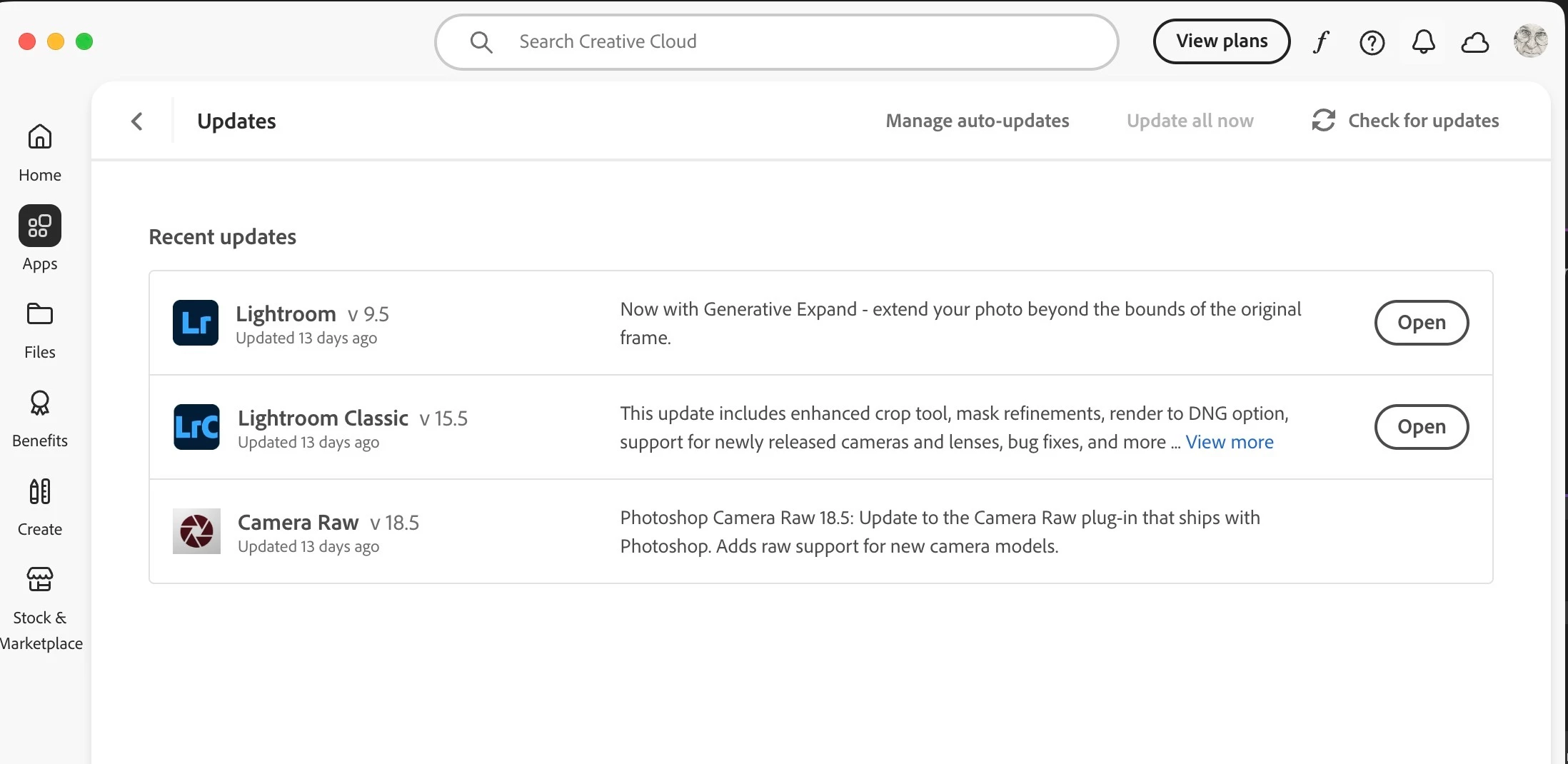
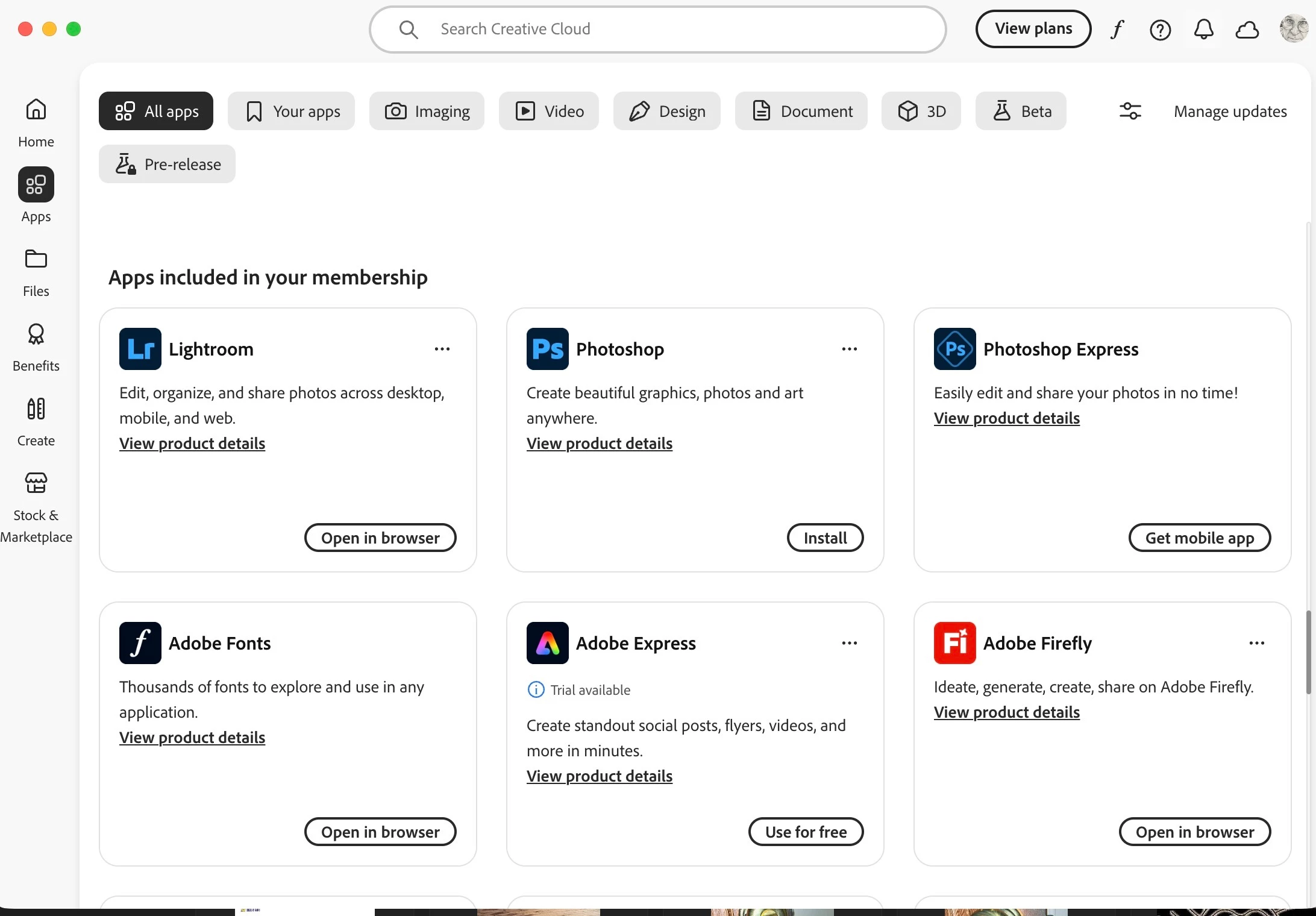
When I open the Creative Cloud app Photoshop no longer shows as an installed application, even though it is installed and runs on my Mac. The CC app seems to indicate that I need to install it, but it is already installed. In the past it has always showed in the CC app. See screenshots below:


Correct answer Peru Bob


Try resetting the CC App.

To reset the Creative Cloud desktop app, make sure it's in the foreground, then press:

Win: Ctrl + Alt + R

Mac: Cmd + Opt + R

If that doesn't work, try uninstalling and reinstalling the CC App:

https://helpx.adobe.com/creative-cloud/apps/manage-apps/creative-cloud-desktop-app/uninstall-creative-cloud-desktop-app.html

8 replies

Participating Frequently
August 31, 2026

Thank you. I was told by an adobe technician last week that since the updated version of PS on my computer was so recent, it would not show up in the update list. I just opened the CC Ap and see that PS and other app show an “Update” notice, so this must have been a correct statement. 

Participating Frequently
August 31, 2026

See my response above

gnurotic
gnuroticAuthor
Inspiring
August 28, 2026

I never changed anything. How would I know what they were when PS was first installed. It was years ago. 

......Karma bides its time......
Participating Frequently
August 28, 2026

I have same issue …. I’ve done of the suggested “fixes” including signing out and quitting CC and omitting opt.db file per Adobe. When I open PS I had to reinstall b/c is was missing, I directed me to CC which did not show it. The repair CC option did not work. Thus, 2 problems: the installed PS ap does not appear in CC and I have had to reinstall PS twice in the past 2 weeks. Please let us know if many others have the same issue and what the fix is, if known. I’m using IOS 26.6.2. 

kglad
Community Expert
Community Expert
August 28, 2026

@Jack613 


the issue almost always an installation preferences change.

Peru Bob
Community Expert
Peru BobCommunity ExpertCorrect answer
Community Expert
August 27, 2026


Try resetting the CC App.

To reset the Creative Cloud desktop app, make sure it's in the foreground, then press:

Win: Ctrl + Alt + R

Mac: Cmd + Opt + R

If that doesn't work, try uninstalling and reinstalling the CC App:

https://helpx.adobe.com/creative-cloud/apps/manage-apps/creative-cloud-desktop-app/uninstall-creative-cloud-desktop-app.html

kglad
Community Expert
Community Expert
August 27, 2026

change your cc preferences back to what they were when ps was installed.

gnurotic
gnuroticAuthor
Inspiring
August 31, 2026

and how are we supposed to remember what that was??? I’ve had Photoshop for decades and CC since it was first launched.

......Karma bides its time......