Inspiring
July 30, 2024
Answered

Photoshop Updates nicht mehr möglich

  • July 30, 2024
  • 2 replies
  • 1563 views

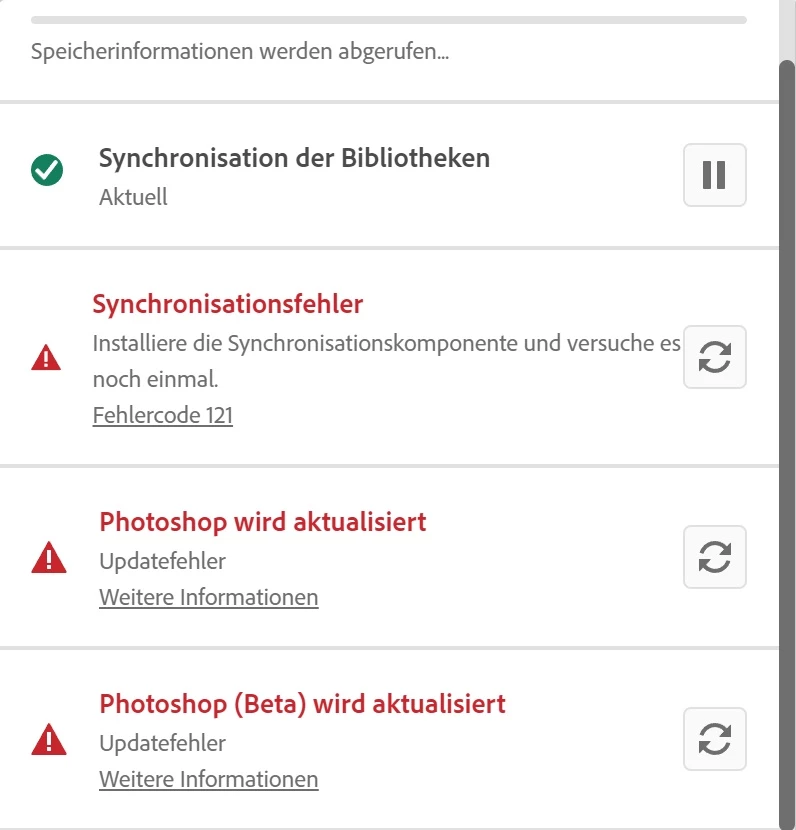
Seit ein paar Tagen lassen sich Photoshop und Photoshop Beta auf beiden dafür verwendeten PCs nicht mehr aktualisieren. Die Aktualisierung bricht jedesmal bei 11% ab.

Der Hinweis "Installieren sie die Synchronisationskomponente" ist nicht wirklich hilfreich.

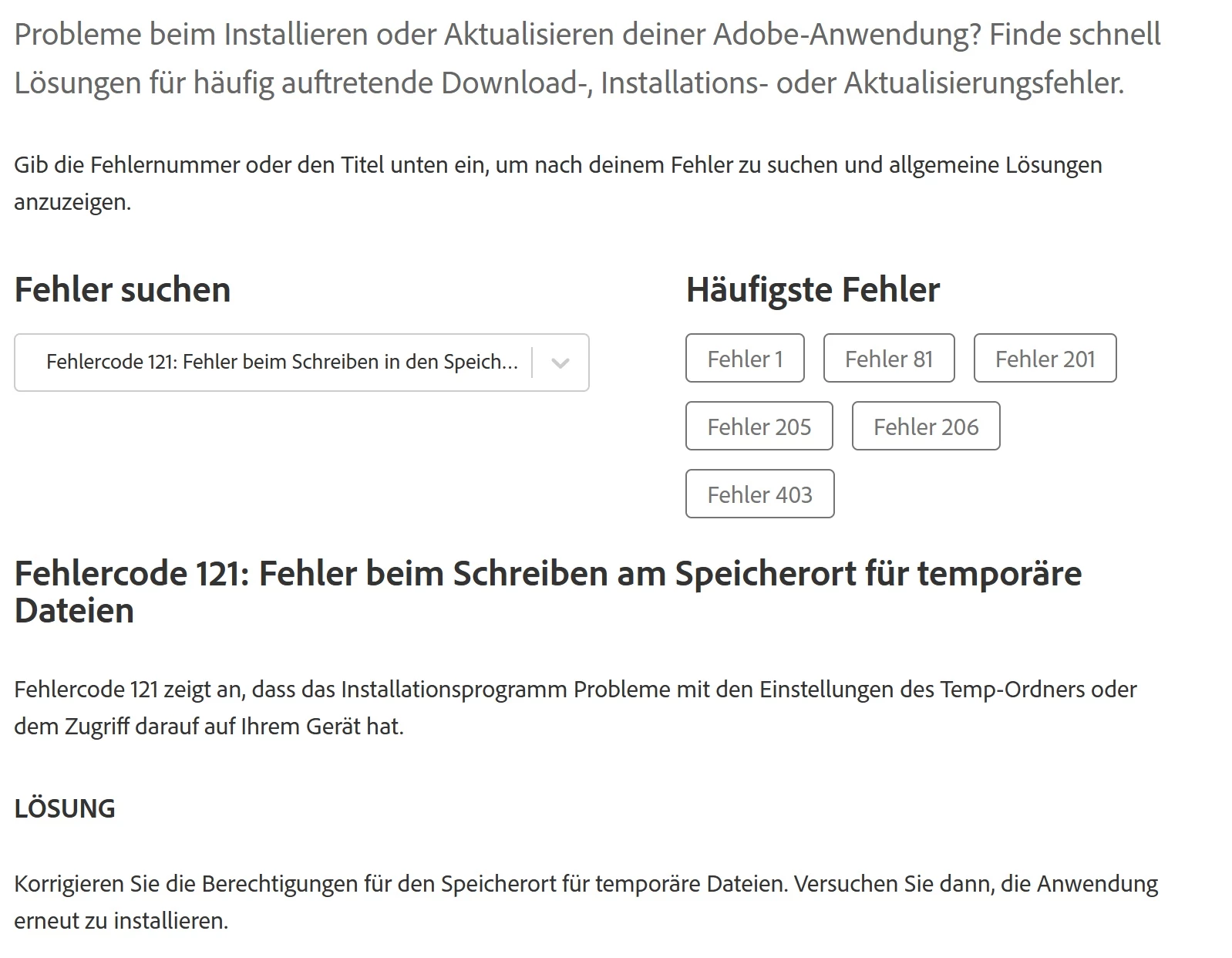
Fehler #121 soll auf ein Zugriffsproblem auf den Temp-Ordner hindeuten. Ich wüsste nicht, wieso. Ich habe den Zugriff (für den Ordner und alle Unterordner sowie Dateien) für jeden freigegeben.


Mein BS: Win 11 Pro bzw. WIn 10 Pro 64bit


This topic has been closed for replies.
Correct answer Optiphot

Today I managed to solve my problems for my own.
Unfortunately I cannot say, which of my actions made it possible.
I tried (once more) to repair CC, then uninstalled it again, deleted all remaining files in the adobe folders manually.

Then I changed the access rights in all adobe folders in "Program files" and "Program Files (x86)", there seemed to be some inconsistency.

Then I downloaded a fresh copy of the CC setup file and installed it.

Now CC worked again, I could install all my apps and all my libraries were synced.

On my second PC there simply was a problem with my Microsoft account. I had to create a new user and delete the previous account. Then CC worked again.

Thank you all who tried to give me any assistance.

2 replies

Kalvyn Rasquinha
Community Manager
Community Manager
July 31, 2024

Hi @Optiphot. Sorry you're running into these issues. I'll ask the team to reach out. 

OptiphotAuthor
Inspiring
July 31, 2024

Thank you very much, Kalvyn Rasquinha!

I was happy to make a complete backup before removing the apps, so I am able to use my Adobe apps again.

But I still hope that my problems with CC (same problems on 2 completely different PCs!) can be solved.

kglad
Community Expert
Community Expert
July 30, 2024

update your cc desktop app (file>help>update.


<moved from cc desktop bugs>

OptiphotAuthor
Inspiring
July 30, 2024

I just had CC reinstalled, but now I followed your tip and tried to update it.
Same result. 😞

OptiphotAuthor
Inspiring
July 30, 2024

BTW.: What does that message mean: "Install the sync component and try again" ???