Participating Frequently
April 1, 2026
Question

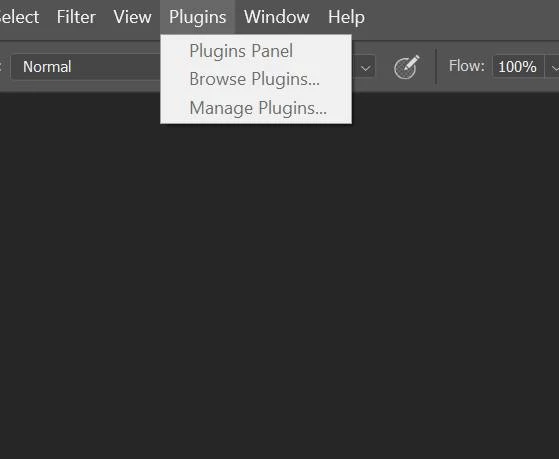
Plugins drop down menu Grayed out - Plugins listings not showing up in Marketplace on CC

  • April 1, 2026
  • 2 replies
  • 38 views

I have been trying to access my Photoshop Plugins drop down menu for some time. It is currently Grayed out and un-clickable. I was able to add a couple plugins into the CC interface one by directly having a file, and the other from the Exchange - both say they are good to go for Photoshop, but are un-accessible. 
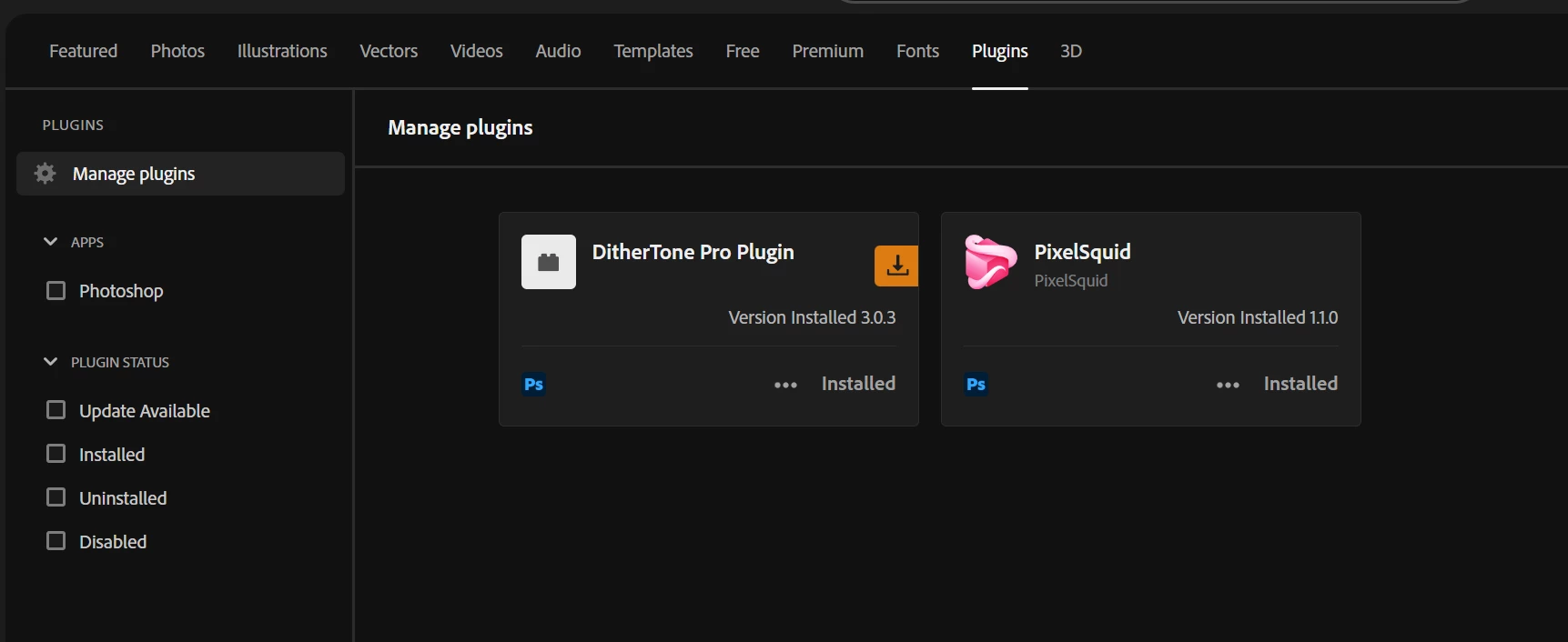
Another note, when I go to the ‘Plugins’ section of CC marketplace, nothing else shows up besides the couple plugins I installed. 
I have recently clean re-installed everything - Most recently uninstalled every Adobe program and CC to reinstall them again. I have tried signing out and back in again and the problem persists. 

I have read elsewhere that if the Users folder has moved it could create a problem, but I think that has stayed put.
I have found two different "Plugins" folders on my PC.

Program Files - Common Files - Adobe - Plugins - CC (where this is supposed to be installed, and there is nothing but some file formats)

The other place,

Program Files - Adobe - Photoshop - Plugins (and nothing but a 'Generator' folder is there)

I am on Windows 11 system is up to date - all Adobe software is up to date. 

Any suggestions would be great, thanks.
 

    2 replies

    Nancy OShea
    Community Expert
    Community Expert
    April 3, 2026

    @briggsm90115265 

    • An Individual Plan is one you pay for. 
    • Enterprise or Teams plans are provided to you by a business/school as part of your employment/enrollment. Their IT dept would have to help you. 
    Photoshop plugins often disappear after updates because they remain in the old version's folder.  
    After an update, copy plugins from the old version folder to the new one.  Or simply reinstall the plugins. 
     
     
    Nancy O'Shea— Product User & Community Expert
    Participating Frequently
    April 3, 2026

    Ah, so I have an individual plan that I pay for, but have an education discount on the plan. So I don’t have an IT dept that handles my plan.  

    I have directly put my plugin into the plugins folder, but that hasn’t changed anything on Photoshop itself - Creative Cloud says they are installed (although, of the few I installed through CC, I can’t find the folder that they are actually supposed to be installed on, or they are simply not in the place that they should be.) but the Plugins drop down menu is still grey and un-clickable. 

    Nancy OShea
    Community Expert
    Community Expert
    April 3, 2026

    Did you restart Photoshop after linking the Plugins?


    Nancy O'Shea— Product User & Community Expert
    kglad
    Community Expert
    Community Expert
    April 2, 2026

    https://community.adobe.com/t5/exchange-bugs/access-restricted-plugins-are-unavailable-for-your-user-type/idi-p/15637733#M155

    Participating Frequently
    April 2, 2026

    I can’t get that link to pull up for some reason. It just redirects me back to the community main page


    kglad
    Community Expert
    Community Expert
    April 2, 2026

    do you have an education, teams or enterprise subscription?