

Known Participant
February 14, 2024
Question

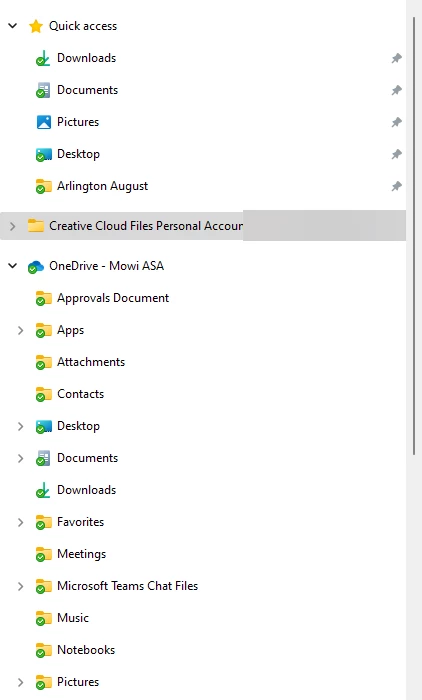
Stop adding creative cloud folder to windows explorer

  • February 14, 2024
  • 1 reply
  • 942 views

All of a sudden Creative cloud keeps adding the creativcloud files folder to windows explorer.  How do I turn this off?
 

This topic has been closed for replies.

1 reply

kglad
Community Expert
Community Expert
February 15, 2024

to remove:


mac:

copy any important file to another folder and then delete Creative Cloud Files + <account type> + <profile_name> + <email> + <GUID> (for example: Creative Cloud Files Personal Account email@abc.com ####@AdobeID).


default location, Mac HD/Users/<Username>/Creative Cloud Files


windows:

Open the registry editor (regedit.exe) & naviagate to: HKEY_CURRENT_USER\Software\Microsoft\Windows\CurrentVersion\Explorer\Desktop\NameSpace You'll probably have two sub-keys. OneDrive's sub-key will be nameed '{018D5C66-4533-4307-9B53-224DE2ED1FE6}' Delete the other one, that will be Creative Cloud.

Known Participant
February 15, 2024

This works for me until a restart and then it is back.

kglad
Community Expert
Community Expert
February 16, 2024

@Dennis26496853jr2w 


is this on a windows system?
