Participant
April 17, 2024
Question

Sync files not working (web and desktop)

  • April 17, 2024
  • 2 replies
  • 394 views

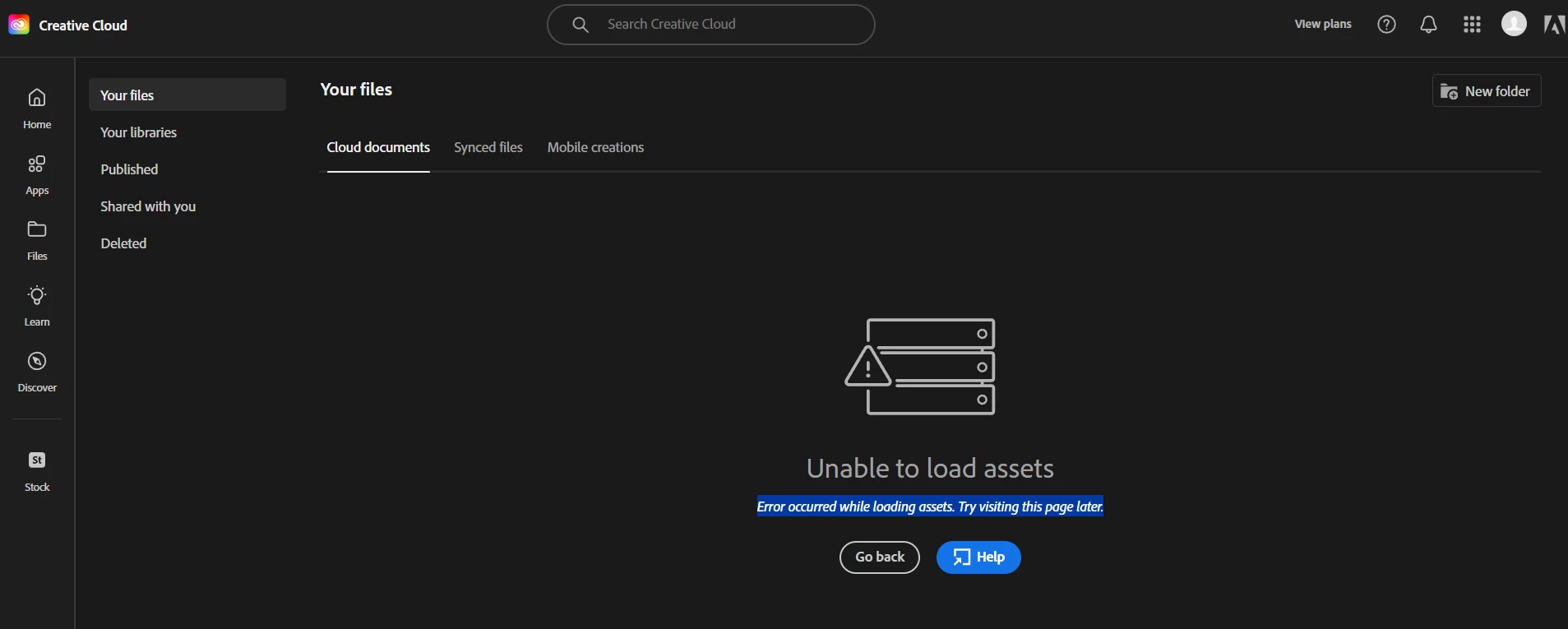
I can't use Creative Cloud files anymore. The desktop syncing isn't working and, when I try to access the web version (https://assets.adobe.com/files/), I get an error: "Unable to load assets. Error occurred while loading assets. Try visiting this page later. - Something went wrong". See attachment.

Cloud XD documents aren't syncing either. 
I tried relaunch (Ctrl+Alt+R) and uninstall/reinstall the app. It didn't work, I don't know what to do. 


This topic has been closed for replies.

2 replies

Ashish_Harrison
Adobe Employee
Adobe Employee
April 18, 2024

Hi, @User3265 please connect with your Org IT Admin and check for the Product Online Services OR please check if Storage is enabled for your account. Thanks!

Regards,Ashish Harrison
Kevin Stohlmeyer
Community Expert
Community Expert
April 18, 2024

There are several things in your post.

First, there were numerous notices sent to company admins and individual users regarding the discontinuation of Desktop Sync starting early last year. That only affected the "Synced Files" portion of your account.

https://helpx.adobe.com/creative-cloud/kb/eol-creative-cloud-synced-files.html


Second- the Cloud documents/Libraries Sync error. It appears you are not either logged in with the correct User ID or your account somehow has been deactivated/not connected to the account.


View plans only shows when there isn't a subscribed account attached to the ID. Perhaps try logging out/back in to the CC Desktop app.