Supernaut63
Known Participant
April 4, 2025
Answered

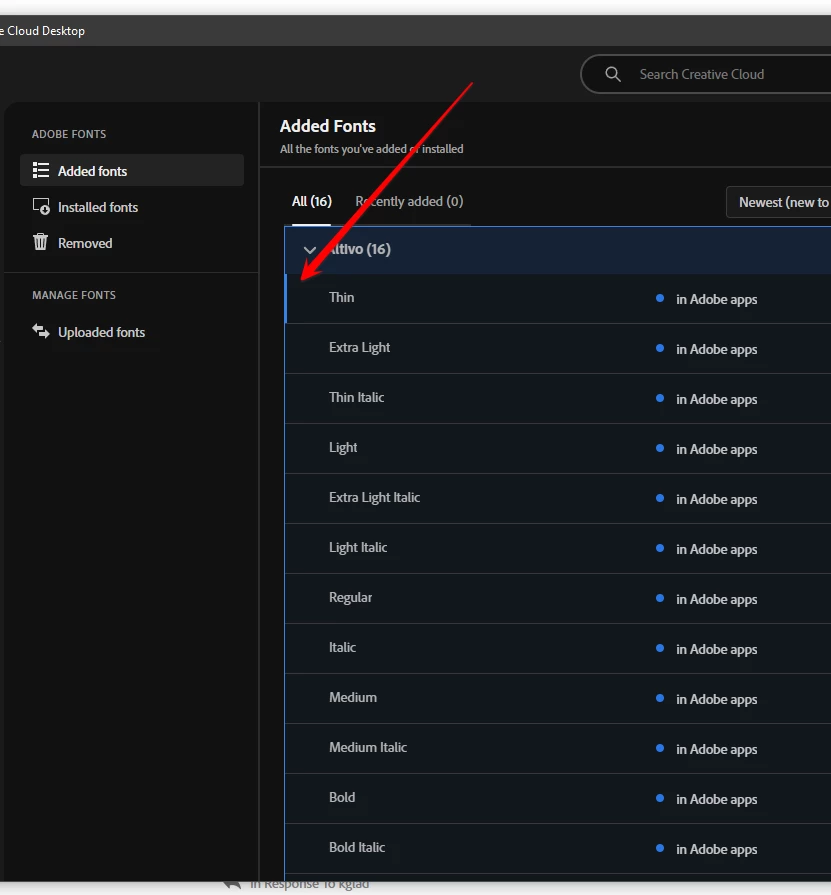
Where is the scroll bar for fonts in CC?

  • April 4, 2025
  • 1 reply
  • 897 views

Can't find it anywhere.

And no, the arrow keys are NOT working either.

And no, I don't have a mouse with a wheel.

How am I supposed to operate this without a scroll bar?

And why would they ever remove the scroll bar?

Correct answer kglad

So what's the secret to getting the arrow buttons to work on this?


i don't have to do anything to get the arrow keys to work.  i just open the cc desktop app to the fonts panel and click the arrow keys and the selected font indicator (darker blue line segment) responses


1 reply

kglad
Community Expert
Community Expert
April 4, 2025

not here. in the ideas forum.

Supernaut63
Known Participant
April 4, 2025

Link?

Tarun Saini
Community Manager
Community Manager
April 4, 2025

Hi 

@Supernaut63

,

Welcome to the community! We're sorry to hear about this. Have you tried signing out and signing back in again or restarting the device to check if that helps?


If that doesn't help, try reinstalling the Creative Cloud Desktop app and let us know if that helps.


Regards,

Tarun