


Participating Frequently
August 22, 2025
Answered

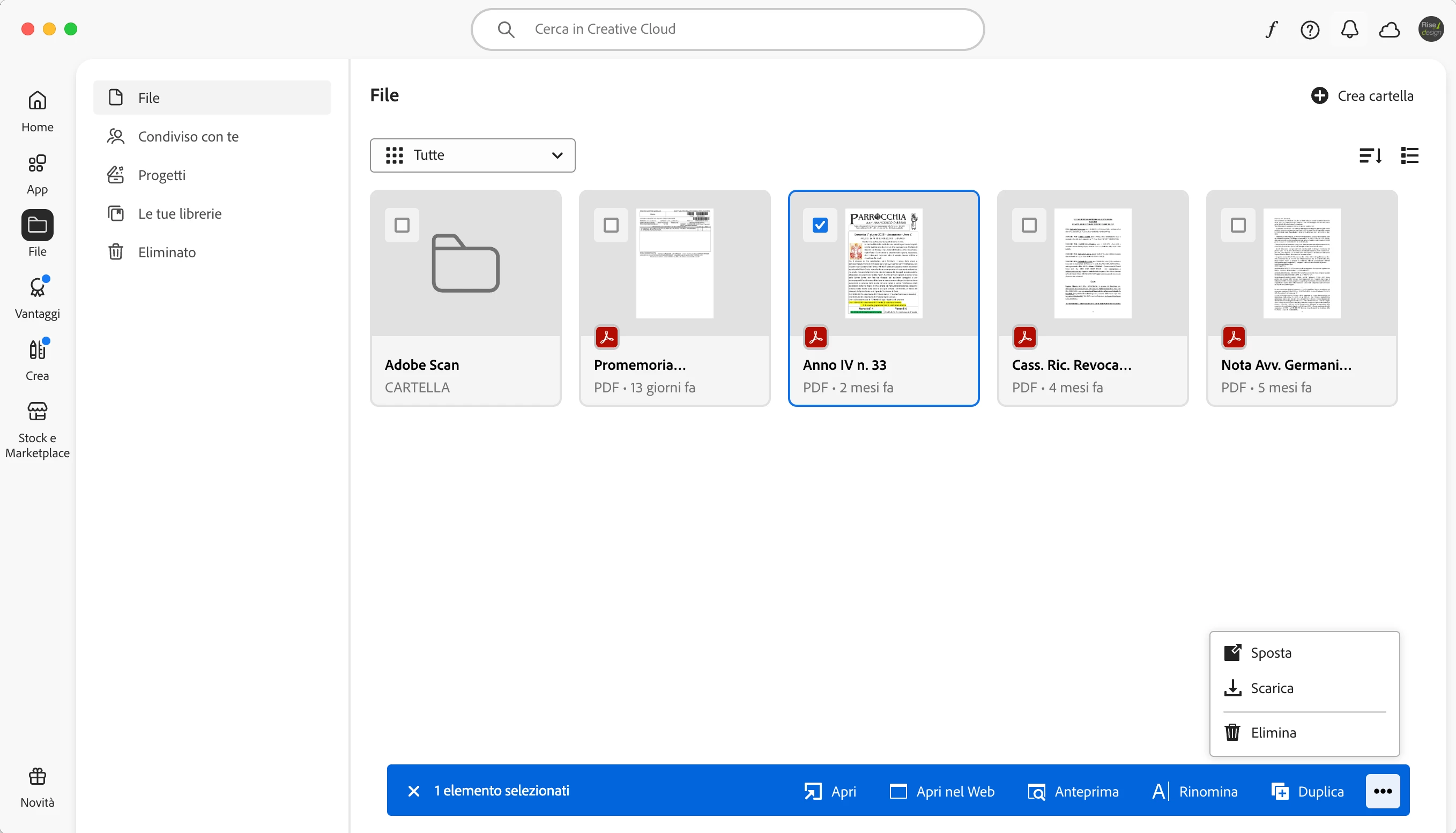
Why don't I have “share” button in my Creative Cloud?

  • August 22, 2025
  • 1 reply
  • 365 views


Hi everybody, I tried to share a file from my Creative Cloud, but, when I select one I don't have the “share” (“condividi” in italian) option in the bottom (as you can see in the pic). 

Do you know why?
 

Correct answer David__B

you're welcome.


Hi @glucagarb 


I suspect it is related to how this PDF was created or it being in that location. You might try downloading it and then uploading it https://adobe.ly/47t7nJV;

That is more Acrobat/PDF dedicated cloud storage (typically included with a Creative Cloud membership) It you have access, and can upload the file there you might be able to use the Get Link option to share with others. If this doesn't help you might ask in the Acrobat forum? https://adobe.ly/3Vcb5Qy

Best,
Dave

1 reply

kglad
Community Expert
Community Expert
August 22, 2025

do you have a teams, education or enterprise subscription?

glucagarbAuthor
Participating Frequently
August 22, 2025

A subscription as a single user

kglad
Community Expert
Community Expert
August 22, 2025

that makes it easier.


when you mouse over a file you want to share, do you see the three dots at the upper right:


hopefully yes, and clicking...
