


Participant
April 23, 2023
Question

Why is Adobe Creative Cloud still BLOATED IN 2023

  • April 23, 2023
  • 5 replies
  • 2623 views

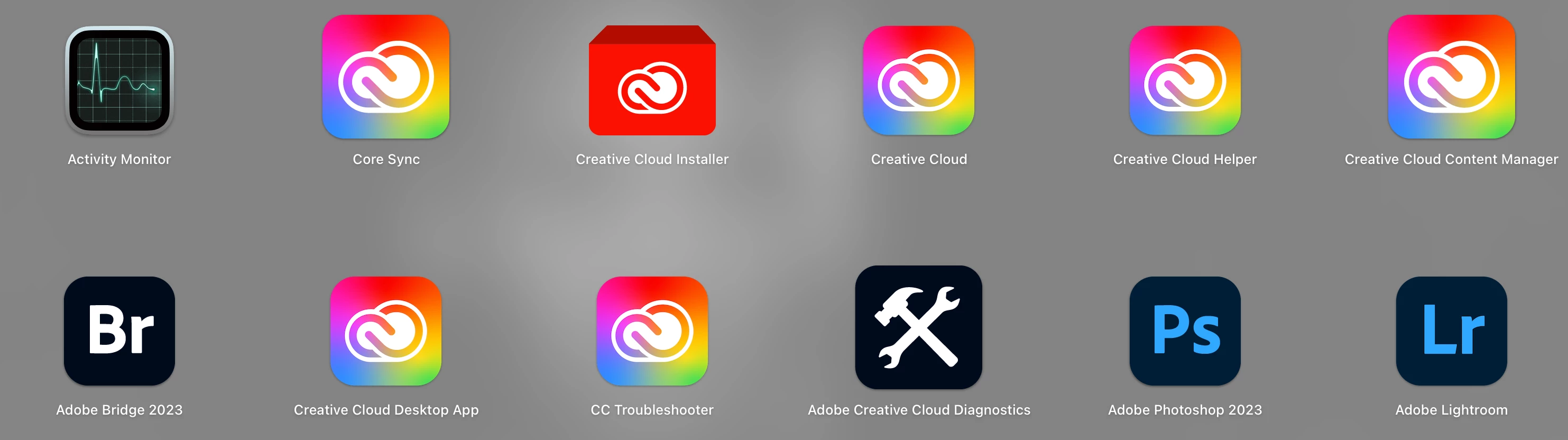
Why does Adobe continue to infiltrate and take over our machine with all these extra applications. I just want to run photoshop and lightroom a couple times a month. Why do I need 8 other apps that continutally run in the back ground and continually buggy running with multiple other instances in the background.  This is just madness. All of this bloated junk and a premium price just to run 2 apps a couple times a month. 
 

5 replies

Participant
April 21, 2025

Still bloated in 2025, absolute resource hog.

kglad
Community Expert
Community Expert
April 21, 2025

adobe resource usage has been a known fact for decades.

Uhl
Inspiring
December 19, 2023

As @kglad pointed out, they are working on streamlining background processes. I was happy to see this in the latest update:


And there have been other improvements that indicate Adobe is listening to this type of feedback:

  • If you’re not using cloud sync, you can delete the Creative Cloud Files folder and it won't come back.

  • On Mac: You no longer get a nag message when you quit (Cmd+Q) Creative Cloud.


So I'm optimistic they're going in the right direction. Though, there's always room for improvement. For example, this Lightroom Classic issue has been a problem for over ten years! 🙀

Participant
December 17, 2023

Because data is money.  And tracking every little thing you does, makes Adobe even more money.

Also they suck as optimisation and have spent zero money on actually streamlining their apps, instead they spent the money to secure, track and lockdown you into a subscription and data parternship 😉 

kglad
Community Expert
Community Expert
December 17, 2023
Participant
December 21, 2023

Then, why do you have the run-around when attempting to uninstall creative cloud.  Just let me push one button if for any reason I want to unistall.  Never mind, go into program files and delete-away!!!

Henrik Heigl
Community Expert
Community Expert
April 24, 2023

Hi,


what exactly is your problem with those background Apps? All background applications have their function and don't bother you. Core Sync, for example, ensures that the files are always up-to-date and synced with the Creative Cloud, the Creative Cloud desktop app is there to manage the application and the content of your cloud files, plugins, fonts, etc. and the other utilities help if problems should arise, to be able to diagnose them. This is actually completely normal for a professional program and with Microsoft Office products, just as an example, it looks similar with background processes.
But there are many alternative Applications out there you can try. Hope that helps a bit.

regards,Henrik
calumm79481591
Known Participant
August 2, 2024

Someone talks about the common experience of Adobe bloatware background processes making things run buggy - clearly this bothers them and your reply is: "All background applications have their function and don't bother you."

Like you just negated his experience. This is the feeling many users have with Adobe, like you say one thing and they literally hear the opposite.

kglad
Community Expert
Community Expert
August 2, 2024

most users don't experience problems..

kglad
Community Expert
Community Expert
April 24, 2023

some things don't change.