
DK.Hawkins
Inspiring
August 16, 2024
Question

2024 Update MUSE work arounds no longer appear to help - advice please!

  • August 16, 2024
  • 3 replies
  • 2040 views

Hi there,


until recently, the work arounds allowed me to get onto Muse to make updates to my web page.


It appears that there has been an update that has foiled this ..... or I just need some help from people WAY more clued in than I am !

I have followed the past advice, to go into task manager and shut down all the Adobe processes .... done.

Gone off line to open Muse ..... Done 

In the past, this worked and I was able to make the website updates thatI needed . 

But in the last week I had some more updates to the website and this work around no longer allowed me access to Muse . 

I tried the other work around of renaming the ICP boker file with "2" at the end (I can't seem to change the file to have a "~" in the .exe command anymore (as that was one solution offered to change the .exe to .e~e) .

Now .... this  comes up .... and I can't access Muse -
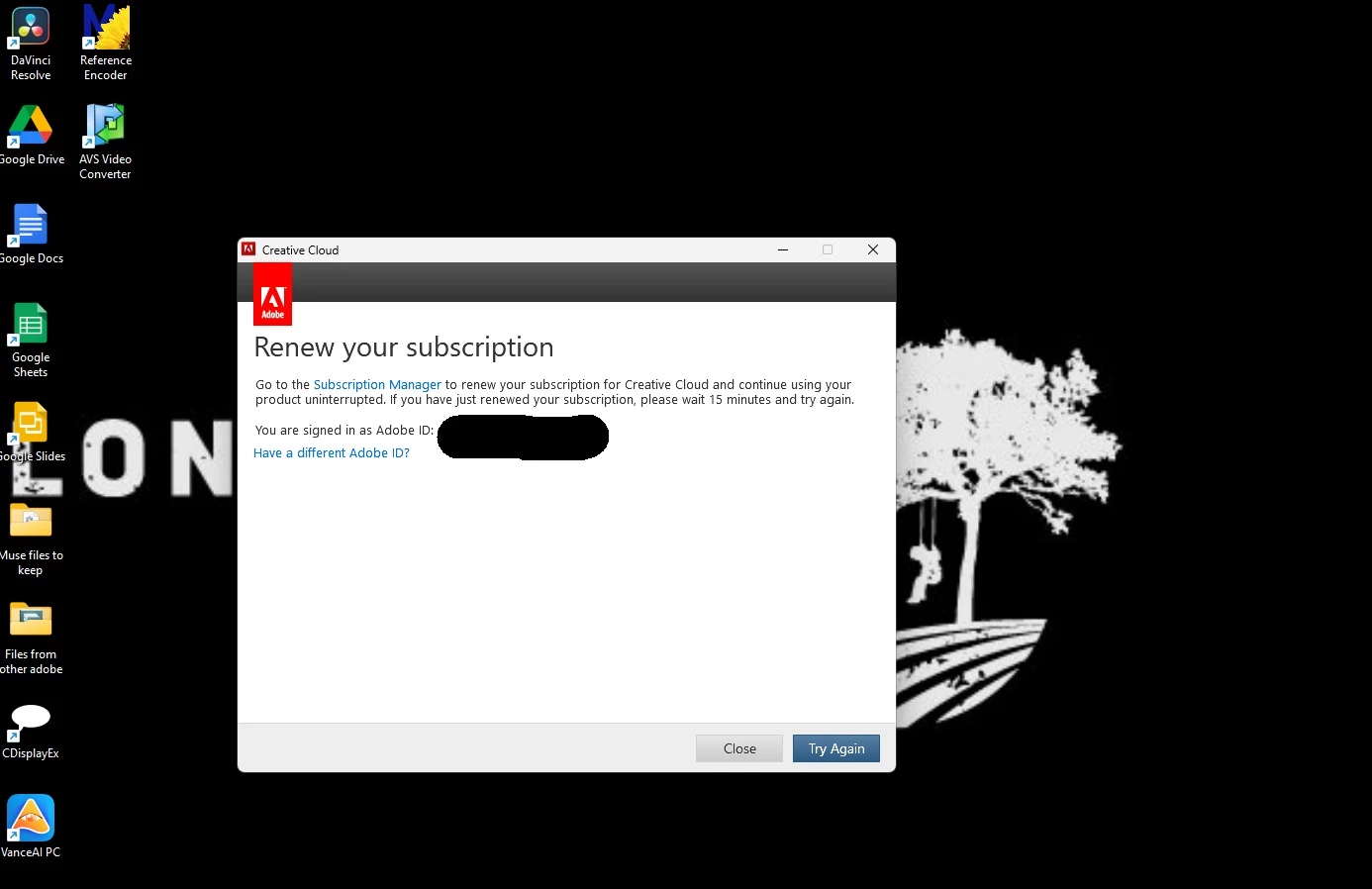
ANYONE able to offer a solution would be incredibly appreciated.


Thank you!

This topic has been closed for replies.

3 replies

leonieg86504624
Participating Frequently
September 26, 2024

I have the same problem! 😞 

kglad
Community Expert
Community Expert
August 26, 2024

do your other apps work?

DK.Hawkins
Inspiring
August 26, 2024

yeah, all my other apps work, but since the last updates on Creative Cloud and Windows, the previous work around seems to have been blocked by Adobe . 

I could turn off adobe processes , disconnect from the net and Muse would open up ...... then I could do whatever updates I needed to do on my business site (being an independent and small business owner, being able to do all that myself was a GODSEND!!) .

But now, Adobe appears to have blocked that and a loop has been put into Adobe that it wants me to confirm my subscription and refuses to open Muse .... EVEN when offline, not even connected to the net  😞


leonieg86504624
Participating Frequently
September 26, 2024

I have the same problem. I signed out of the Creative Cloud and signed in again. After that I no longer received the pop-up asking to renew my subscription, but the 7-day trial version. This trial version does run, by the way. But how do I get this working again, without the trial version? I already have a subscription and all the other apps work fine.

Tarun Saini
Community Manager
Community Manager
August 26, 2024

Hi 

@DK.Hawkins

,


Thanks for your patience. I found this article, please take a look and see if that helps- https://adobe.ly/4fZQU1q


Regards,

Tarun

DK.Hawkins
Inspiring
August 27, 2024

thank you there, but sadly it doesn't  😞 

The article is old and does the usual "set you Creative cloud to access older apps and you should be fine" as well as suggesting creating a page with ADobe Express ... which doesn't help as my site is designed and powered with Muse.

Thank you for trying, all the same. 

Here's the rub - 

All my other apps work, but since the last updates on Creative Cloud and Windows, the previous work around seems to have been blocked by Adobe . 

I could turn off adobe processes , disconnect from the net and Muse would open up ...... then I could do whatever updates I needed to do on my business site (being an independent and small business owner, being able to do all that myself was a GODSEND!!) .

But now, Adobe appears to have blocked that and a loop has been put into Adobe that it wants me to confirm my subscription and refuses to open Muse .... EVEN when offline, not even connected to the net  😞

kglad
Community Expert
Community Expert
August 27, 2024

@DK.Hawkins 


what fixes have you tried?