
Participant
March 3, 2021
Question

A lot of versions of Creative Cloud

  • March 3, 2021
  • 2 replies
  • 350 views

Hi, guys!

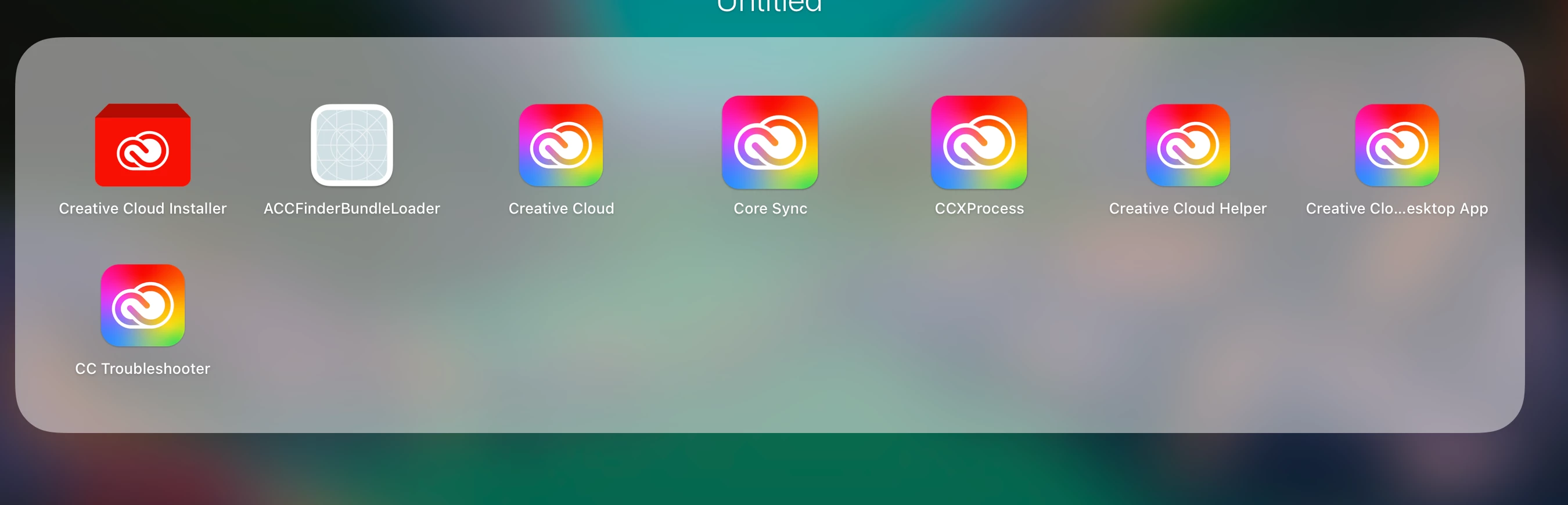
I downloaded Creative Cloud on my M1 Chip Macbook pro, but there were a lot of similar apps that can't be deleted, and I'm afraid if it will compromise my computer's performance, I don't think that's normal, as I've never seen it happen on other computers.
 

This topic has been closed for replies.

2 replies

kglad
Community Expert
Community Expert
March 3, 2021

that looks like you "unpacked" the dmg instead of mounting the installer (ie, open with diskimagemounter).


Participant
March 4, 2021

Should I delete Creative Cloud so the amount of icons can "disappear"? 

kglad
Community Expert
Community Expert
March 4, 2021

if you installed nothing, yes delete those files.  then download the cc desktop app and install it by opening with diskimagemounter:


install the cc desktop app from here https://creativecloud.adobe.com/apps/all/desktop?action=install&source=apps&productId=creative-cloud and use it to install your adobe subscription and trial programs.


if you have trouble downloading, use the alternative download site at page bottom here, https://helpx.adobe.com/in/download-install/kb/creative-cloud-desktop-app-download.html

John T Smith
Community Expert
Community Expert
March 3, 2021

The icons look the same, but the name under each one is different... so are different programs started when you click the icons?

Participant
March 4, 2021

No, it's not different program, it doesn’t matter which icon I click, every time it opens Creative Cloud, which is weird.