

emilyjewell
Participant
May 5, 2022
Question

Accent menu not coming up in any adobe applications

  • May 5, 2022
  • 1 reply
  • 178 views


I’m working on a project that requires accented characters but suddenly this accent menu:
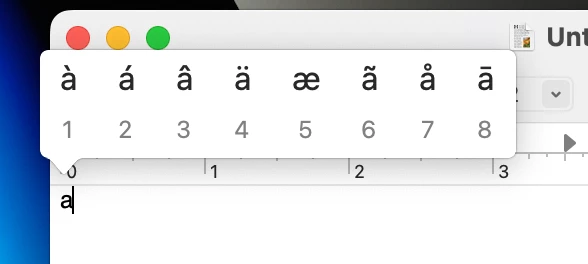
 

Is not appearing when I hold down any characters. How do I get it back?

If it helps, I just switched over to a new Macbook 16-inch (2021) & I’m updated to the latest software Monterey 12.3.1


This topic has been closed for replies.

1 reply

Tarun Saini
Community Manager
Community Manager
May 5, 2022

Hi there.


Thanks for reaching out. Would you mind telling us which Adobe application are you using? Is it happening after switching to MacBook? Which operating system you were on before & was it working fine there? Did you try checking this on other non-Adobe apps?


As a workaround, you may copy it from TextEdit and paste it to your required Adobe app to get your work done.


Let us know if that helps.


Regards,

Tarun