
Participant
July 31, 2023
Answered

Adobe Abo wird nicht erkannt | "Fehler bei der Bibliothekssynchronisation"
  • July 31, 2023
  • 1 reply
  • 1437 views

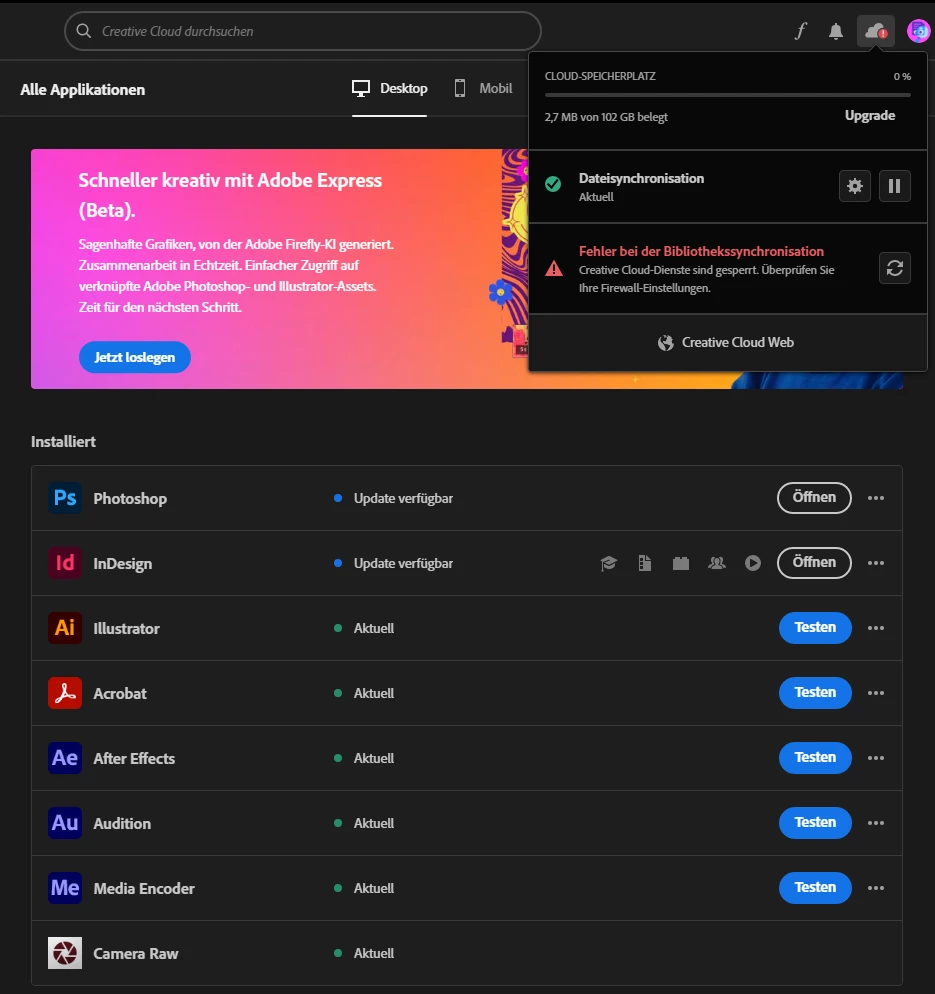
Ich habe ein Studenten Abo, aber mir wird plötzlich in der creative cloud angezeigt, dass die meisten Programme nicht in meinem Abo sind. Ich bin auch eingeloggt in der CC, aber es wird auch angegeben, dass es einen "Fehler bei der Bibliothekssynchronisation" gibt. Aber wenn ich auch das Reload Symbol neben der Nachricht klicke, passiert auch nichts. Also weiß ich nicht, was ich mit der Fehlernachricht anfangen soll. 
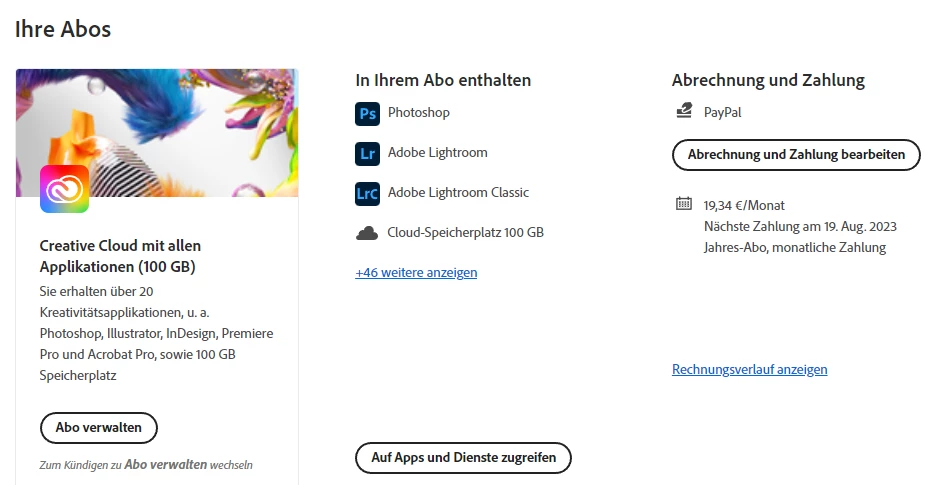
Ich hab versucht ein Programm aus dem Ordner auf meiner Festplatte zu öffnen, wo es installiert ist, und das hat trotzdem funktioniert. 

This topic has been closed for replies.
Correct answer kglad

reset the cc desktop app by making sure it's in the foreground, then press:

Win: Ctrl + Alt + R
Mac: Cmd + Opt + R


if that fails, start here; https://helpx.adobe.com/manage-account/kb/stop-creative-cloud-trial-mode-after-purchase.html


if that fails, proceed to these steps - https://helpx.adobe.com/enterprise/kb/resolve-trial-and-license-expired-errors.html


if that fails, https://helpx.adobe.com/download-install/kb/adobe-license-issues-keychain-credential-mgr.html


1 reply

kglad
Community Expert
kgladCommunity ExpertCorrect answer
Community Expert
July 31, 2023

reset the cc desktop app by making sure it's in the foreground, then press:

Win: Ctrl + Alt + R
Mac: Cmd + Opt + R


if that fails, start here; https://helpx.adobe.com/manage-account/kb/stop-creative-cloud-trial-mode-after-purchase.html


if that fails, proceed to these steps - https://helpx.adobe.com/enterprise/kb/resolve-trial-and-license-expired-errors.html


if that fails, https://helpx.adobe.com/download-install/kb/adobe-license-issues-keychain-credential-mgr.html


Participant
November 19, 2023

that worked for me, thanks!


kglad
Community Expert
Community Expert
November 19, 2023

@Jochen337132958q3l 


you're welcome!