
Participant
May 19, 2024
Question

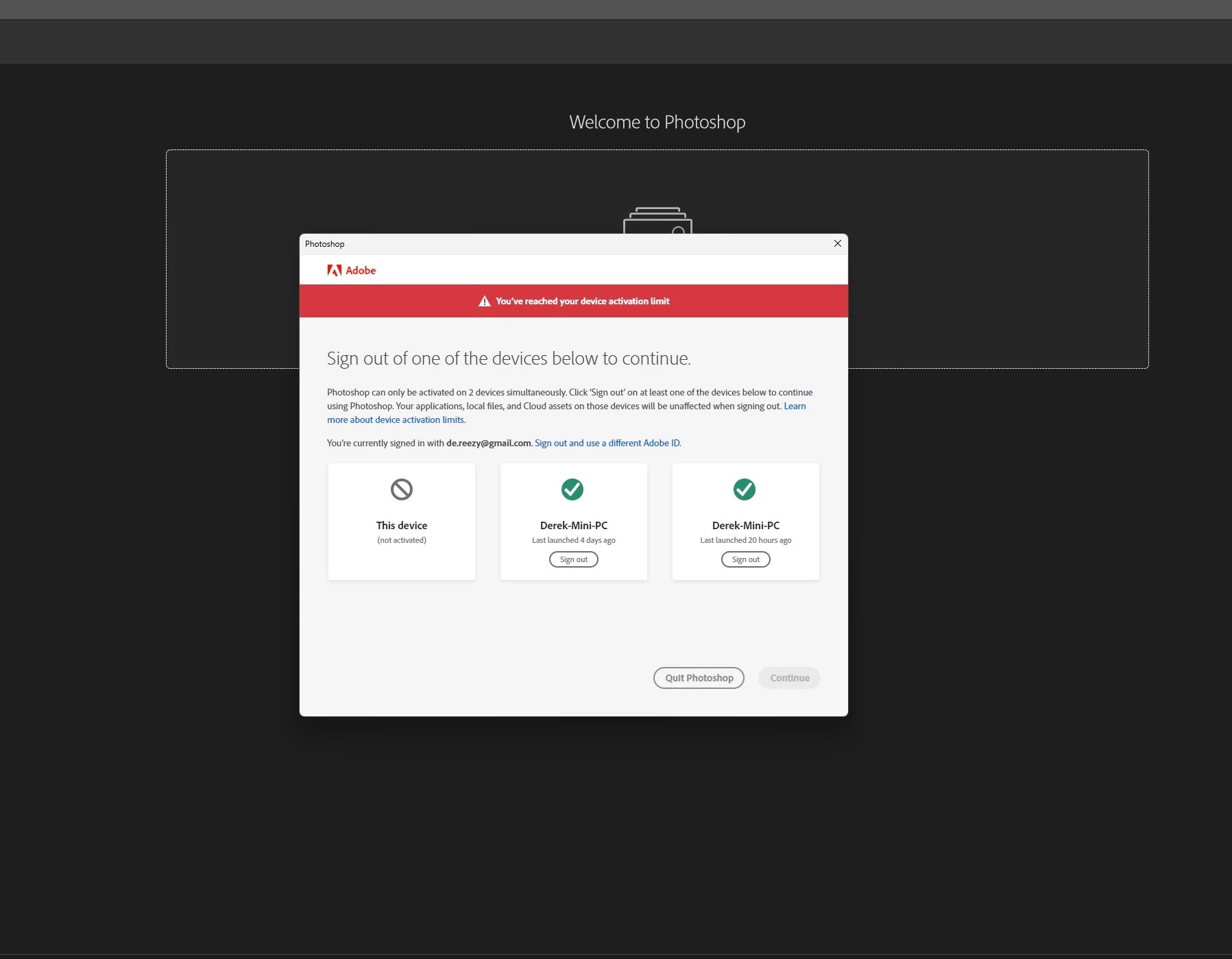
Adobe CC apps ask me to sign out of a device but the options are all the same computer

  • May 19, 2024
  • 4 replies
  • 1100 views


I've had to have Adobe support fix this for me twice now. It seems like approx every other day I get this pop up about activation limits but all three of these are literally the same computer and I've never activated on another. What gives? I wouldn't care if I could remove one of them and be on my way but every time I choose one to sign out of, I end up getting another error that it can't verify my subscription and I'm stuck without access to any of my apps. It's super disruptive because I rely on them for work and I cant set aside an hour to let adobe support take control of my PC and mess with CC Cleaner and windows credentials every other day. Does anyone have any advice on what I can do to stop Adobe from thinking my PC is 3 separate computers?
4 replies

Participant
June 18, 2024

I also have the same problem, three time since yesterday, everytime I'm rebooting Windows it asks to sign out from a device (even though it is the same and I only have one installation) and I don't have a anti virus (av for acronym ppl) app

kglad
Community Expert
Community Expert
June 18, 2024

contact adobe support via chat.  there are 2 ways to contact adobe support; chat and twitter (now x):

chat:
if you have or want to purchase a subscription, use a browser that allows popups and cookies
and click here, https://helpx.adobe.com/contact.html?rghtup=autoOpen
in the chat field (lower right), type AGENT
be patient, it can take quite a while to reach a human.

twitter/x:
tweet @AdobeCare

p.s. if you're contacted by anyone (via email or private message), it's much more likely to be a scammer than an adobe representative.

jane-e
Community Expert
Community Expert
May 20, 2024


quote

what I can do to stop Adobe from thinking my PC is 3 separate computers?

By @micaopher


All you've told us (so far) is that the apps are on the same computer. We need more information. What you didn't tell us is how the three instances of CC are installed on your one computer.


For instance, I am on a Mac and have Parallels running Windows on my Mac where I have Adobe apps also installed. That counts as two installations even though they are on the same computer.


This may or may not be your issue, but we have to ask.


Jane


Participant
May 19, 2024

i am also facing this issue on my side..

kglad
Community Expert
Community Expert
May 19, 2024

what are the av's you're both using?

kglad
Community Expert
Community Expert
May 19, 2024

it's probably an av app causing the problem.