
Participant
March 4, 2015
Answered

Adobe CC Libraries - Some sync, some don't?

  • March 4, 2015
  • 1 reply
  • 1037 views

I currently use the Adobe CC Libraries to share assets between Photoshop and Illustrator, but the libraries sync very inconsistently. Photoshop syncs (sometimes) but Illustrator just doesn't any more.

Photoshop:

Photoshop sometimes syncs, but a lot of the time it just gets stuck on "syncing..." and never changes. I've left it open over night and it will not update, and the file it is supposed to be syncing is less than 1MB.

Illustrator:

Illustrator used to sync for me, then it started acting like Photoshop. I tried to resolve this like suggested in many other forum solutions (the command line solution, deleting the .db file, etc..) and then I downloaded the latest version of the Creative Cloud application and now it says that it cannot connect to the server.

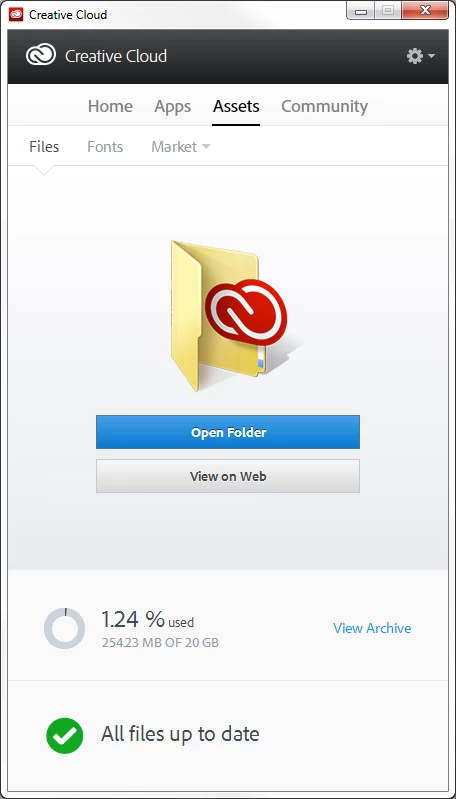
Both of those screenshots were taken at the same time!

As I said, I updated to the latest version of the CC desktop application and it was able to re-sync fonts and Market assets without any issues.
This topic has been closed for replies.
Correct answer wharress

Hi,

Thanks for the list. It's definitely interesting and useful, but unfortunately Windows Firewall only allows definitions for applications, services and ports.

What I'd love to know is whether the syncing system is actually contained within the Photoshop / Illustrator programs or do they access another local application to perform the sync? If there is another file that I can allow through my firewall then hopefully that can solve the issue.

Thanks,

Robert


Hi,

You should Contact Customer Care for this issue.


Thanks

Warner

1 reply

wharress
Community Manager
Community Manager
March 5, 2015

Hi,

This looks like your Adobe applications are not able to connect to Creative Cloud for some reason. The actual Creative Cloud application looks ok. Are you aware of anything can could block your access to Creative cloud from your desktop applications?. Are you able to sync files ok?

Thanks

Warner

Participant
March 5, 2015

Yeah, I assumed that something is blocking it. I've changed my firewall settings to allow all traffic to and from Photoshop and Illustrator but there is no change.

Are there any particular ports or other files/applications that I should be setting firewall definitions for?

Also, I tried uploading my Photoshop settings from within the preferences and I received this error.

wharress
Community Manager
Community Manager
March 5, 2015