

Participant
June 20, 2021
Question

Adobe creative cloud constant notifications of a file that cannot be synced

  • June 20, 2021
  • 1 reply
  • 271 views

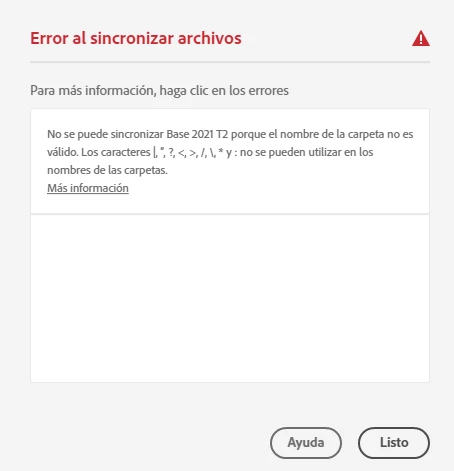
my Creative Cloud is trying to sync a file that no longer exists.
It's really frustrating because I cannot delete the folder that is unable to sync, and I've erased that .proj (base 2021 T2) from my cloud and I don't know why it tries to keep syncing it.
I've tried uninstalling premiere and re intalling it, but it won't work.
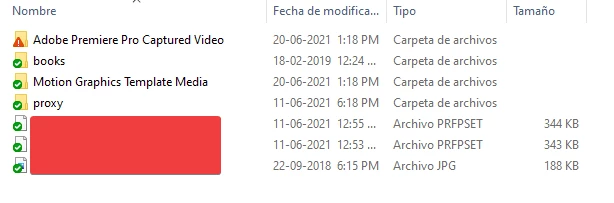
Even with premiere uninstalled, this folder "Adobe Premiere Pro Captured Video" keeps appearing and trying to sync.


This topic has been closed for replies.

1 reply

Nancy OShea
Community Expert
Community Expert
June 20, 2021
Nancy O'Shea— Product User & Community Expert
Participant
June 21, 2021

sadly pausing and re syncing did not work.

Also when it says "avoid the following characters" I just don't know where those characters are and why this file is creating itself over and over.

The name of the file with the problem is "Base 2021 T2" and I can not edit it because windows says that file does not exist.

Nancy OShea
Community Expert
Community Expert
June 21, 2021

CONTACT ADOBE SUPPORT:
Online Chat: https://helpx.adobe.com/contact.html?rghtup=autoOpen
Phone M-F, during normal business hours: https://helpx.adobe.com/contact/phone.html


Nancy O'Shea— Product User & Community Expert