
Answered
Adobe Creative Cloud freezes when I click on assets tab
Hi! I have a PC with Windows 10 installed. Every time I click on "assets" tab in order to sync fonts it continues loading forever. Any tips?
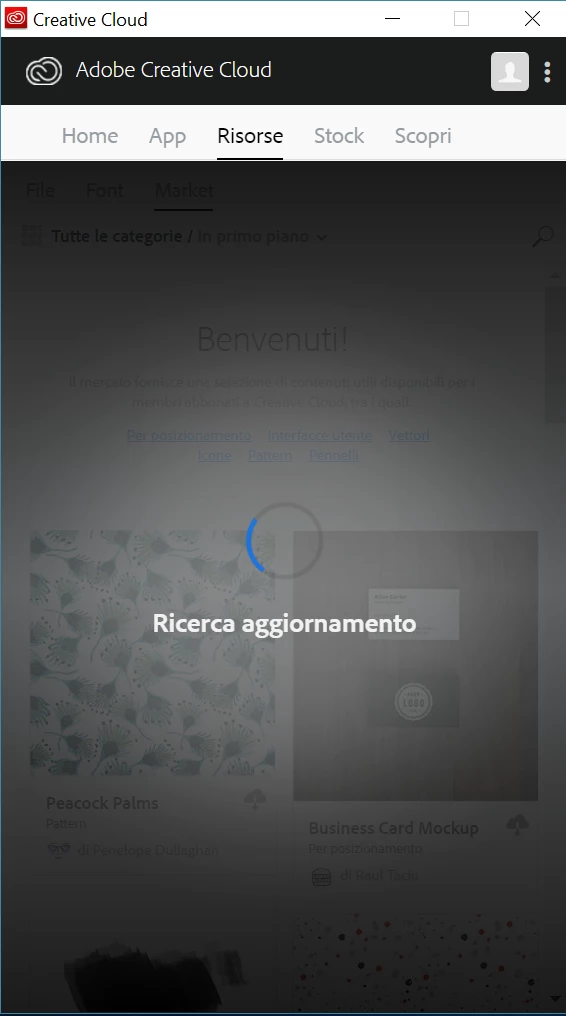

Hi! I have a PC with Windows 10 installed. Every time I click on "assets" tab in order to sync fonts it continues loading forever. Any tips?
Hi Luca,
I've seen some other reports of this issue related to the Creative Cloud app not being installed correctly. I'd try uninstalling/reinstalling it as described here: Uninstall the Adobe Creative Cloud desktop application
If the issue persists after doing so, I'd suggest contacting and working with our support directly
Hope that helps,
- Dave
Already have an account? Login
Enter your E-mail address. We'll send you an e-mail with instructions to reset your password.


 AdChoices