


Question
Adobe modified the name of my external SSD drive on my MacOS
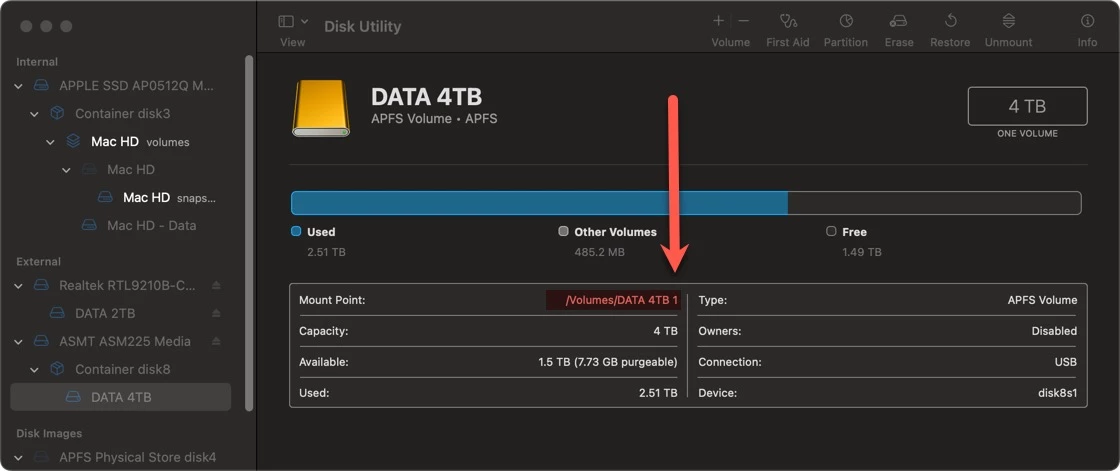
The name of my external SSD drive, connected to my 2020 MacMini through a hub, was modified with an extension of "1" at the end. Its only noticeable because my cloud backup service (backblaze) doesn't recognize the drive anymore.
I worked with Senior support at Apple and they cannot solve it over the phone but in working with them I narrowed down that this change, including permissions, happened after I newly installed Adobe Cloud and my favorite programs. I have tried to rename it back to the original name without the extension but it will not rename, even after removing the "Admin" permission that Adobe Cloud modified when I clicked "Allow."
How do I get rid of this extension?
 AdChoices