



macinjosh_
Participant
September 6, 2025
Question

Adobe Portfolio - Error 503 Backend Unhealthy

  • September 6, 2025
  • 8 replies
  • 748 views

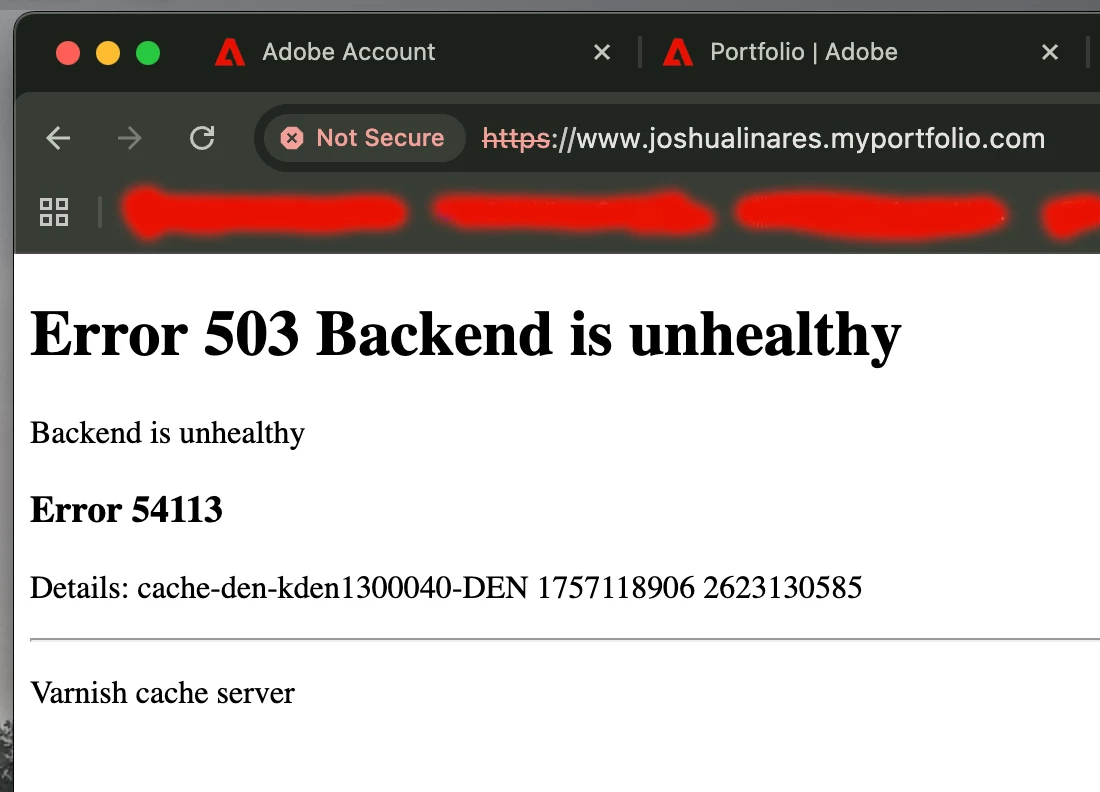
I recently logged into Adobe Portfolio to make a few changes to my existing website and noticed the launch page has changed. Great, however where is my existing portfolio? It says, "Get Started" when I know that I already have an existing portfolio. I'm trying not to panic, but my portfolio is linked on my resume, LinkedIn page, and my instagram bio. I've sent  ______.myportfolio.com to multiple recruiters and HR reps and now I'm worried that this is hindering my candidacy. I also tried viewing my page from different internet browsers but the prompt I'm seeing is "Error 503 Backend Unhealthy". Just a few weeks ago I was in my portfolio page making changes and now it's gone. Is anyone else experiencing this? 
 

8 replies

Participant
September 6, 2025

hi, same problem with my portfolio page. there also seems to be an issue with other webpages within Adobe. I am trying to create a logo using Adobe Express and pages there are'nt  loading either. 

kglad
Community Expert
Community Expert
September 6, 2025

all should be working now.


cornelis_bos
Participant
September 6, 2025

Yay! Thanks

Participant
September 6, 2025

Same problem here, I was planning on adding new photos for 2 clients looking for content, and now I realise my portfolio isn't even working... I've ask blindly my clients to have a look on my website thinking they will be able to work on a selection of photos, no news since then, so thanks to Adobe I lost 2 potential clients... 😑

Participant
September 6, 2025

I thought it was just me. I hope Adobe fix it soon. I've only tried on my phone but will try my PC when I get home 

Participant
September 6, 2025

Same problem here! 

Error 503 Backend is unhealthy

Backend is unhealthy

cornelis_bos
Participant
September 6, 2025

Same problem here. Let's upvote this issue en hope Adobe will fix it soon (if they are not already working on it) 🤞


Participant
September 6, 2025

I'm having the same exact problem too! I'm so worried! 

Participant
September 6, 2025

Mine too i think i have to plane now because i panicked and thought i let it cancel hopefully i get a refund

Participant
September 6, 2025

I am also having the same exact message. Does anyone know if this is a system error and how long this might take to get fixed? I have a lot of things linking to my portfolio that are time sensitive.

Participant
September 6, 2025

Yea it's everyone right now. 
mine is the same as well 

kglad
Community Expert
Community Expert
September 6, 2025

that's on adobe's end

macinjosh_
Participant
September 6, 2025

I contacted Adobe Portfolio support so hopefully they can get my site back on. Again, trying not to panic.

kglad
Community Expert
Community Expert
September 6, 2025

it's out of your control so try not to stress.